Best Cursive Fonts in Canva: 50+ Free and Pro Script Fonts for Designers
Years ago I published this post with 40 cursive fonts. Those fonts are great and I do still use some of them. But many of them need to be downloaded from the internet.
Since most people are using Canva these days (I’ve been using it more lately, but I’m still not convinced it’s better than Affinity Publisher!), I thought I’d share some new (to me) cursive fonts I’ve discovered in Canva.
While you can upload fonts into Canva if you have the pro version, there are actually plenty of font options already within Canva – so you can save time by just using those instead of uploading fonts.
I like to use a variety of fonts so had a hard time narrowing it down! I managed to keep it to about 50 font options. Most are in the free version of Canva, with a few in the pro / paid version.
Free cursive fonts in Canva
- Brittany
- Apricots
- Gistesy
- Lobster
- Selima
- Moontime
- Brusher
- Dancing Script
- Playlist Script
- Howell
- Brightwall
- Sacramento
- Yellowtail
- Bellaboo

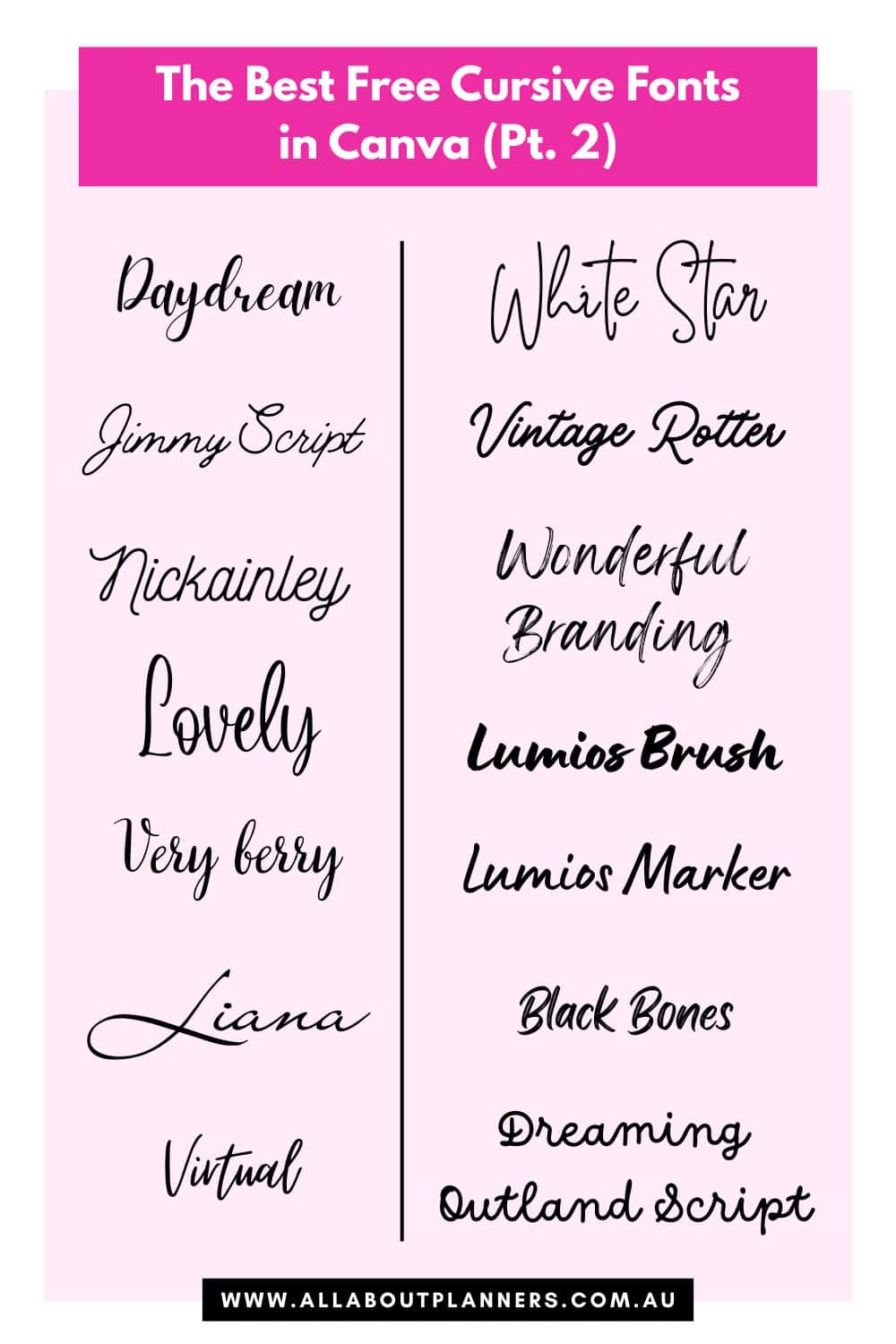
- Daydream
- Jimmy Script
- Nickainley
- Lovely
- Very berry
- Liana
- Virtual
- White Star
- Vintage Rotter
- Wonderful Branding
- Lumios Brush
- Lumios Marker
- Black Bones
- Dreaming Outland Script
- Breathing
- Satisfy
- Themysion
- Allison
- Twister
- Angelina
- Allura
- Regular Brush
- Better Saturday
- Handelson Three
- Angela White
- Stars & Love
- Holiday
- Malibu

Paid cursive fonts in Canva
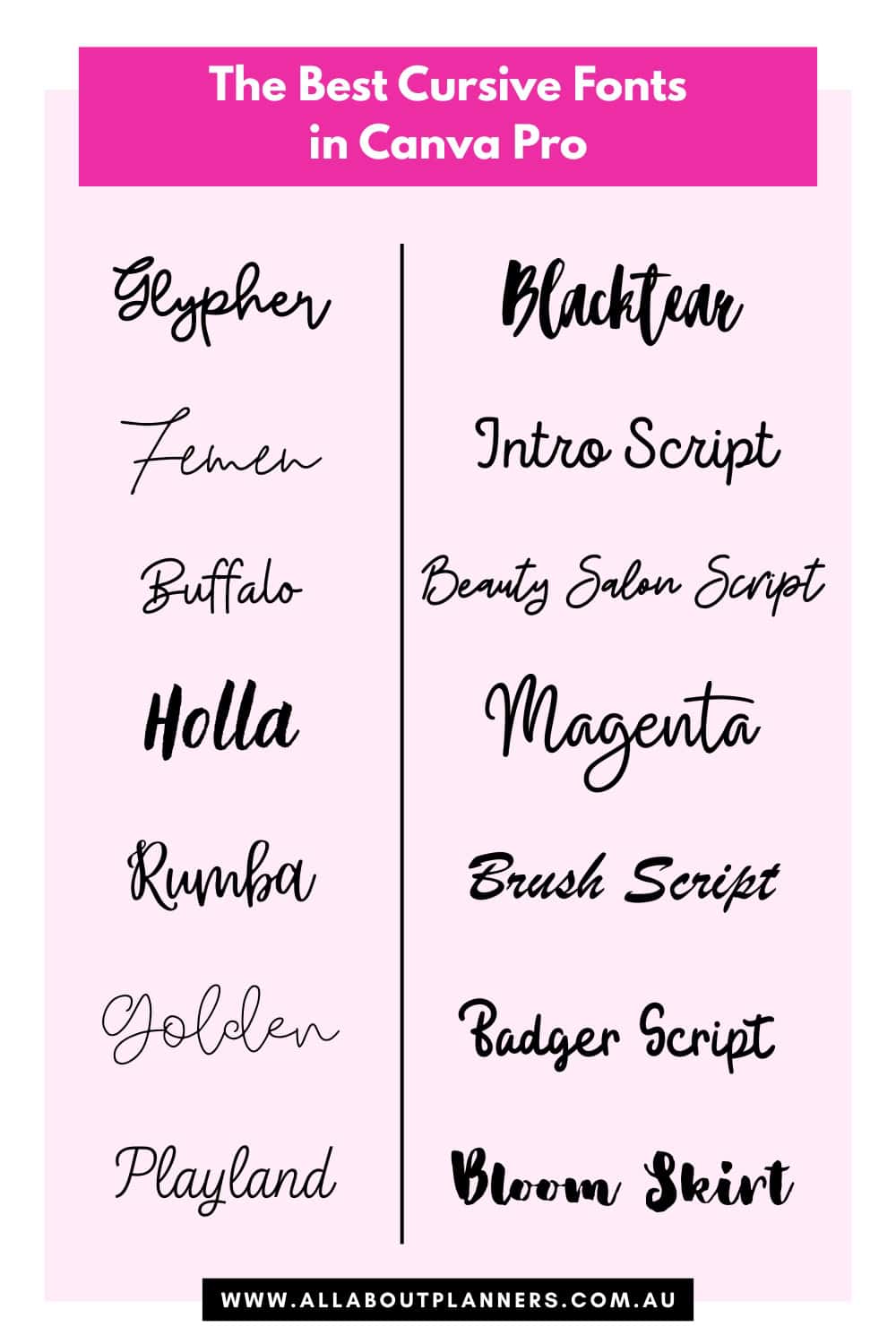
- Glypher
- Femen
- Buffalo
- Holla
- Rumba
- Golden
- Blacktear
- Intro Script
- Beauty Salon Script
- Magenta
- Brush Script
- Badger Script
- Bloom Skirt
Tips for choosing fonts in Canva
You can filter fonts by free or paid. Within the text menu, click the icon with the horizontal lines beside the search box.
Tip: you can also filter the elements menu by free or pro in the same way

Frustratingly, some of the script fonts can’t be made bold in Canva. If that happens, then I will tweak my design to accommodate an increased font size. No point using a nice font if nobody can read it!
Some of the fonts also need to be enlarged a lot to see the letters. Some of the cursive fonts don’t look very good in small font size, but look great when enlarged.
Test the font with key phrases and words you often use, before choosing it (especially if you’re choosing it for a brand font). Some of the cursive fonts in Canva don’t look very good for long words, and some only look good when you use it for 2 – 3 words.
If the letters look crowded, you can change the letter spacing in Canva.
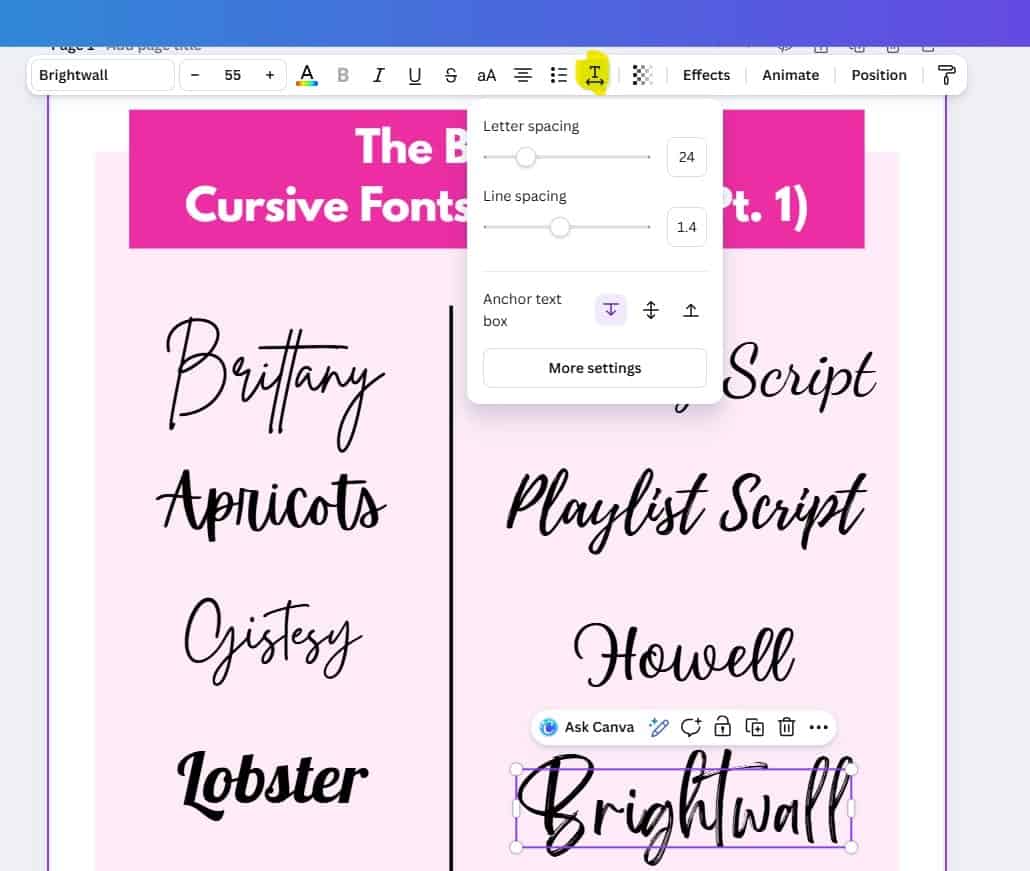
Some of the cursive fonts are hard to read. The letters are thin, on too much of an angle or the first letter is much larger than the rest of the letters in the word. These fonts can also be annoying to work with as they have a large gap above and below the letters which makes it annoying to align multiple layers on the page.
Those type of fonts are usually only good for one or 2 words – things like wedding invitations or name place cards. I wouldn’t use them for a planner or other printable people will use in their everyday lives.
Font pairings
Using only cursive text will make your design very busy. It’s better to incorporate majority sans serif font and use a cursive font for keywords only.
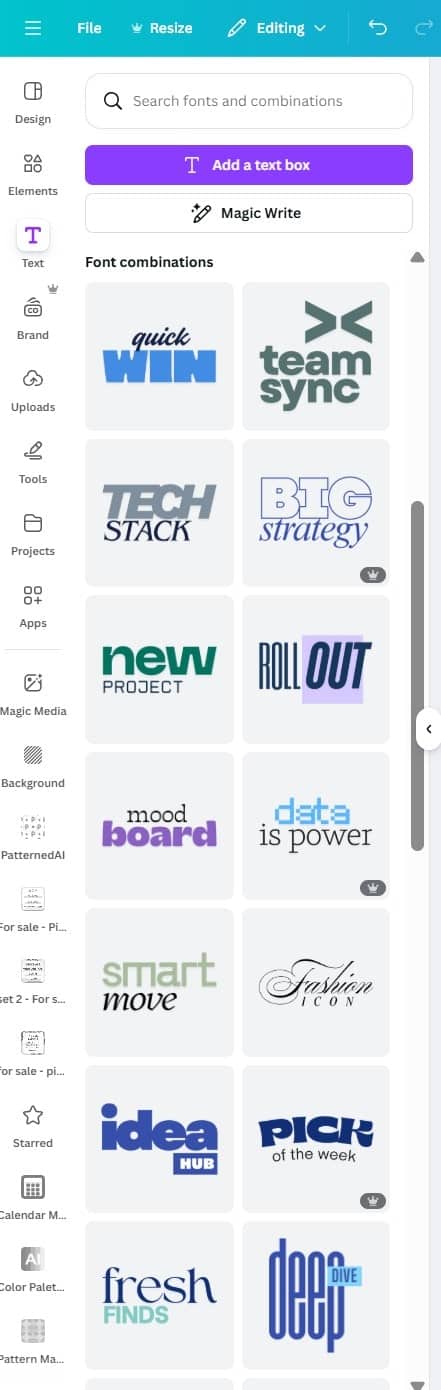
Canva has pre-made font pairings which can give you ideas for different combinations. Click on text, then scroll down to font combinations.
While you might not use these font combinations in Canva, it does give you some ideas on different design styles for pairing fonts:
- Smaller cursive word on top, with larger font size sans serif word underneath
- Centre text or left align it
- Same color for both words or different colors?
- Pairing a bright color font and black font
You could also add underlining or other effects from Canva’s elements menu.
Should you use free or pro version fonts in Canva?
If you’re making templates in Canva which you sell, only use free fonts. Some people don’t want to pay for Canva Pro and since fonts are a large portion of the design that people are paying for, they may not buy the template if you use fonts that are only available in Canva Pro.
Check ligatures and swatches and really think about where you’re going to use the font. Some of the cursive fonts in Canva are far too ‘flourishy’ for me. They might work on something fancy like a wedding invitation or a menu, but I wouldn’t use them for making a printable planner or a Pinterest pin.
Related post: How to download and share a template made in Canva
More graphic design tips
- How to add a drop shadow in Canva (create product mockups for your Etsy shop)
- Guide to using Pinterest Pin templates in Canva and how to make them stand out
- The best color tools in Canva for quickly creating color palettes
- How to find the best stock images in Canva for Pinterest pins (and how to edit them so they stand out)
Pin this post to refer back to later