

How to resize printables (how to print letter size onto half page, A5, Kikki K, Filofax, Erin Conden, Personal size or any other size you like!)
One of the questions I get asked all the time, is whether my printables can be printed at half size, A5, Kikki K size, personal, filofax, Erin Condren Planner size or another size altogether. The answer is… YES!
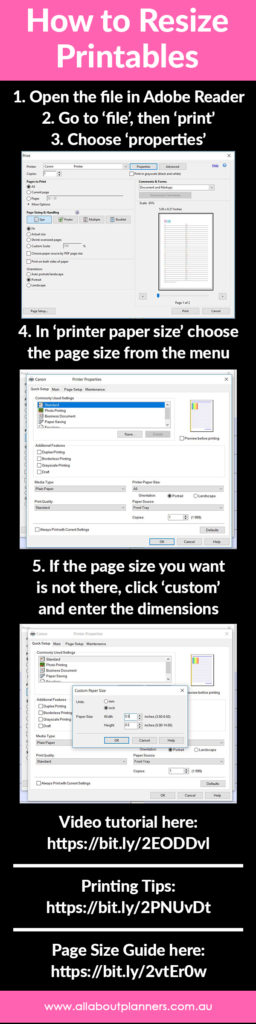
How to resize printables
You’ll need to use the ‘custom page size’ option in your printer’s menu. If you cannot find this, it may be because you have an entry level printer model that does not have this function.
Read more: How to Choose a Printer (Including the best printer for printing printables and planner stickers)
To enlarge the screen of the video, click the square icon in the bottom right hand corner of the video (it will say ‘full screen’ when you hover your mouse over the icon).
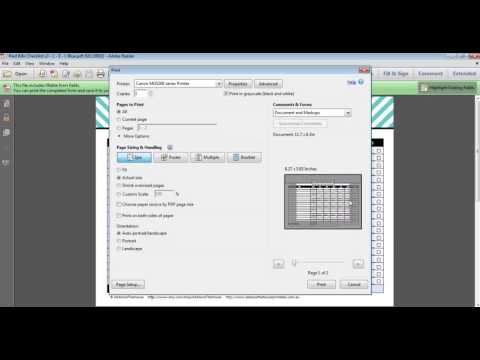
Subscribe to my YouTube channel for more planner videos!
The printable from the tutorial is from the budget planner set in my printables shop.
For more printing tips, see this post
For planner sticker printing instructions, see this post.
If you’re interested in more tutorials about making your own printables, I have an entire ecourse filled with tutorials on How to Make Printables in Photoshop.





One Comment