How to use ChatGPT to speed up your meal planning (plus download free printable meal planners)
Lacking inspiration for dinner recipes, and wanting to experiment with chatGPT, I decided to ask it to help me meal plan an entire month. Here are the results!
I am not affiliated with chatGPT and this is not a sponsored post. ChatGPT is a free tool and as always, all opinions are my own.
How to use ChatGPT for meal planning
Step 1 Go to the ChatGPT website
Click this link https://openai.com/blog/chatgpt
I didn’t want to use the iPhone app as it’s so inefficient doing things on the tiny phone screen without a real keyboard. So I created a free login online and used chatGPT on my computer. If you use the free online version it gives you 7 free requests per day.

Step 2: Add your request
It helps if you can be very specific, so guide ChatGPT by including some of these types of prompts in your request
- Specific food category
- List the ingredients you already have in your pantry
- Specify a certain number of meals for each type of meat or food group
- Gluten free meals
- Your budgeted cost per meal / for the week / fortnight / month
- Number of people you are meal planning for e.g. 2 adults and 2 teenagers
- How many meals you want it to include per day – breakfast, lunch, dinner, snacks
- Certain number of calories per meal (or a range)
- Specify a food you don’t want it to include e.g. if you have an allergy or are a fussy eater
- Cooking time per meal
This was my original request: generate a 1 month meal plan (dinner only). Include a variety of dishes from different food groups. Ideally meals that take 45 minutes or less to make

I didn’t tell it how many meals to include per week because I wanted to see if it included leftovers, takeaway and other common eating patterns people have. It generated 5 meals per week which I thought was a good amount noting that most people don’t cook every single night of the week.
I wasn’t specific about particular food group categories and so it generated a mix of meats (seafood, pork, chicken, beef and even turkey which I don’t cook with but hey chatGPT has prompted me that I should explore some recipes with turkey) and vegetables. It even included a vegan option with tofu.
For my request for a month’s work of meals it gave me 4 weeks. Each meal option included a side as well (and I didn’t even have to ask it to do that!)

Step 3: Refine your request
If you don’t like the answer it’s generated you can just keep clicking the regenerate response button to keep getting ideas.
When you want to refine your request you don’t need to only enter one request / edit at a time. You also don’t need to list things out in itemised dot points. Here was my second request:
Remove vegetarian and vegan options from the meal plan. Add leftovers in every second day. Make it a 30 day meal plan. Add estimated cooking and preparation time for each recipe. Add links to a website that has a recipe for that meal (for each recipe).
It took about a minute to generate this response.


It was pretty accurate at fulfilling my entire request except for a few issues:
- It kept the vegetarian options
- It kept the 20 days of meal plans and that included the days for leftovers. It ‘cheated’ and told me to ‘continue the pattern for the remaining 10 days of the month’
I checked a few of the recipe links and unfortunately they didn’t go to real websites 🙁 That would’ve really saved me time if those links had worked!

Step 4: Formatting
I like lists and what it generated looks neat, but I wanted a meal planning calendar I could put on my fridge. So my next request was Put this information into a monthly calendar
It recognised I wanted the information into a table and created a list style calendar.


You can copy and paste any of the responses it generates into a Word document, Google Doc or similar program for printing. You may need to do some minor manual adjusting of table borders etc. to ‘make it pretty’ – which is why I copied the information into one of my monthly calendar printables instead.
Click the image below to download the meal plans. If you’re an existing subscriber, they’ve been uploaded to the free printables library (login page here).
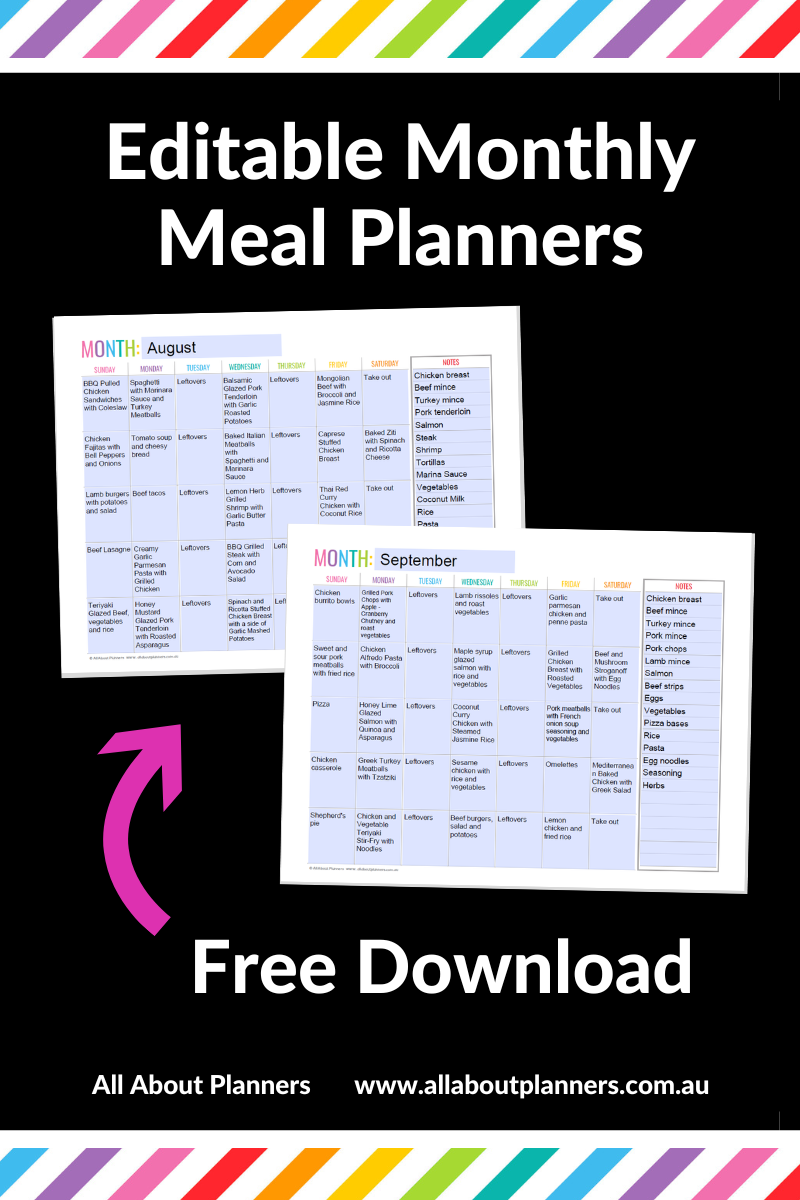

If you’re thinking.. but the calendars have 35 meals? I like to add a few extra options and mix it up depending on what I feel like cooking. I might also end up replacing some of the nights with leftovers, with another meal, or an ingredient may be out of stock. I like some flexibility and backup options.
Limitations of using ChatGPT for meal planning
Now I thought this one would really test it’s capability. I asked it to make me a shopping list of all the ingredients needed to make the meals, including the quantity of each ingredient, cost per ingredient and an overall total cost based on prices at Coles supermarket Australia. Include enough quantity to feed 4 adults per meal.
Up came the disclaimer that ChatGPT can’t access real time data (for some of the things I’ve been asking it to do it says it’s using data up to and including 2021). It still managed to list out all the ingredients. Now do I think the quantities are enough? No. ChatGPT suggested 5 chicken dinners but says I only need to buy 4 chicken breasts. The 2 cups of rice to last 4 adults over the course of a month also isn’t enough.


For me, when I’m meal planning I’m a sucker for a good photo of the recipe and unfortunately, chatGPT doesn’t show photos of the recipes. It also doesn’t provide a link to websites that have the recipes it has generated for you but you can ask it to generate a list of websites that have, for example, lasagne recipes.
This time, the links worked.

I always think of Betty Crocker for sweet baking recipes (who doesn’t love a Betty Crocker packet mix..) so tested that link and entered lasagne in the search field. Well I was surprised, there are 222 lasagne recipes on the Betty Crocker website! I never would’ve thought to go there to look for dinner recipes if chatGPT hadn’t suggested it, which is one of the reasons I find it such a helpful tool.

Lasagne is a recipe I love but it’s notoriously long to make so I clicked on a few to see if they were 1 hour or less like I’d requested via chatGPT.. but most of them took longer than 1 hour.
I’d be keen to see what the back-end / technology / development looks like for chatGPT and how they choose what data to present to each request. E.g is the search results based on Google rankings, on the number of lasagne recipes a website has, random selection or some other formula?
Recipes & Cooking Inspiration free download
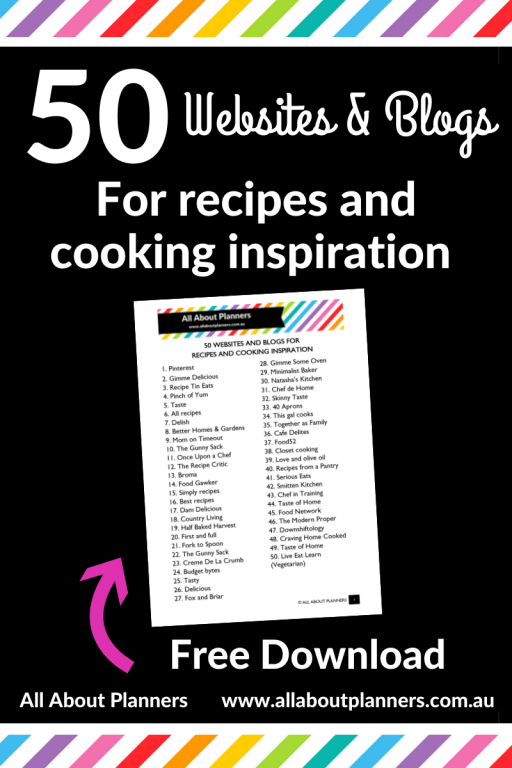
If you want more recipe websites in a pretty printable you can add to your bullet journal or planner, I actually shared this list in a previous post (here). If only chatGPT was around then, it would’ve saved me a ton of time putting the list together!
I experimented with asking chatGPT to generate a list of websites and it seemed to fail at anything more than about 10 website links at a time but you can always ask it to ‘generate another 10’ until chatGPT runs out of steam, or keep clicking ‘regenerate response’
Would I use chatGPT for creating meal plans in the future?
Sure. I think chatGPT is very good at giving you ideas and getting you started with whatever project or problem you need help resolving. It does depend what you’re asking it to do. I’ve been experimenting with using it for various things (not just meal planning) and I feel like it gets it about 60 – 70% correct and then you keep asking it to refine / edit the result until it’s about 80%, and then you finish off the last 20% to suit your personal needs.
If you create a login then you can see all of your past requests on the left menu within chatGPT. I’m not sure how far back it goes but it has kept all of my requests so far and some of those date back 3 months ago. You can click on a past request and go back to asking chatGPT to generate more answers if you need some fresh ideas.
Download the monthly meal plans I created using ChatGPT
I took the meal plans chatGPT generated and created 2 monthly meal planning calendars.
Click the image below to download them. If you’re an existing subscriber, they’ve been uploaded to the free printables library (login page here).
This monthly calendar printable is from the 1 page monthly calendar printables set which is available in my online store and Etsy shop.

The monthly calendar is an editable PDF, read on for more on what that means…

What are editable PDF’s?
I made this monthly meal planning calendar editable so if you don’t like some of the meals I’ve added to the calendar and want to swap them out with a family favorite, a new dinner meal to try or after downloading you want to keep recycling the meal plan by rotating meals, you can do exactly that.
Editable PDF’s means you can type in any of the light blue areas of the PDF. So for this printable, you can change the month, the meals in each day’s box, as well as the items in the notes column (which I used to create a ‘staples’ shopping list). All you need is Adobe reader – it’s free! Download Adobe reader here.
For a tutorial on how to use editable PDF’s (including a video walkthrough), see this post.
How to resize the printable
The printable calendars are US letter page size however you can resize it to A5, Happy Planner classic, half US letter etc. For instructions on how to resize the printable, see this post.
One question I’m frequently asked is if you can print a US letter size printable onto A4. The answer is yes, you can, I did it with this printable to demonstrate. This is how a US letter page size template looks when printed onto A4 page size:

And here’s the same printable at Happy Planner classic size:

And because I love color coding…

More printing tips
- How to clean your printer (prevent smudging, streaks and make the colors POP!)
- How to print any printable in black and white (greyscale) using your home printer
- How to easily print printables double sided (duplex printing tutorial)
- 7 Ways to make colors POP when printing using an Inkjet printer
- How to print any printable at any page size
- How to print printables at MAMBI Happy Planner Size (step by step tutorial)
Want more free printables?
To access more free printables, click here to subscribe to the blog (there’s an entire library with more than 50 printables, helpful checklists and other resources),
Want to learn how to make your own printables like this one?
I have a few ecourses depending on what software you’d like to use. My favorite is Affinity Designer. That’s the software I used to make the monthly calendar I used for this meal plan.
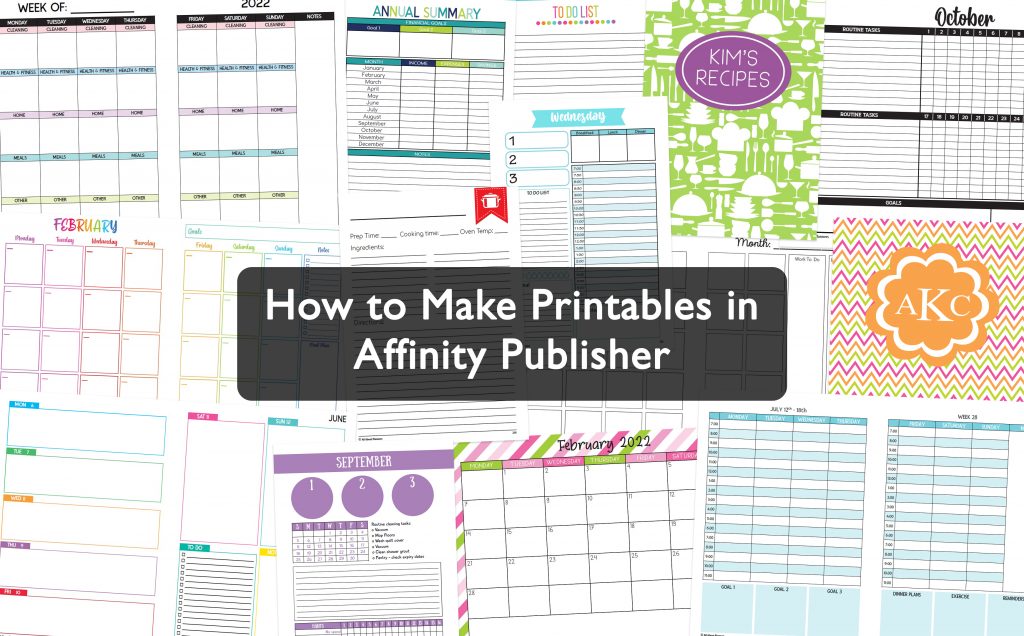
If you don’t want to learn how to make your own printables, there are plenty to choose from in my shop.
Found this post helpful? Pin it!