Using the Focus Journal Daily Planner (Week 42 of the 52 Planners in 52 Weeks Challenge)
September / October seems to be the best time of year to trawl through Kickstarter campaigns for new planners. While doing so a few months back I stumbled across the Focus Planner!
The Focus Planner
- I purchased the PDF version via their Kickstarter campaign – the planner also comes as a softcover notebook
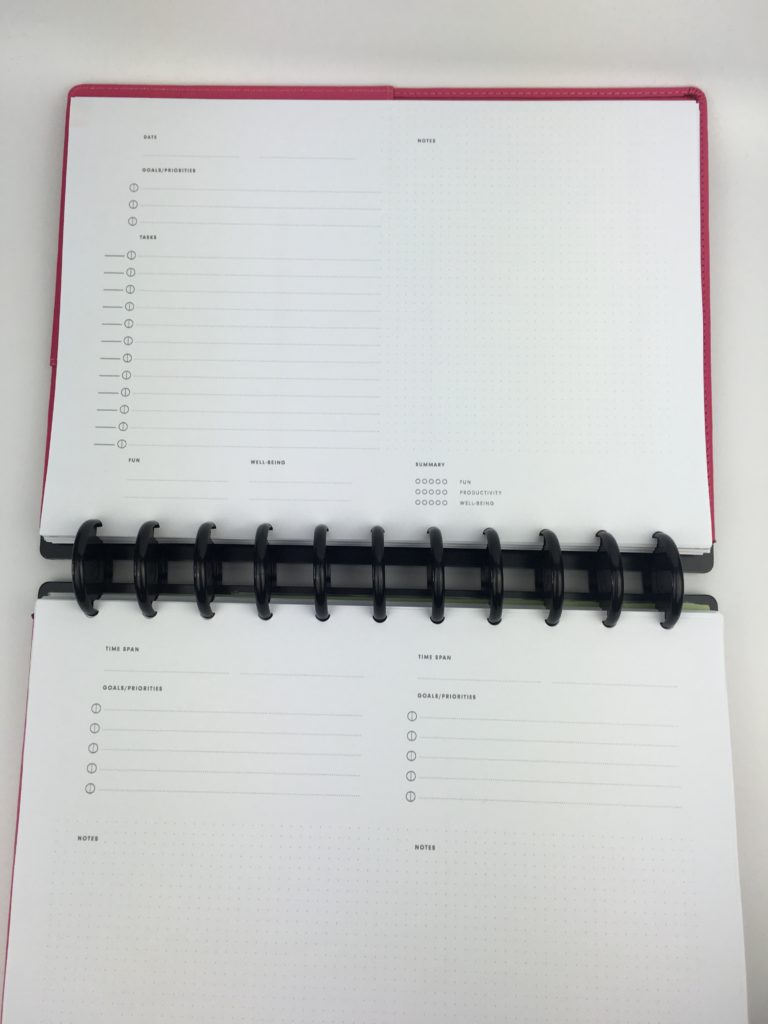
- Daily planner (2 pages per day with to do list including progress tracker on the left and grid dot paper on the right)
- Includes brain activities to help train your brain to concentrate
- Extra grid dot paper at the back

Image Credit: Focus Journal on Kickstarter

Image Credit: Focus Journal on Kickstarter
Setting up the Week
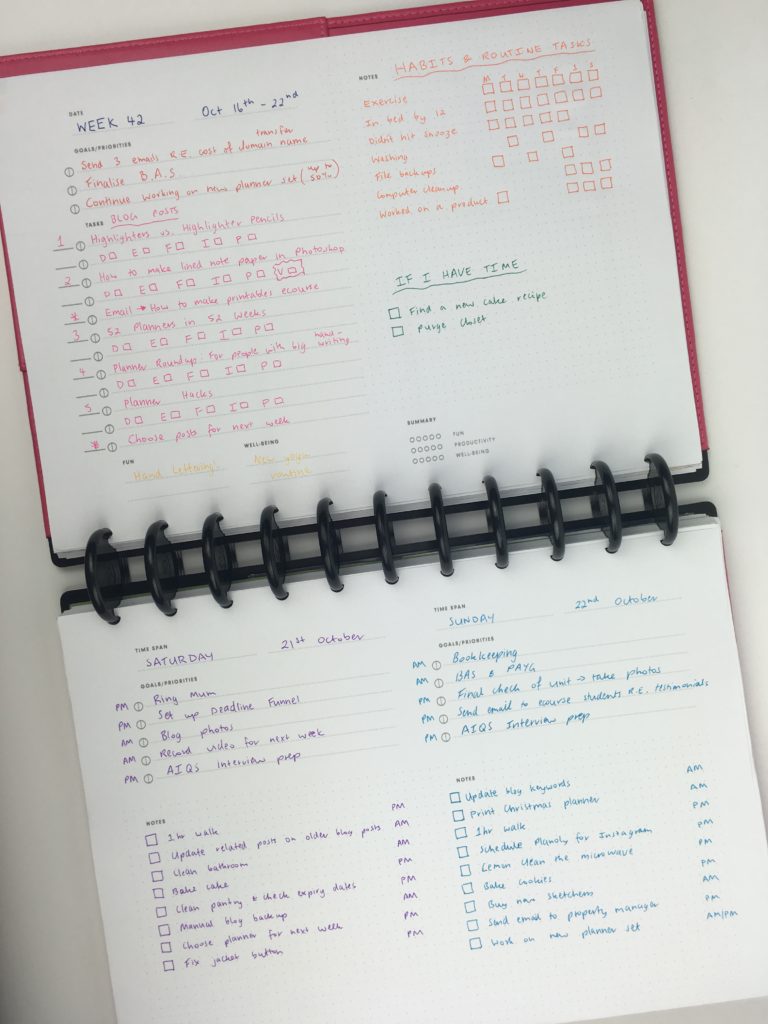
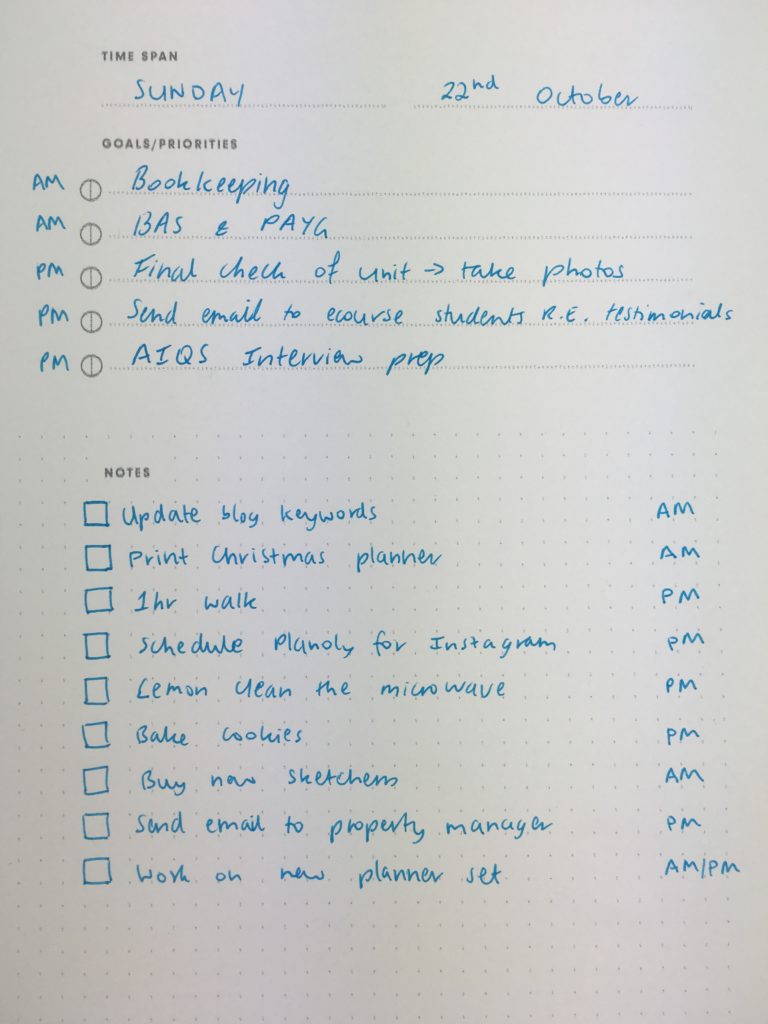
The focus Planner is intended to be used as a daily planner but I opted to modify it into a weekly planner and use it for daily planning.
I printed the pages and added them to my ARC discbound notebook.
Related: Planner Organization: Why I use the Arc Planner instead of binders
After the Pen
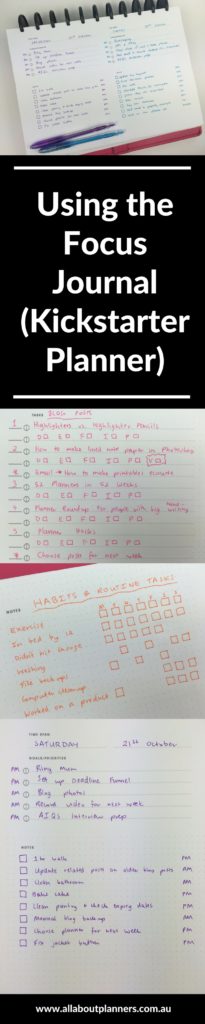
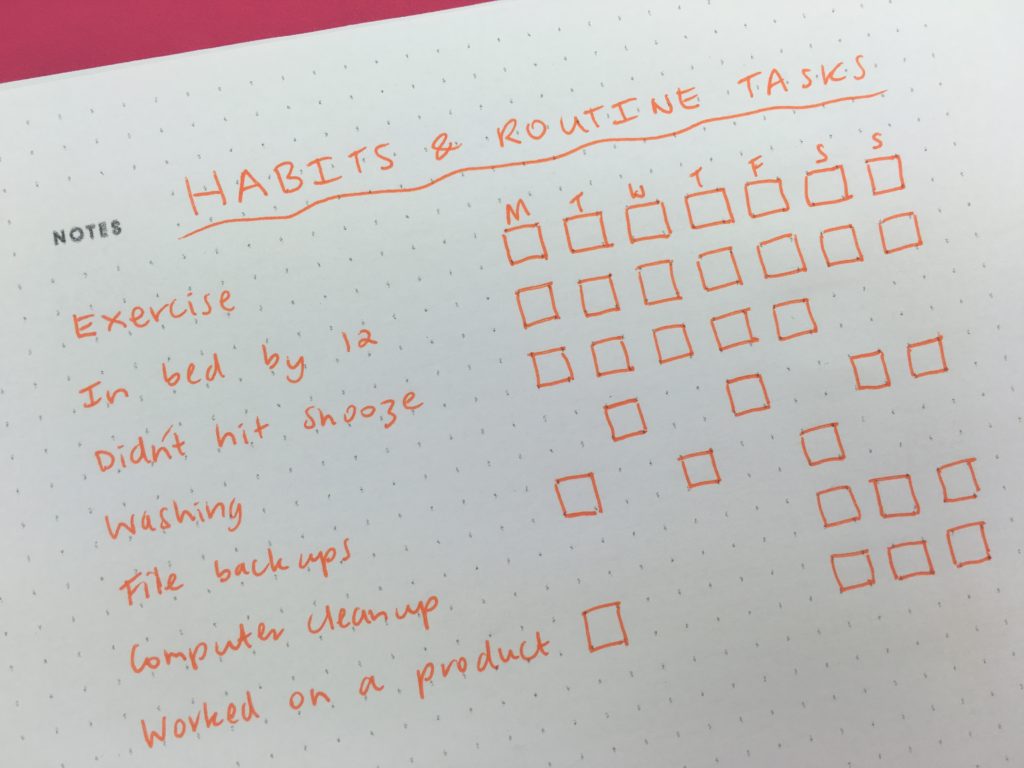
I used the grid dots to create a habit tracker. Only this week, I did it a bit different. I drew a box on the days I aimed to do that task, then shaded it in when the task was complete. That way I could see what I planned to do and what I actually did. Similar to week 1 where I drew a highlighter border.
Related: Week 1: Using a daily habit/routine tracker to plan your week
I opted to color code by day for the weekend. Why? The simple reason that I just wanted to try something different to color coding by category!
Related: 50 Category Ideas for Color Coding Your Planner
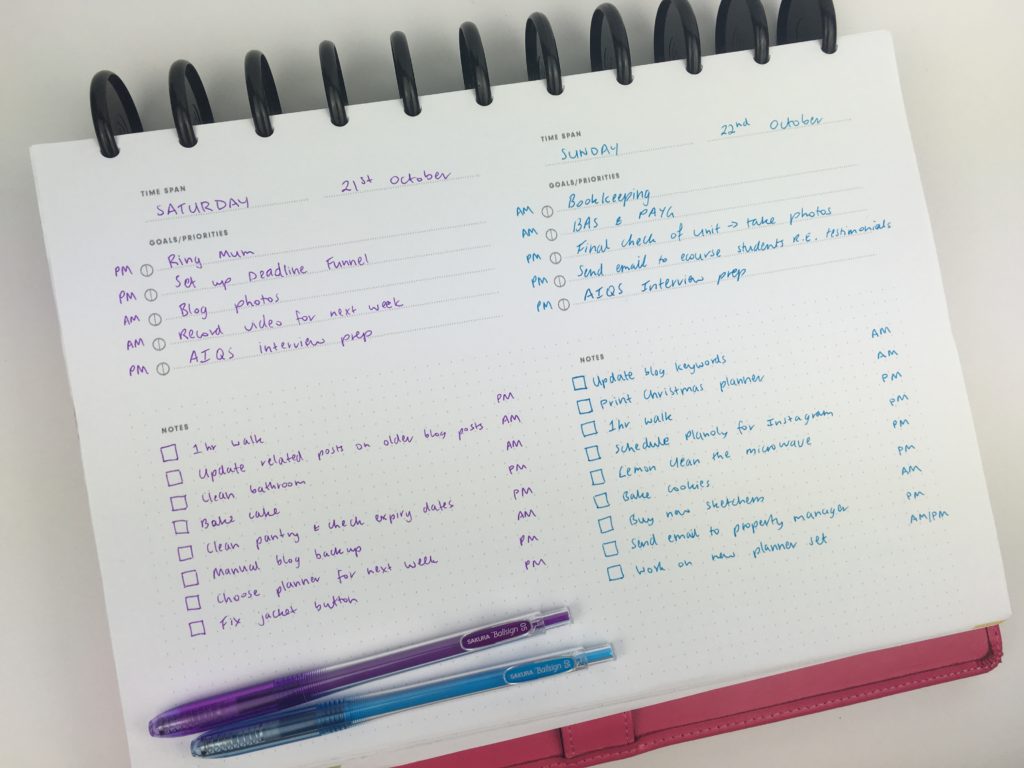
I like the priorities section for each day and then the open ended space underneath (which I opted to use for other, less important tasks).
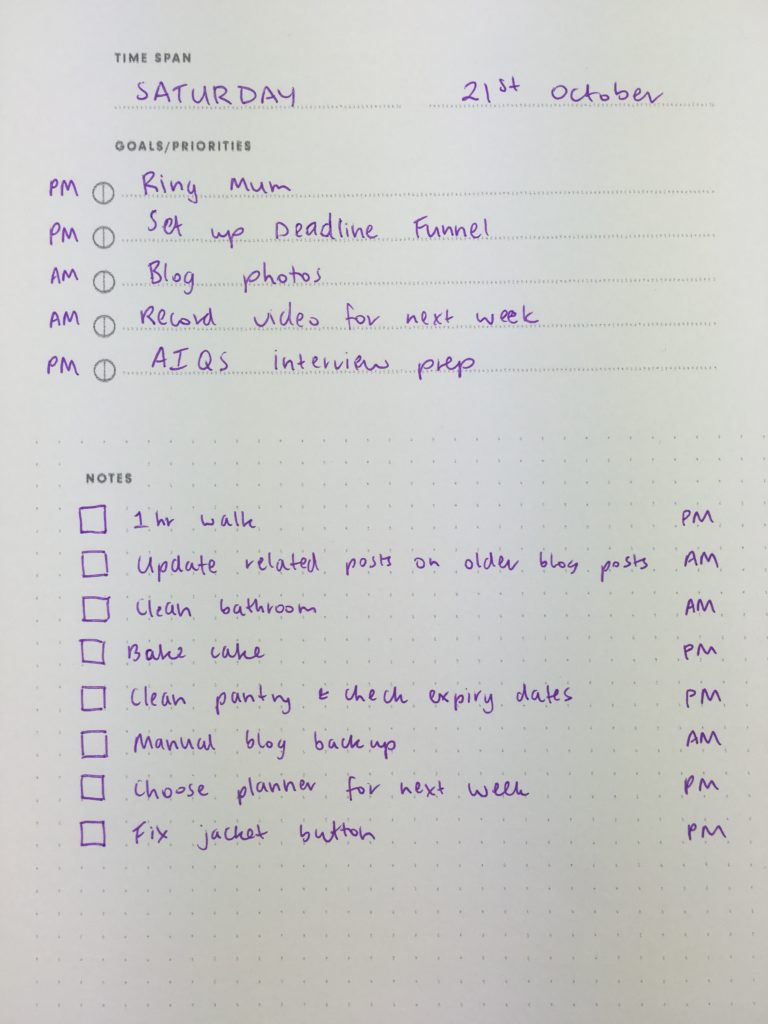
I tend to avoid hourly planners or those with any times pre-scheduled on them. Not only because I like to wake up late and stay up late, but because I find them too restrictive. As soon as something takes longer than expected it throws the whole day out of whack. So instead of putting times, I just wrote AM or PM beside each task.
Color coding
I used 2 color coding methods this week:
By Category:
- Blogging = pink
- Habits = orange
- If I have time = green
And by day:
- Saturday = purple
- Sunday = blue
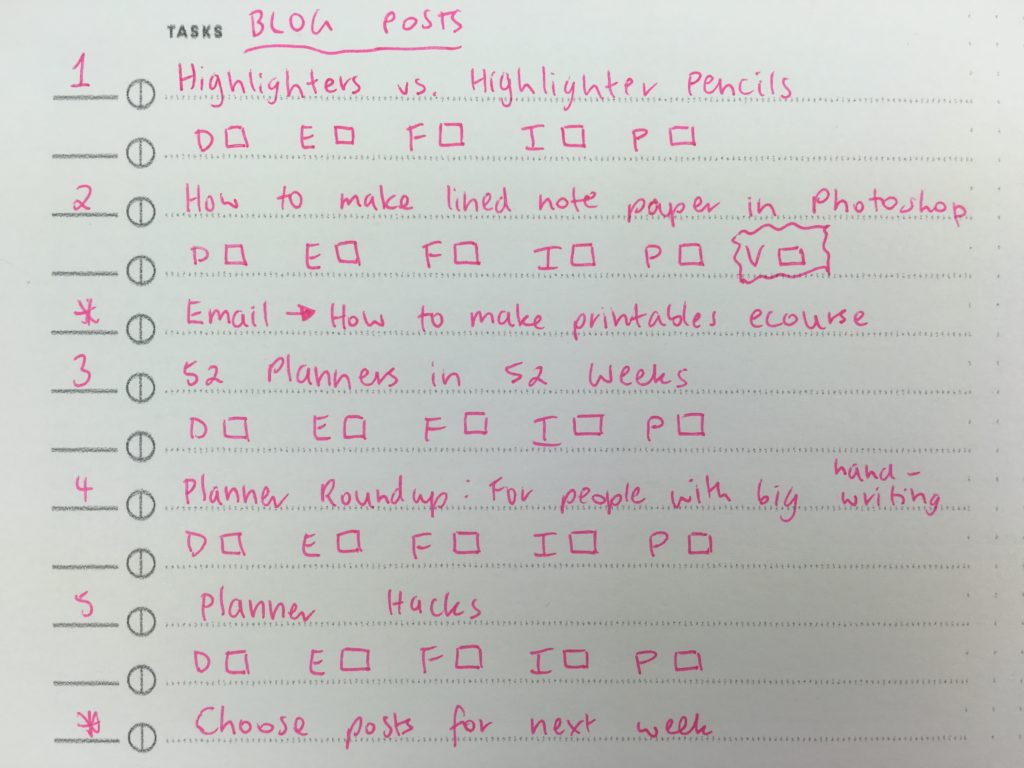
I used the tasks section of the layout for blog post workflow. I drew checkboxes beside each task and used a letter rather than re-writing the entire task out multiple times.
- D = post drafted
- E = post edited
- F = post finalised ready for publishing
- I = Images
- P = Pinned to Pinterest
- V = Video
Since not every post has a video to accompany it, and I like to post 1 video to my YouTube channel (subscribe if you haven’t already!) each week, I drew a circle around it to flag it (as the video needs to be recorded before the post goes live i.e. to remind me not to leave recording it to the last minute!)
I also numbered the posts in the order I intended to publish them, and use an * for other blog related tasks.
I really like the built in progress workflow circles of the planner, where you can shade half the circle when a task is started to keep track of where you’re up to, as this is something I usually do regardless of what planner I’m using.
Related: Using a planner key and symbols to code your planner (efficient planning methods)
Pens Used
I used the Sakura Ballsign Knock pens. I couldn’t find them anywhere here in Australia so had to buy them from the USA and pay expensive shipping. They’re write fine and come in lots of nice rainbow colors, but the pens are quite expensive.
Related: Ultimate list of the best planner pen brands and how to choose colors for color coding
Pros of the Focus Journal Planner
- Open ended layout
- Built in task progress tracker (the circles with the lines through half so you can shade half when the task has been started and shade the other half of the circle when the task has been completed)
- Simple, minimalist layout
Cons of the Focus Journal Planner
- The way I set it up with the 2 pages landscape page orientation at full page size was a bit awkward to have both pages open at the same time
- There aren’t extras pages typically included with planners such as monthly calendar, weekly spread etc.
Related: Ultimate planner page size guide (with printable reference cheat sheet)
Would I use this planner again?
It worked ok. The planner is very simple – the digital version worked fine, but I don’t think this is a planner I’d need to actually buy the physical copy of.
Catch up on past week’s of the challenge:
- Week 28: Planning the entire week using only sticky notes
- Week 33: Colorful Bullet Journal Inspired Weekly Spread
- Week 37 (part 2): Planning using the daily plan bar method (bullet journal inspired)
- Using the Slice Planner (daily planner + app)
Related Posts:
- Weekly Planner from Unique Planners by Pirongs Review (including video walkthrough)
- 5 Planner supplies you should never skimp on
- 10 Quick planner hacks you need to try (planning tips & inspiration)
- How to choose the right planner pens: what to look for when buying planner pens
- Favorite places to buy planner pens (online)
- Planner pens I don’t recommend (prone to smearing, bleed through etc.)
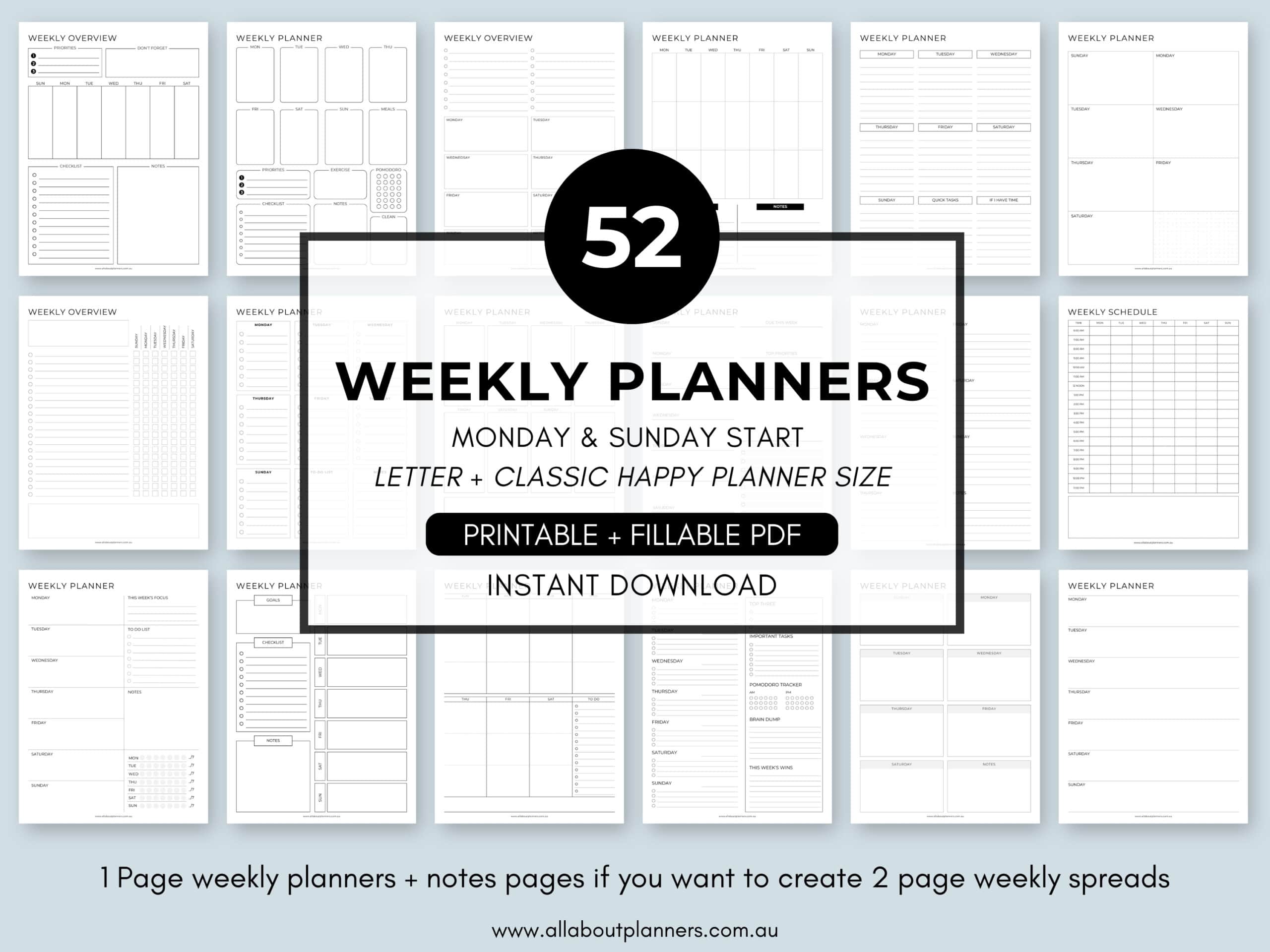
If you’re tired of drawing up weekly spreads, this printable bundle of 52 different 1 page weekly planners (you can mix and match to create 2 page spreads if you prefer), is available in my Etsy shop and online store.
Found this post helpful? Pin it!