Best Planners That Come in Both Digital and Paper Versions
Paper planners are becoming increasingly expensive so if you’re on a budget, a digital planner could be a better option for the long term. Not many of the well known planner brands offer both a paper and digital version of their planners. In this post I’m comparing some brands I’ve found that do offer both versions.
The planners compared in this post are:
- By Sophia Lee
- Passion Planner
- My PA Planner
- Sarah Renae Clark
- Simplified Planner
- Commit 30
If you prefer a visual, here’s a comparison table. For more details and pictures of each planner, keep reading!

You can download a PDF of this comparison table (which can be printed) by clicking here
If you want to try digital planning, you’ll need an iPad or tablet, a stylus pen (such as an Apple Pencil) and an app that allows you to take notes (usually referred to as ‘annotation’ apps). The most popular one is Goodnotes (I think it’s the best one too).
You might also want to consider a screen protector such as paperlike and pencil grip, although these are not essential.
Never tried digital planning?
If you’re not familiar with digital planners, have a read of these posts first:
- Digital Planner versus Paper Planner: Which is right for you? (Pros & Cons)
- How to get started digital planning: the tools & resources you need
- How to add any printable to your Goodnotes digital planner
- How to add digital planner stickers into Goodnotes (2 ways)
- Why I use Microsoft PowerPoint for making digital planners and notebooks
What to look for when buying a digital planner
- Sunday or Monday week start
- Colorful versus neutral
- Portrait page orientation (where you can see 1 page only) or landscape page orientation (where you can see 2 pages like an open book i.e. more realistic to what it would be like to plan on paper)
- Hyperlinks – these should be standard but sometimes planners don’t hyperlink everything (e.g. monthly calendar to weekly spreads)
- Page order – If you prefer months interspersed between the weeks instead of clustered together then be sure to check this
- Dated or undated – many of the below planners offer both calendar and academic year versions, however, not all of them offer undated versions
- Coordinating accessories – the size of coordinating accessories such as stickers isn’t as important for digital planning as it is for paper planning, as you can just resize to suit the dimensions of the digital planner. There’s also endless options for digital planner stickers on Etsy so I wouldn’t worry about whether a digital planner has coordinating accessories
- Program to use the planner with – my preference is Goodnotes (which is widely used). This is a program you’ll need to purchase first. When you buy a digital planner that says it’s for Goodnotes, that means you’ll get a file which you need to download and open in Goodnotes
- Tabs – most come with tabs that are hyperlinked but note that the tabs take up useable space on the screen. If you want maximum planning space, an undated planner or a digital notebook (e.g. digital bullet journal) could be a better option for you.
Read more: 10 Things to check before choosing a digital planner
Now here are some options to consider (in no particular order):
1. By Sophia Lee
I’ve been following Sophie for years on Instagram. There’s just something about watching her daily life checking things off her to do list which makes her a very motivating person for me to follow. She’s expanded from the initial planner launch of just a daily to page planner, to now have Mom planners and student planners.
From the snippets I’ve seen of the planner and the behind the scenes videos she shares, it seems to be a well thought out planner with tons of extra pages like packing lists, budgeting and brain dumps.
Because of all of the extra pages, the paper version of the Dailee planner looks very chunky (at least 1 inch think). I’d hate to know how much shipping to Australia would cost for that… So good thing there’s a digital version!

The planner includes multiple weekly layouts including:
- 1 page weekly meal plan with grocery list
- 1 page weekly overview with habit tracker and checklist
- Horizontal weekly (2 pages and since the digital planner is portrait orientation, you can only see half the week spread at a time)
- Weekly cleaning checklist

Here’s a list of all of the pages included:
- July 2025-July 2026 Planner
- Daily Pages with Time-Blocking, To-Dos & Notes
- Planner Dashboard
- Yearly Calendar
- Birthdays
- Holidays
- Yearly To-Dos
- Password Tracker
- Travel Plan + Family Packing List Organizer
- Holiday Gift List Organizer
- Important Phone Numbers List
- School Information Tracker
- Yearly Goals + Monthly Progress Tracker
- Spring Cleaning Checklist
- Monthly Calendar
- Monthly Budgeting Sheets
- Monthly Brain Dump
- Weekly Chores Schedule
- Weekly Grocery List
- Weekly Workout & Meal Planner
- Weekly Overview
- Weekly Habit Tracker
- Notes

- Undated version: yes (daily version only, not the weekly)
- Calendar or academic year?: both
- Specialist layouts: daily and weekly version for anyone, as well as student and mom versions
- Portrait or landscape orientation?: 1 page portrait
- Sunday or Monday start?: Monday start weekly spread, Sunday start monthly spread
- Price: $35 – $45 USD
- Coordinating accessories: Digital stickers included in some of the planner bundles
- Free sample: No
- Software required to use the planner: Goodnotes
2. Passion Planner
Another structured / goal orientated planner is the Passion Planner. Originally funded via a Kickstarter years ago this planner brand has come a long way!
The planner has a clean minimalist design so you can highlight things, add stickers, color code etc. There’s multiple cover designs to choose from, and for the inside pages you can choose between black, rainbow or shades of purple.

Just note that as is the case with the paper version of the planner, the writing space is quite tight which could be a bit frustrating to write on with an Apple pencil. You could be zooming in and out frequently which could become time consuming. At least they offer free versions on their website so you can trial it first.

The student planner includes far more pages than some of the other digital planers on this list (and for the same price).

In addition to the usual weekly and monthly layouts that are standard in a planner, the digital version of the Passion Planner also includes:
-
- Lifestyle Templates (16): Monthly Inspiration, Digital Scrapbook, Book Trackers (v1 and v2), Music Tracker, Music/Podcast Tracker, Movie Tracker (v1, v2, v3), Show Tracker, Spring Cleaning Checklist, At-a-Glance Packing List, Detailed Packing List, Gift Tracker, Blank Bingo Card
- Wellness Templates (7): Classic Monthly Reflection, Self-Care Reflection, Weekly Reset Checklist, Self-Care Menu, Gratitude Mindmap, Sleep Tracker, Symptoms Tracker
- Health Templates (8): Weekly Meal Plan & Grocery List, Weekly Meal plan, Grocery List, Calorie/Food Tracker, Recipe Cards, Workout Planner, Workout Tracker (v1, v2)
- Productivity Templates (9): Project Planner, Year in Pixels, Weekly Habit Tracker, Monthly Habit Tracker, Yearly Habit Tracker, Energy Routines, Weekly Ratings Tracker, Celebrate Your Wins, 30 Day Challenge
- Finance Templates (5): Finance Goals, Monthly Bill & Budget Tracker, Finance Tracker, Savings Tracker, Wishlist
- Notes Templates (10): Various formatted sheets for note-taking, including lined, grid, checklists pages and more. Notepad templates can be copied and pasted anywhere in your planner to help you stay focused and inspired. Includes the following note templates: Blank, Graph, Dot Grid, Lined, Lined Column, Cornell Notes, Column, Checklist, Kanban Board, Eisenhower Matrix
- Uncover Your Compass: Core Values Exercise
- Vibrant Vision Board
- Quarterly Overview: See each quarter (3 months) as a whole
- Quarterly Habit Practice (Monthly Habit Trackers)
- Monthly Goals
- Monthly Wellness
- Updated Monthly Reflection (original design still available as a template)
There are photos showing what’s included on their website but they’re a little blurry. There’s a YouTube video on the product page which provides a much better look at the inside pages.

The planner looks like it would be quick to navigate with an index tab, quarters tab and sections tab.

Love the rainbow color scheme!

You can download the weekly spread for free to try it out before upgrading to the complete digital planner.
- Undated version: yes (daily version only, not the weekly)
- Calendar or academic year?: both
- Specialist layouts: daily and weekly version for anyone, as well as a student version
- Portrait or landscape orientation?: 1 page landscape
- Sunday or Monday start?: Both options available (price is for either Sunday or Monday start, you don’t get both)
- Price: $63 USD (although I’ve seen the digital planners on sale for $50 USD)
- Coordinating accessories: Yes, digital planner stickers, washi tape and extra covers available for purchase separately
- Free sample: Yes
3. My PA Planner
This planner is another good option if you like a lot of structure and pages to plan everything in detail. The paper version of this planner is one of the chunkiest I’ve ever owned.
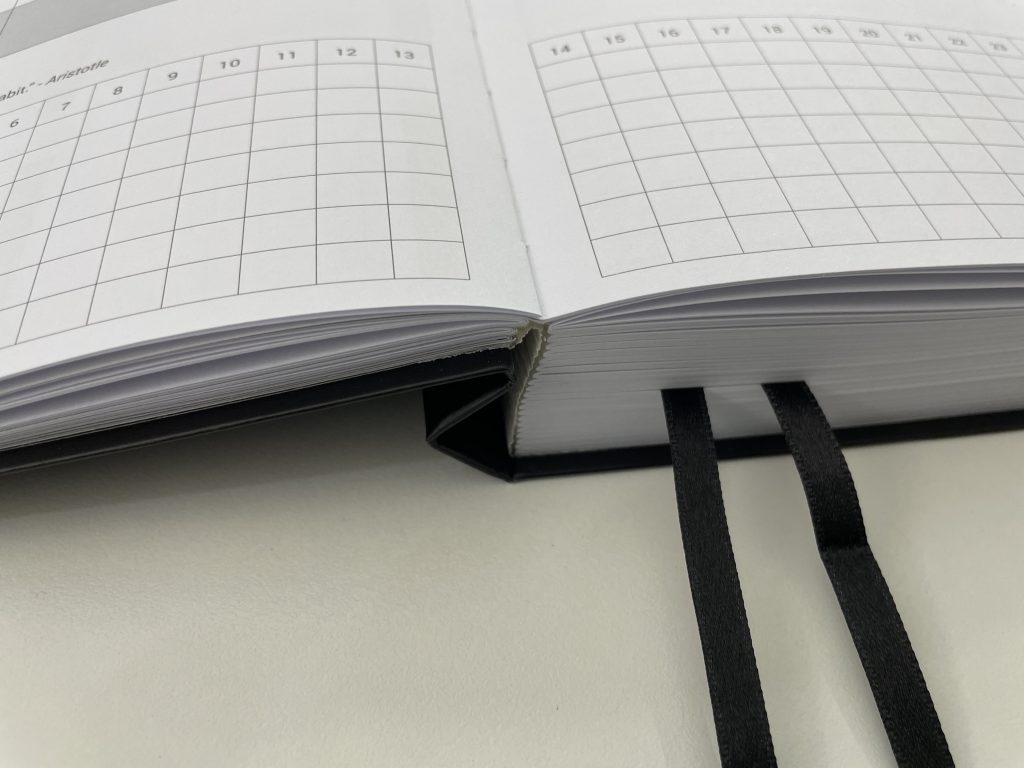
See my review of the paper version: MY PA Business and Weekly Life Planner Review (Including Video Walkthrough)
The digital version of the planner includes the following pages:
- 2025 Yearly monthly weekly & daily goal setting
- Life & Vision planner
- Business & Marketing Plan
- Monthly project plan
- Monthly Social Media Plan
- Weekly/ Daily Schedule Pages
- Daily Time Blocking Layout
- Weekly review
- Positive Habit Tracker
- Idea & Inspiration vault
- Gratitude journal
- Monthly Profit & Loss and Cash flow
- Connection pages
- Blank pages
- Graph pages
Somewhat frustratingly though, the my PA Planner website doesn’t show more than just a 1 page preview in the listing photo.
The planner is in portrait page mode only with one page visible at a time. So if you like the 2 pages per spread from a paper planner, this could frustrate you. I think it would irritate me as there is so much on the pages in the paper version (I assume the layouts of the digital version would be similar), that I’d love to see 2 pages at once. There will be a lot of flicking back and forth if you purchase the weekly version.

My PA planner offers the widest range of apps to use their planner with, including the popular Goodnotes, but also remarkable and noteshelf.
- Undated version: no, dated version only
- Calendar or academic year?: Calendar year only
- Specialist layouts: daily and weekly version for anyone, however the entire planner is tailored towards business owners with detailed pages for projects and goals
- Portrait or landscape orientation?: 1 page portrait
- Sunday or Monday start?: Monday start
- Price: $29 USD
- Coordinating accessories: No
- Free sample: Yes. They offer the remaining months of the current year, when you preorder the planner for next year
- Software required to use the planner: Goodnotes, but also Drawboard and Metamoji on Windows, Noteshelf and Zoomnotes on Android mobile or tablet. The planner can be synced across iOS or Android-compatible devices
If you want to learn how to make your own digital planner, check out my ecourse: How to Make Digital Planners and Notebooks
4. Sarah Renae Clark Coloring Planner
Switching gears to a completely different approach. Sarah Renae Clark’s coloring planner lets you decide what color to use on the planning pages. Unlike in a paper planner, if you make a mistake and color outside the lines, you can just undo and color again.

Included in the planner:
- Monthly goal-setting, review dashboards and note pages
- 2 page weekly overview (landscape orientation)
- Contacts page and extra note pages
- Separate folder of coloring frames in PNG format that can be colored in another app and re-imported (such as ProCreate or Photoshop)
- A small selection of digital “stickers” is provided as PNG images that can be imported as pictures.
There are no photos of the inside pages to look at, but there is a link to a YouTube video on her website where you can look inside.
If you like consistency, it may irritate you that the weekly spreads start on Monday but the monthly spreads start on Sunday.
There are some negative reviews saying the planner doesn’t work well in Procreate. However the listing description for the planner does say that’s a PDF (and Goodnotes is recommended).

- Undated version: no, dated version only
- Calendar or academic year?: Calendar year only (Jan – Dec)
- Portrait or landscape orientation?: 2 pages landscape orientation
- Sunday or Monday start?: Monday start for weekly spreads, Sunday start for monthly spreads
- Price: $30 AUD (although on sale for $15 AUD at the time of writing this post, halfway through the year)
- Intended to be used with Goodnotes or other 3rd-party note-taking apps such as Notability, Xodo, or Zoom Notes
5. Simplified Planner by Emily Ley
If you want a colorful option, try the Simplified Planner by Emily Ley. Her planners have gotten increasingly expensive (currently $110 USD for a daily planner, the most expensive paper planner I’ve ever seen!)

I’ve always been obsessed with her rainbow color scheme so I was pleased to see she carried it through to the digital planner version.
It’s a one page portrait mode version so the monthly calendar could be a bit tight if you’re used to a 2 page spread.

Emily Ley’s digital planner includes:
- Monthly pages
- Weekly pages
- Daily pages
- Simplified Prep Work pages
- Holiday dates at a glance for the year
- 6 styles of notes pages
- 6 cover options
- The Simplicity Challenge
- Over 1200 pre-cropped digital stickers
- High-resolution, digital download file

- Undated version: No
- Calendar or academic year?: both calendar year and academic year options available
- Specialist layouts: daily and weekly version for anyone, as well as teacher planner
- Portrait or landscape orientation? daily and weekly version is 1 page portrait, teacher planner is 1 page landscape
- Sunday or Monday start?: Monday start
- Price: $55 USD but I’ve seen it on sale for $42 USD then down to $26 USD when the year is halfway through. Digital stickers included in the price
- Coordinating accessories: Digital planner stickers available for purchase separately
- Free sample: No
- Software: PDF file compatible with PDF annotation apps (Goodnotes recommended)
6. Commit 30
Commit 30’s website isn’t particularly clear about the inclusions of their digital planner. At the time of writing this post, the website says the 2026 version is coming soon. So in the meantime, these are the pages included in 2025 version:
- 12 month duration
- 2 page monthly calendar (landscape page orientation)
- 1 page weekly spread (portrait page orientation)
- 1 page day to a page (portrait page orientation)
- 8 cover colors
- Monthly goals
- Monthly reflection
- 30 day habit trackers

In terms of value for money, there aren’t as many pages included as other planners on this list (which are similarly priced).

- Undated version: No, but there is a free trial
- Calendar or academic year?: calendar year only
- Specialist layouts: daily and weekly version for anyone
- Portrait or landscape orientation? daily version is 1 page portrait, weekly version is 2 page landscape
- Sunday or Monday start?: Sunday or Monday start (both options available)
- Price: $60 USD but I’ve seen it on sale for $20 USD halfway through the year
- Coordinating accessories: Digital planner stickers available for purchase separately
- Free sample: Yes (1 month)
- Software: PDF file compatible with PDF annotation apps (Goodnotes recommended, otherwise Notability, Noteshelf, Xodo)
Which of these planners is my favorite?
From those I listed above, Commit 30 would probably be a good place to start. They offer both a portrait and landscape version, as well as a free demo version (for January), so you can trial the planner and see which page orientation you like before purchasing.
Otherwise, Passion Planner has plenty of options to choose from, and in my opinion, the best range of coordinating digital planner stickers of the brands on this list.
I think a lot of the brands are really capitalising on their brand names with very high price tags. Anything over $25 USD for a digital planner is quite expensive in my opinion. There are endless options on Etsy so unless you really loved the paper version of a particular planner, I’d probably get one of those instead.
I noticed that the people selling digital planners on Etsy have 2 page spread options (landscape orientation), whereas most of the more well known brands that originally only offered paper planners, tend to have portrait only digital planners. The planners on Etsy are usually cheaper too. I’ve seen basic dated digital planners for around $10 – $20 USD, and versions with heaps of extras for around $30 – $40 USD.
If you want to get even better value for money, try an undated version. Undated is also perfect if you’ve never tried a digital planner before and aren’t sure if you’ll like it or not.
You can also import free PDF versions of planners into Goodnotes, see this post for a tutorial: How to add any printable to your Goodnotes digital planner
Some planners that offer PDF versions / samples you could import into Goodnotes are Limelife Planners and the Passion Planner.
If you want to try a digital planner app, here are some options:
- Artful Agenda (I tested it out in this post)
- Zinnia
- Planner Pro
- Pencil Planner & Calendar Pro
If you want to learn how to make your own digital planner, check out my ecourse: How to Make Digital Planners and Notebooks
More planner roundups
- Best Fitness Planners Roundup (Health, Wellbeing, Exercise, Food Log Trackers etc.)
- The best budgeting sticker books for your planner or bullet journal
- Best Planners for school and college students

Found this post helpful? Pin it