

Agendio Review (custom, personalised weekly planner) – pros, cons and a video walkthrough
My Agendio planner arrived! It was like Christmas come early (literally, it arrived on the 22nd December) 🙂
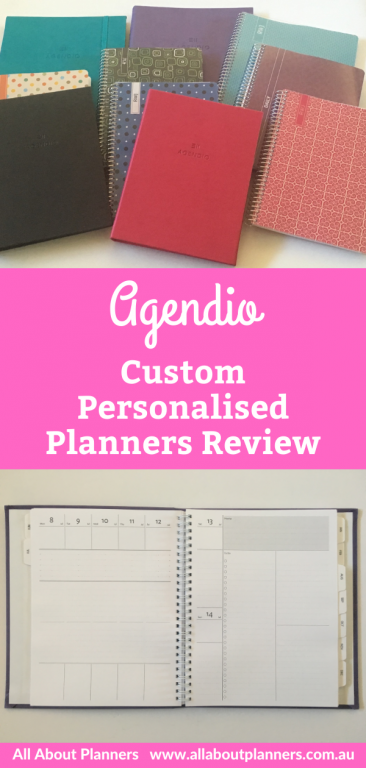
Agendio is a planner company that lets you personalise the entire planner from the front to the back – the cover, all the inside pages, the weekly spread, colors, font style, line spacing, add on pages, add recurring tasks, have birthday’s pre-printed – and a ton of other features – which is why I was so excited for it to arrive!
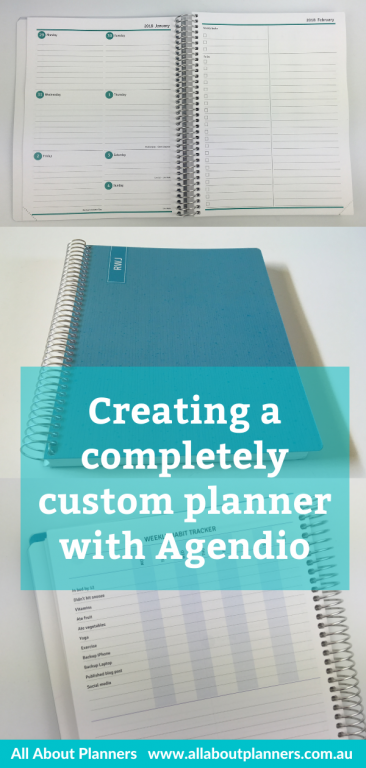
Here’s my initial post with all of the options you can choose from, how the ordering / design it yourself process works and what I chose for my planner: Creating a custom, personalised planner with Agendio
Here’s what I chose:
- 7 x 9″ size
- Model 32130
- 12 month duration (starting February 2018)
- 4 page weekly spread consisting of:
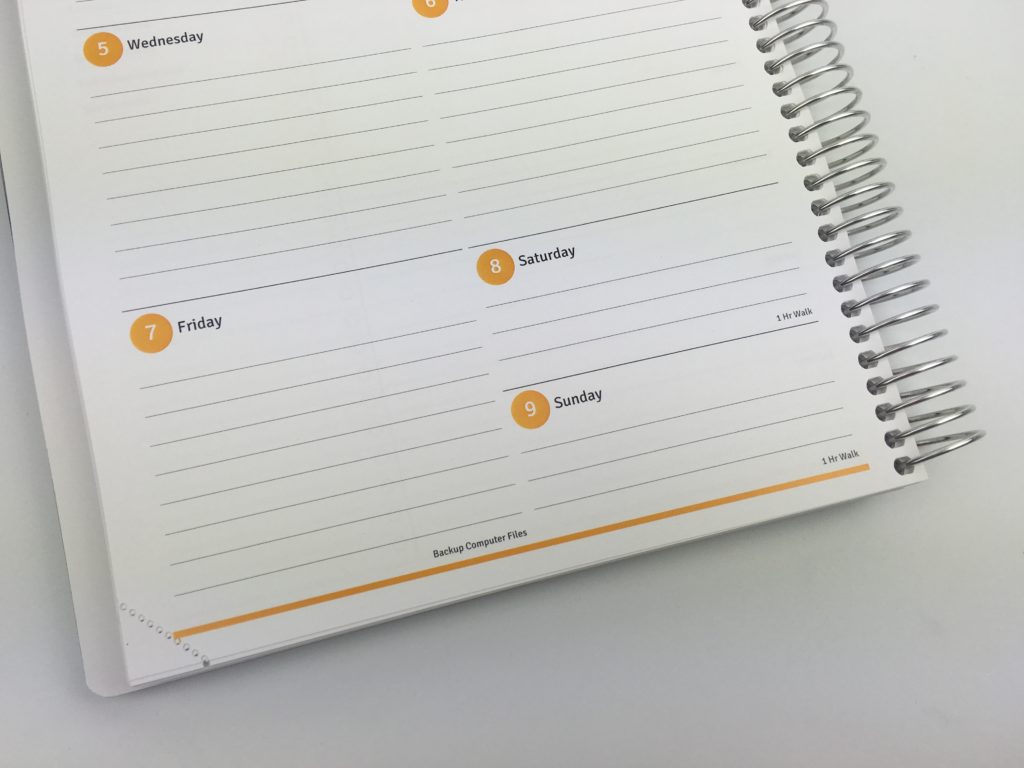
- Page 1 = Days of the week on 1 page (Saturday and Sunday share half the amount of planning space as the rest of the days of the week)
- Page 2 = Weekly goal and list making space
- Page 3 = Weekly habit tracker at the top with lined notes space underneath
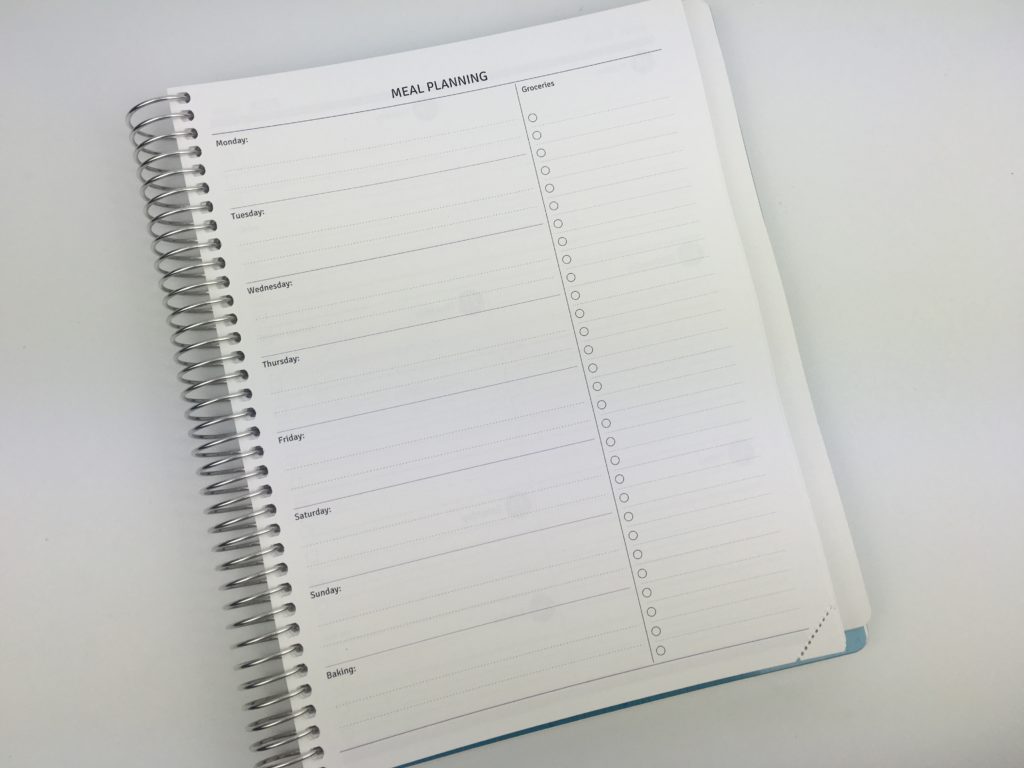
- Page 4 = Weekly Meal planning
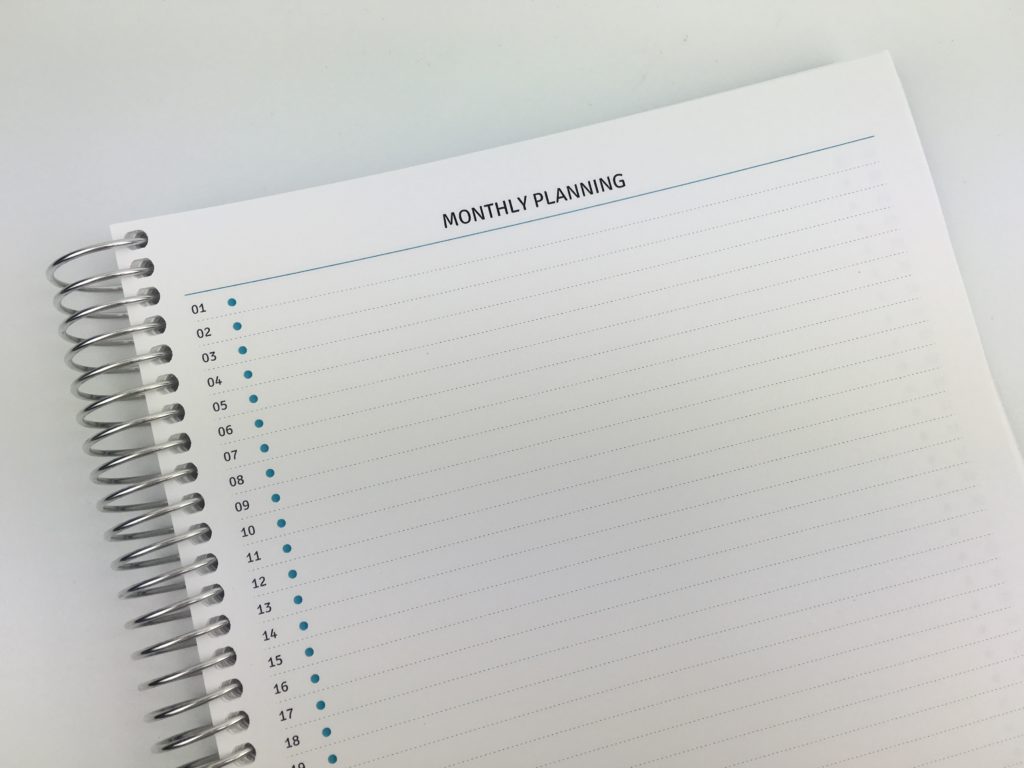
- Monthly planning pages in list style format rather than a traditional 2 page monthly calendar with boxes for each day
- Goal tracking pages at the back
- Metal page marker
- Perforated pages
- Different colors for each month
- Month and week starting Monday
Let’s take a closer look!
To enlarge the screen of the video, click the square icon in the bottom right hand corner of the video (it will say ‘full screen’ when you hover your mouse over the icon).

Subscribe to my YouTube channel for more planner related videos!
Cover
The cover is clear plastic (similar to the Plum Paper – the entire planner is similar to Plum Paper, only everything is custom 🙂 The actual cover itself is thin cardstock – nice and smooth. The colors came out nice – I do wish the scale of the pattern was a bit bigger so the pattern stood out more.
I also added my monogram to the cover 🙂 (which you don’t have to pay extra for!)
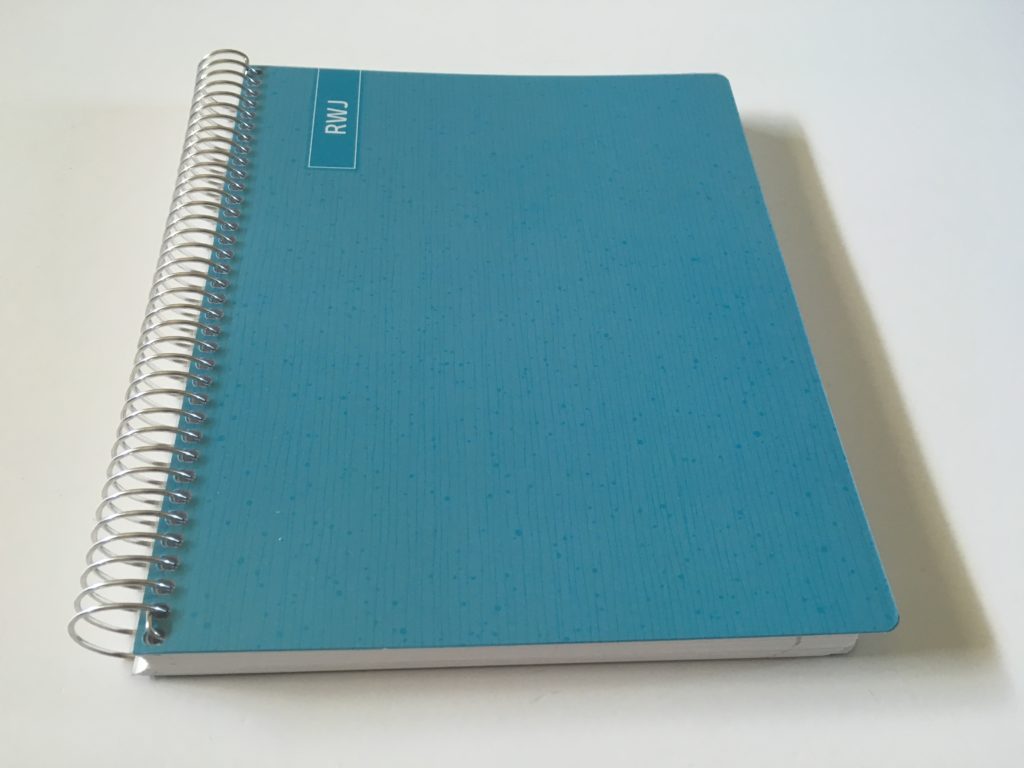
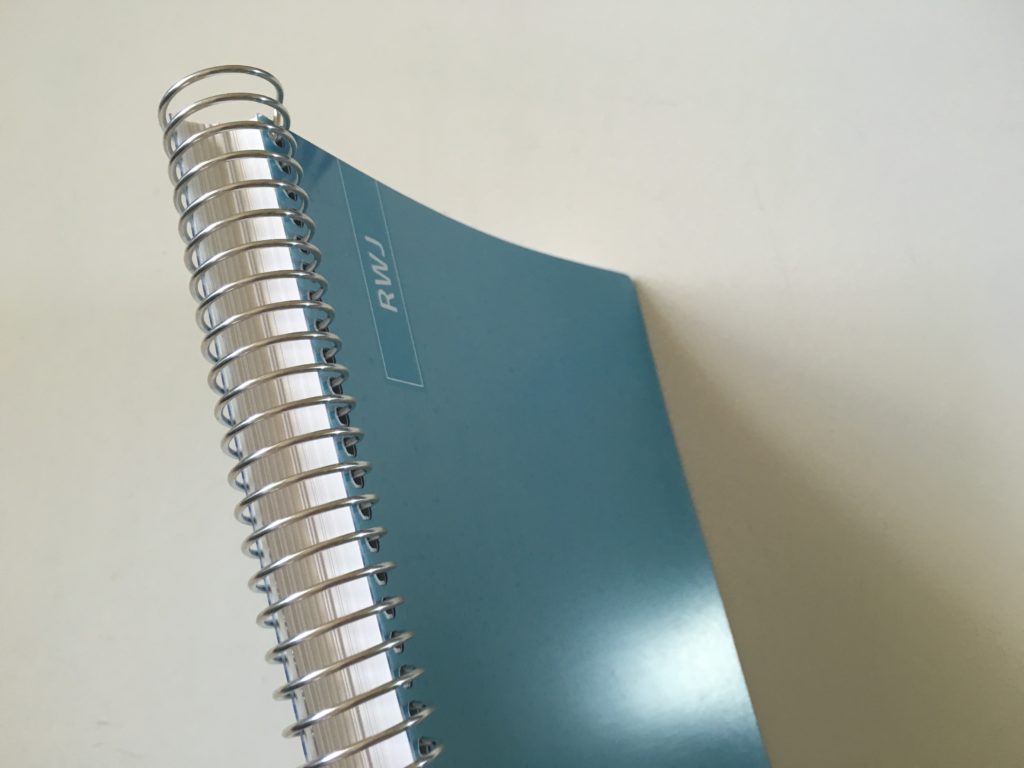
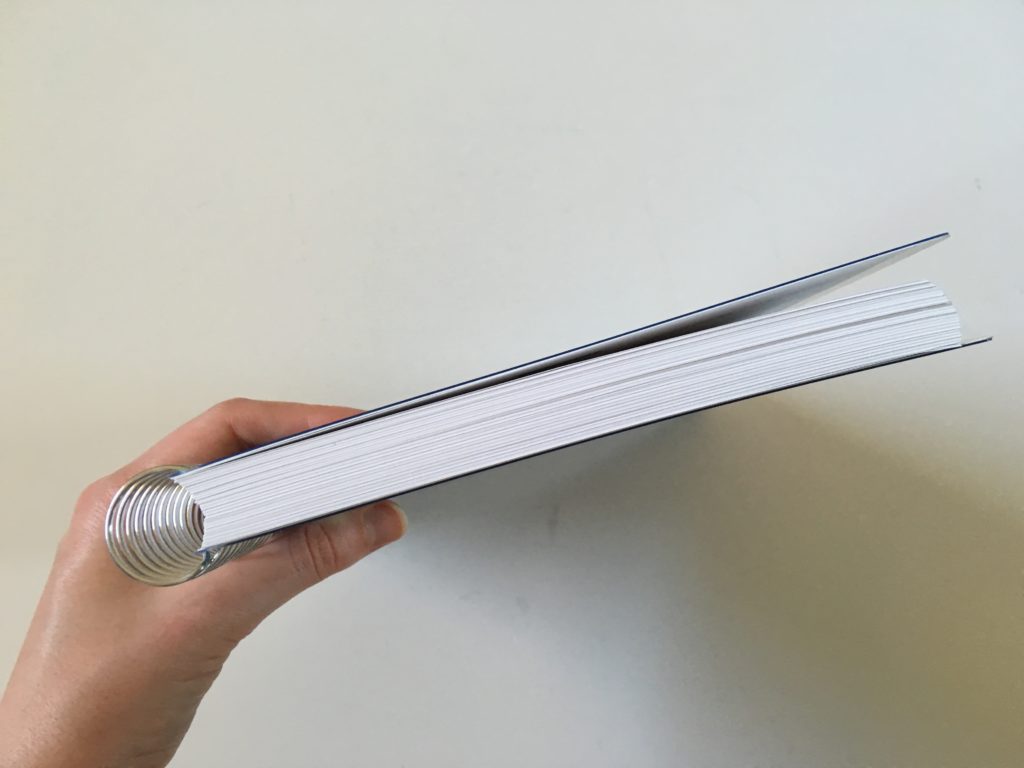
Plenty of room left on the coil if you want to decorate with planner stickers, washi tape etc.
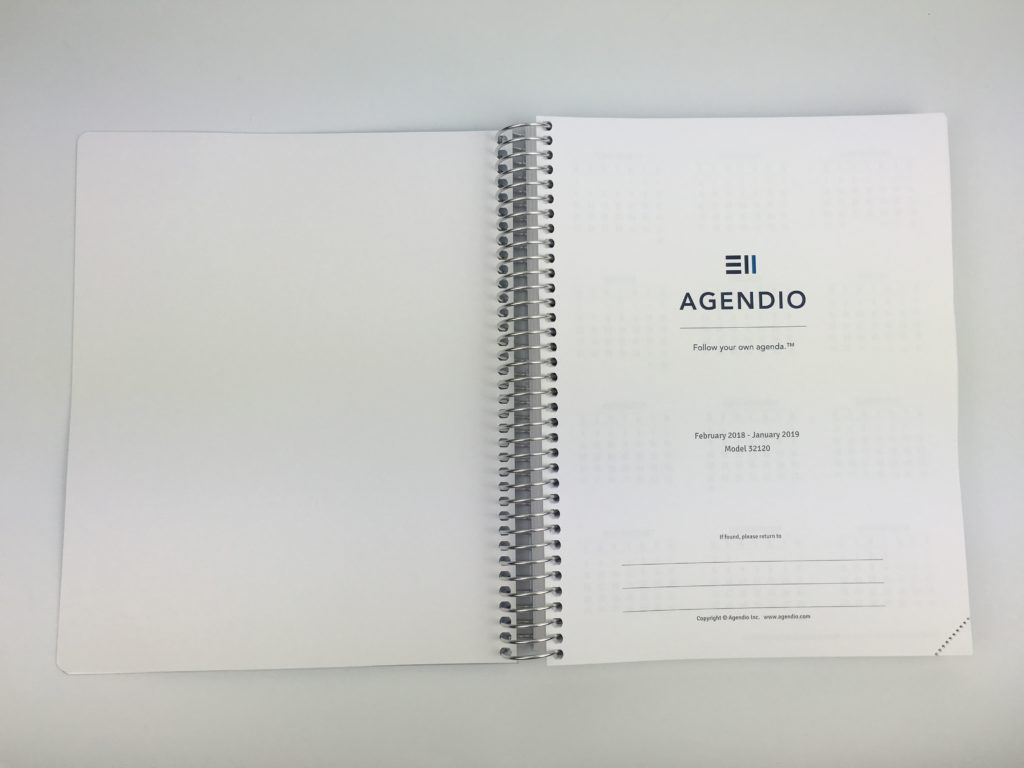
The ‘this belong to page’ that most planners have. When ordering a planner they have dozens of ‘base’ layouts you can customise (the one I chose is model 32120). Handy that they tell you the model number that you customised on this page so you know what to choose if you want to re-order (they also save this on your account info on their website too!)
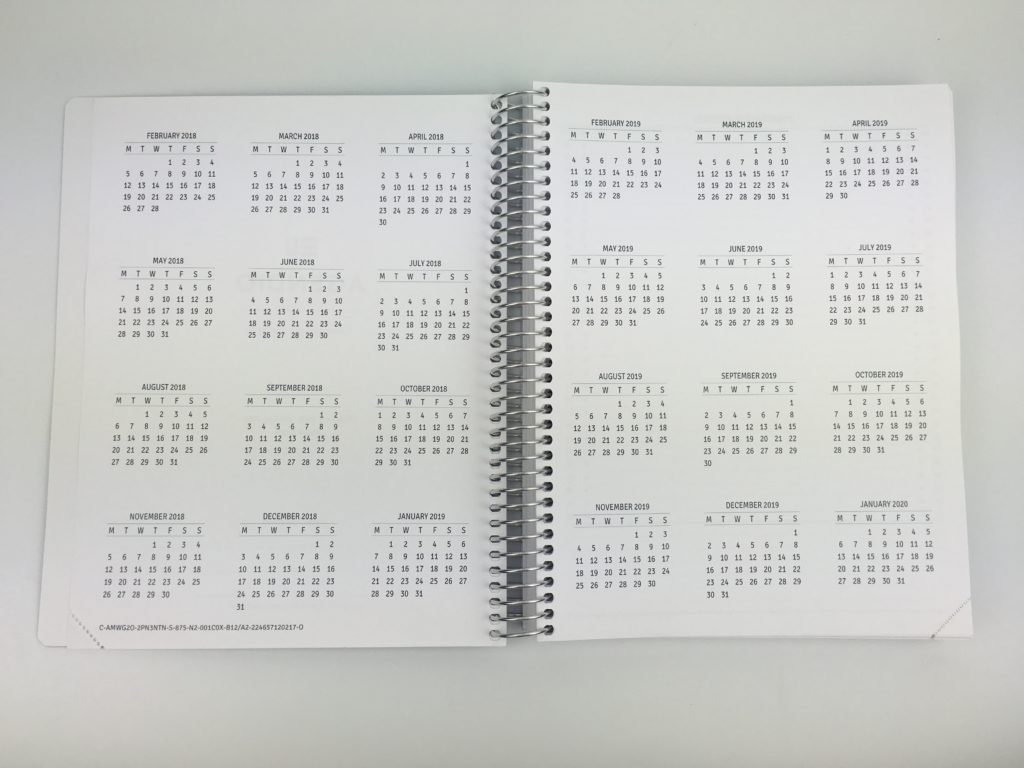
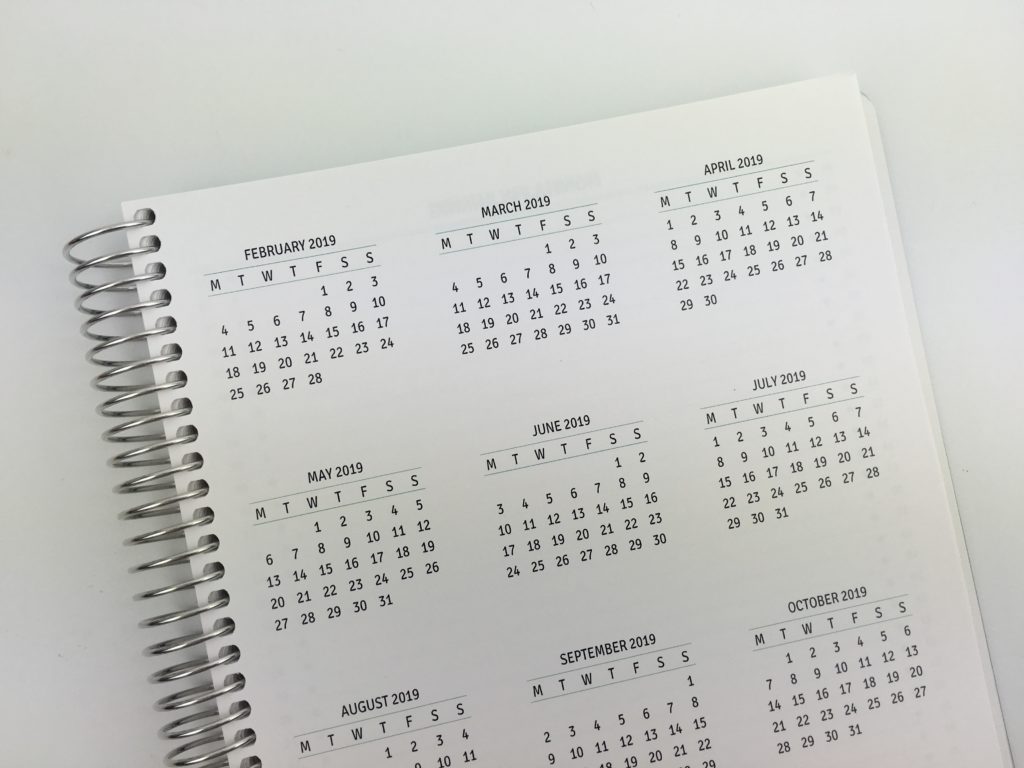
Dates at a glance page
I had the week start on a Monday (and the monthly calendar and the weekly spread as it drives me nuts when the days of the week aren’t consistent throughout the entire planner – which surprisingly happens with a lot of planners!)
Monthly Calendar / Planning
I’ve tried (and reviewed) many planners – I’d say 95% of them have a 2 page monthly calendar. I much prefer list style format for monthly planning as there’s more useable space for planning – the longer writing space for each day means you can fit more without writing really small to squish it into the box.
My other pet hate with 2 page monthly calendar formats are when planner companies split boxes into 2 rather than re-starting the date numbering on the top row so you lose a lot of planning space. I’m a big list maker and can say with 100% certainty (finally!) that list style monthly calendars are the right fit for me.
If you didn’t need an entire row per day you could always rule a line to create 2 columns.
Weekly Spread
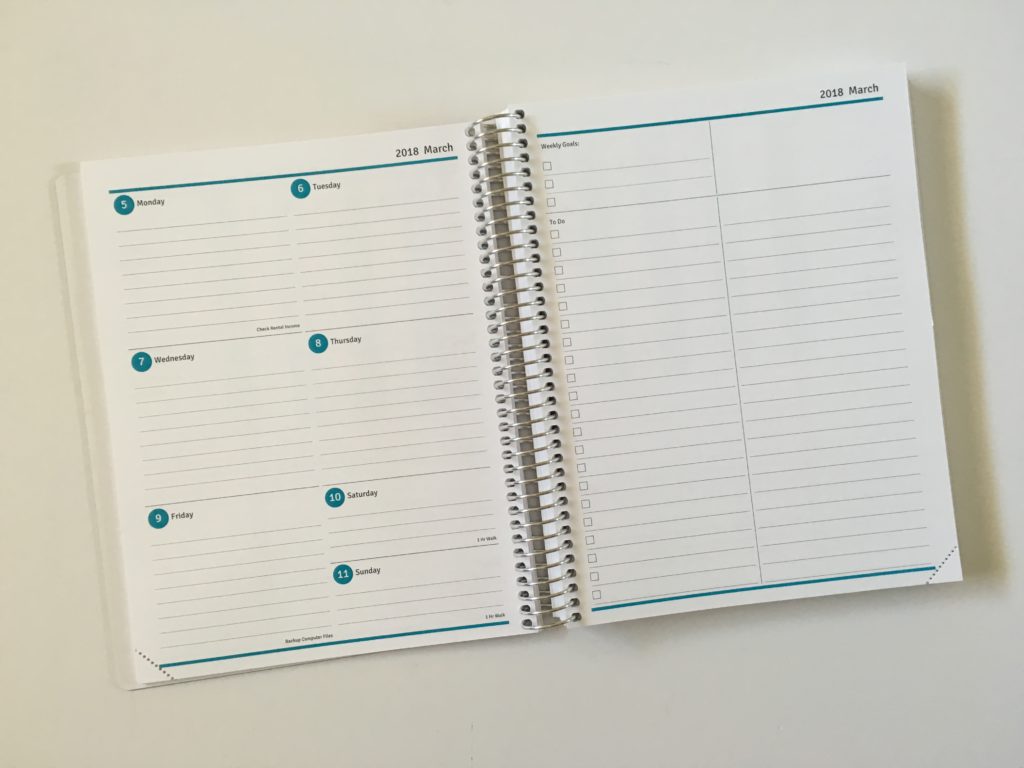
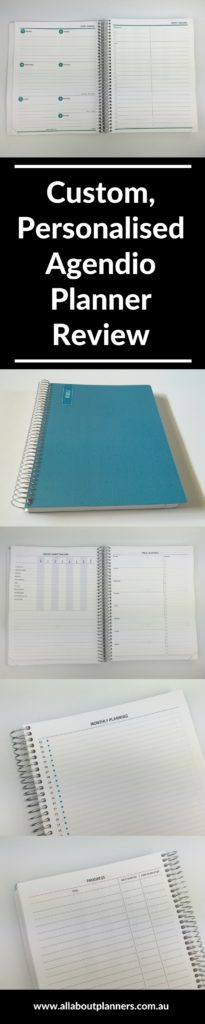
This is the weekly spread I chose!
Since I made this planner with the purpose of using it as a blog planner, I opted to combine Saturday and Sunday as I don’t post on the blog on those days. I’m going to use the Saturday and Sunday sections for blog maintenance tasks, scheduling when I’m going to take photos and record videos.
I’m going to try the planner for a week but it’ll probably end up being my pre-plan / journal (like I shared in this post).
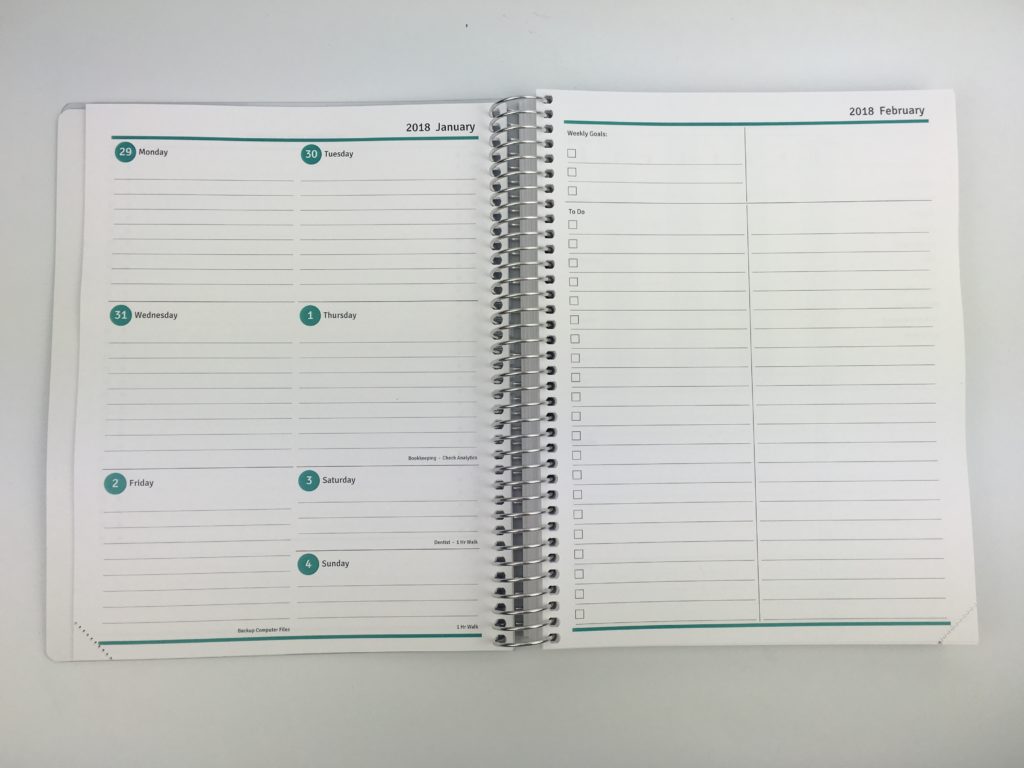
I chose different colors for each month
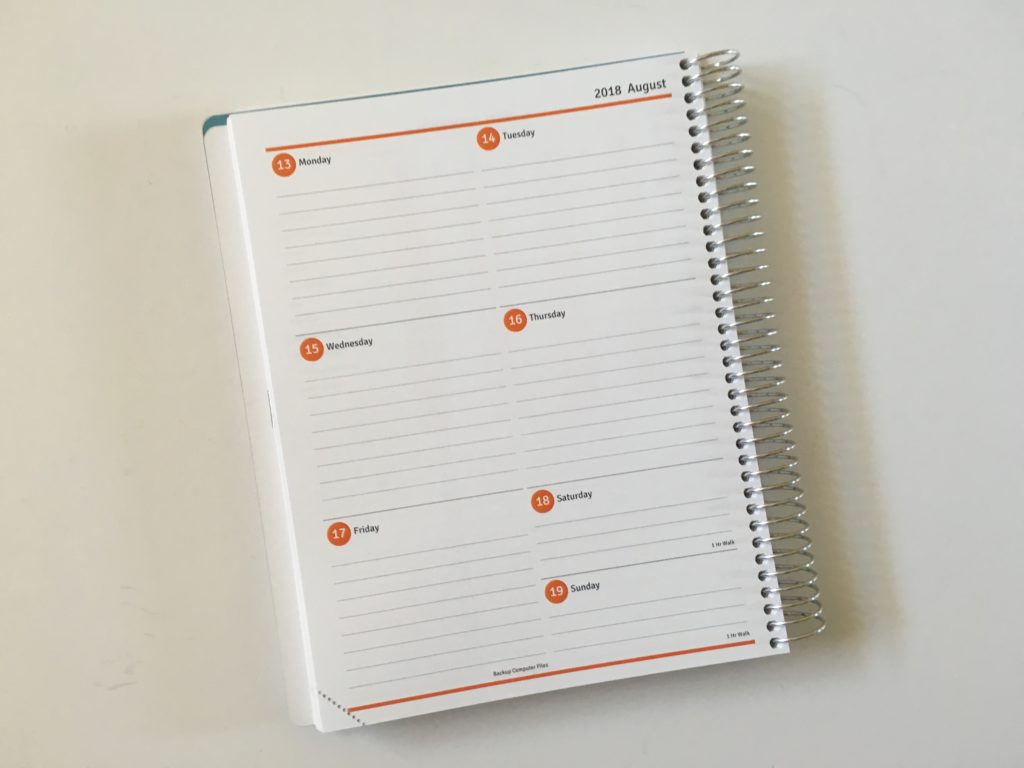
You can even choose how far apart the lines are!
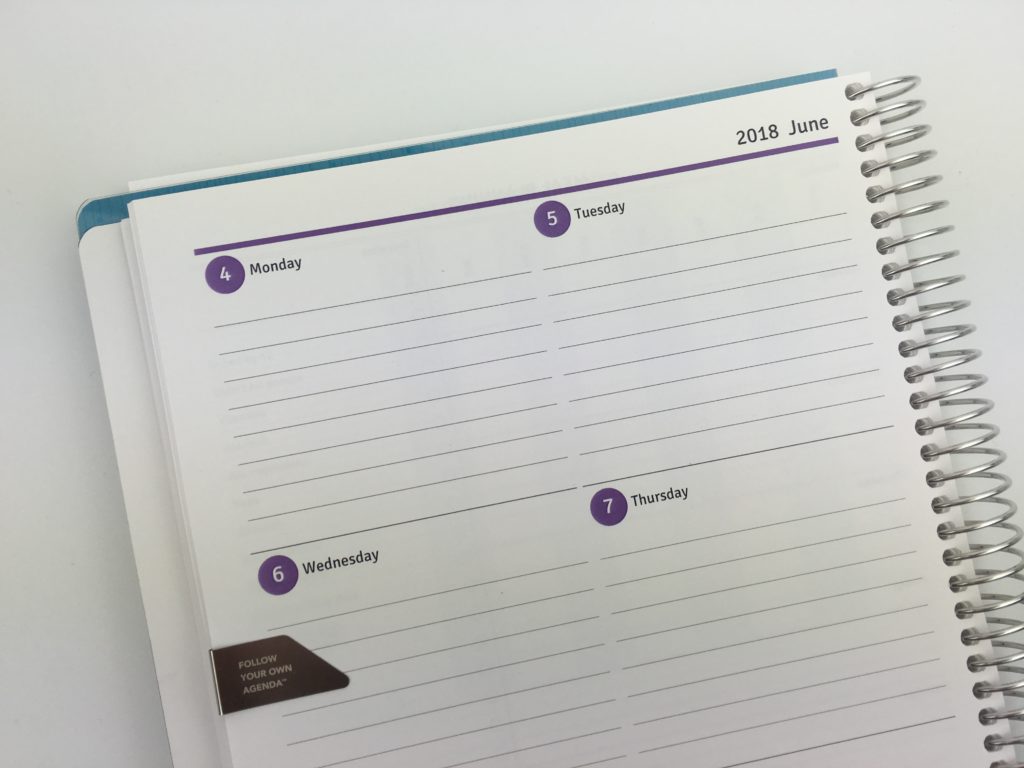
If you didn’t see my previous post with the ordering process and all of the options etc. click here.
After trying a different planner each week last year, one of the sections I really liked having was a habit tracker each week. Agendio has an option to have 4 pages per week which was perfect for my planning needs.
You can choose the day of the week the habit tracker (and the rest of the pages in the planner) starts. I opted to start it on a Monday to keep it consistent with the weekly, monthly and annual calendars. You can also add your habits when ordering (it doesn’t cost extra) so you don’t have to keep re-writing out each habit <3
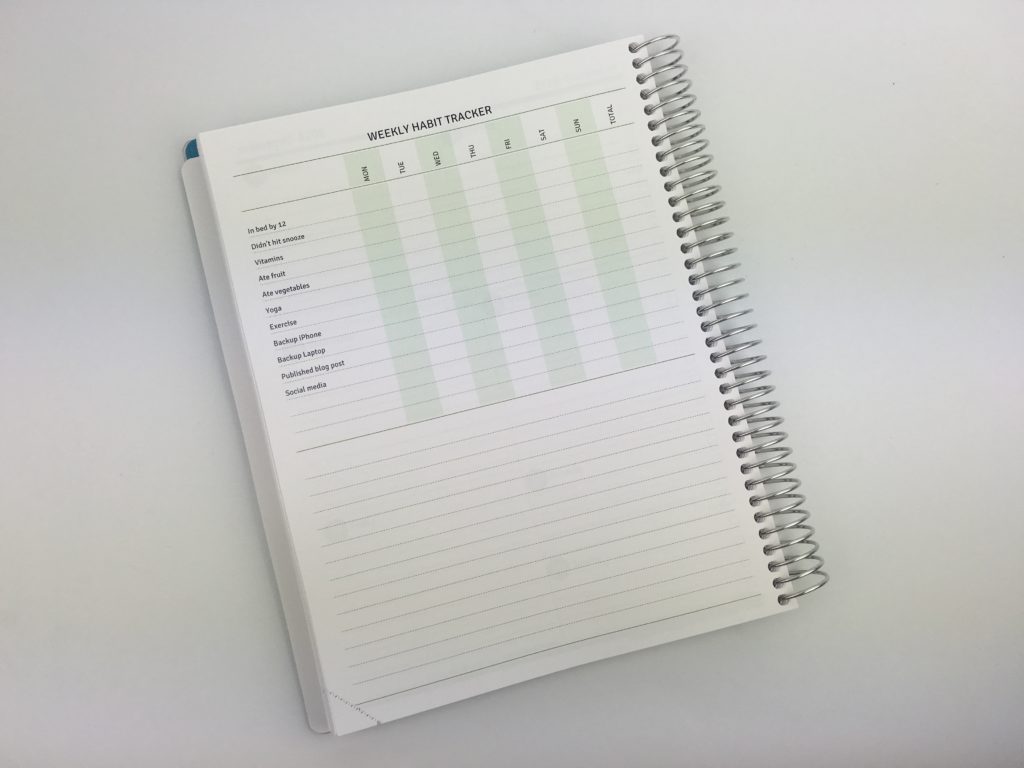
The habits I chose to track:
- In bed by 12:
- Didn’t hit snooze on my alarm
- Vitamins
- Ate fruit
- Ate vegetables
- Yoga
- Exercised
- Backup iPhone
- Backup laptop
- Published a blog post
- Posted on social media
And there’s blank space for a few more if some extras pop up throughout the year.
Need more ideas of habits to track? I shared a list of 100 in this post.
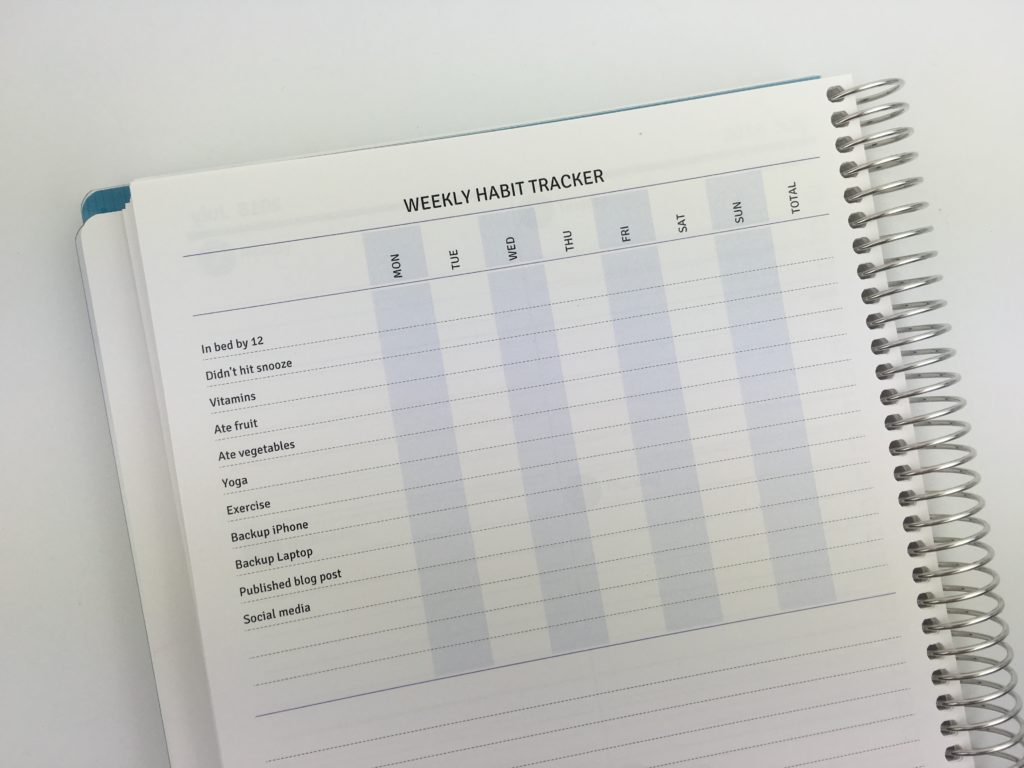
I chose to use a different color each month. There are plenty of colors to choose from including different shades of the same color (such as blue) as well as neutral grey.
You can start the planner any month you like – I opted to start the planner in February.
I had recurring tasks and one-off tasks such as dentist appointments, birthdays, seasonal cleaning tasks pre-printed on the pages (doesn’t cost extra either!)
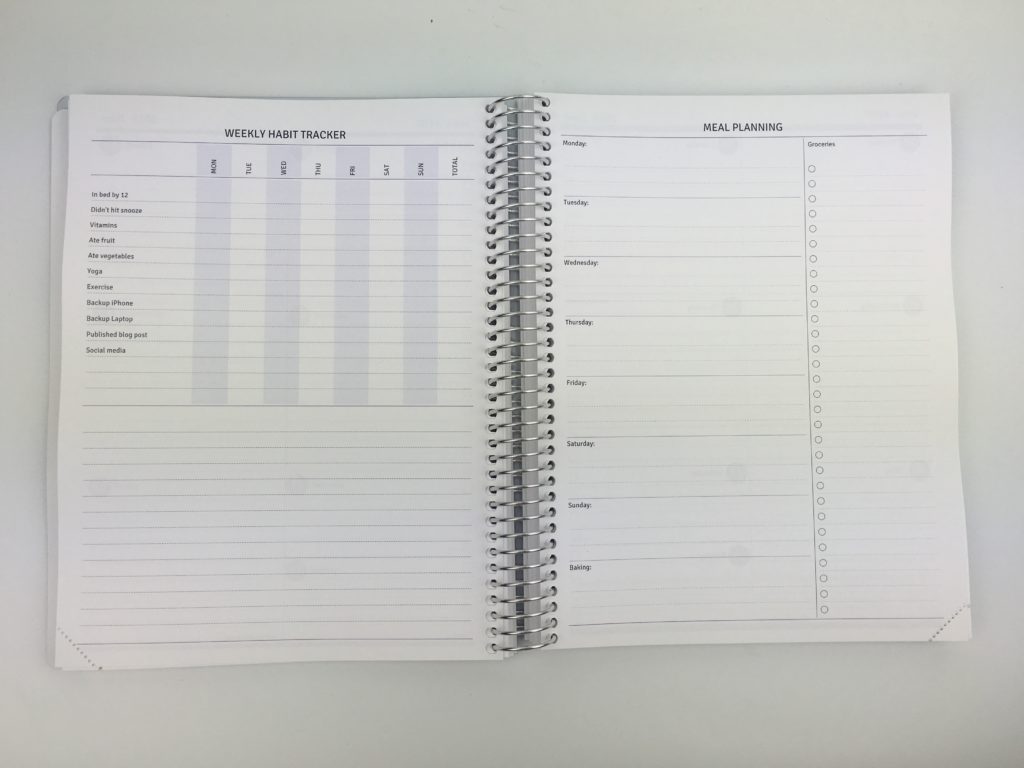
Weekly meal planner and grocery list. You can customise the start day for this too. I opted to change the last box to ‘baking’
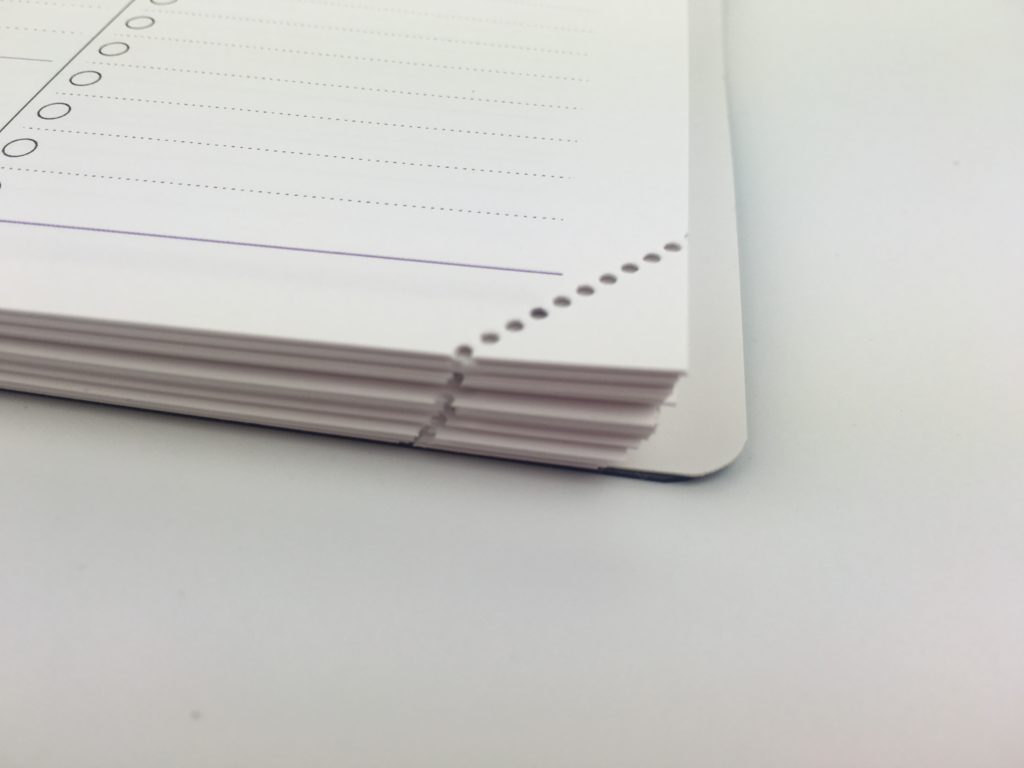
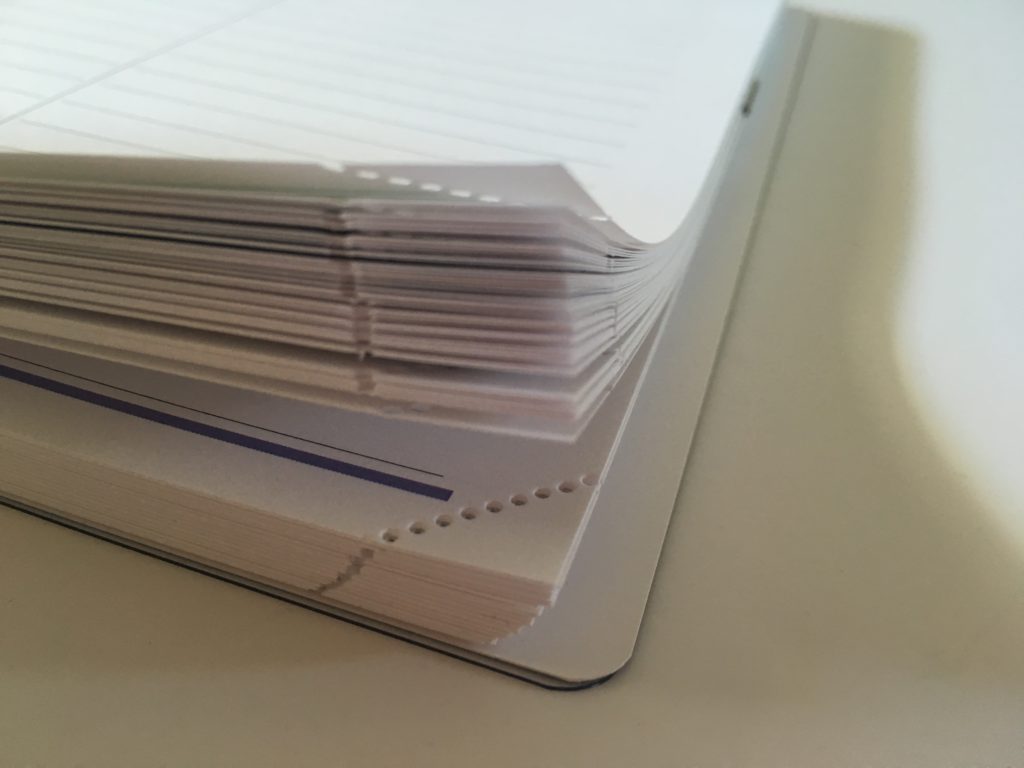
The corner of each page is perforated so you can tear it off when that week is over to keep up with what week you’re at (since you have to pay extra for tabs).
Another way to use it could be to tear off the corner of the page when all of the tasks you had planned for that week have been closed out. So highlight what you got done, then the next week you don’t need to re-write the unfinished tasks, just flick back to the last week and they’re still there, uncrossed / not highlighted (similar to the Planner Pad system).
Extras Pages
I originally had a ton of extras pages which I’d customised from start to finish but I closed the internet browser and came back later and for whatever reason, the pages were deleted when I came back. I didn’t want to re-create them all from scratch (I’d taken the customisation option very seriously 😉 ) so I just chose the bare minimum. It’s probably for the best – I’m prone to trying to cram too much on a planner rather than just pairing it down to the ‘bare essentials’ and including pages I’m definitely going to use.
The extras pages can be completely customised including color, font size, column width, column titles, page title. When Agendio say you can create a custom planner they really mean it!
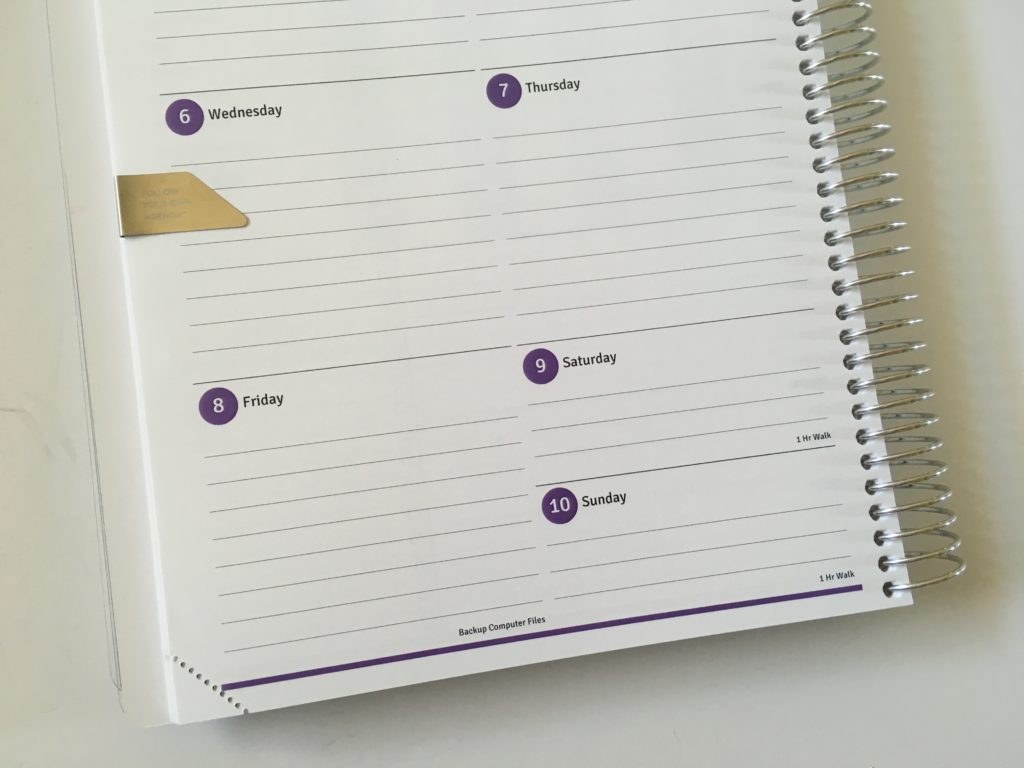
Page Marker
This metal page marker is a couple of dollars. To be honest, I was a little disappointed with it. It slides around a fair bit if you have 1 page secured (works better when a few pages are tucked into the bookmark) – I think I’ll stick to using paperclips!
Pen Testing
The paper of the planner is so smooth and nice to write on. I tried various balllpoint, gel, fine tip and marker tip pens – there was some ghosting on the back side of the page. I also did some highlighter and stamp swatches. The highlighters also had some ghosting and, as always, the MAMBI stamps bled through the page 🙁
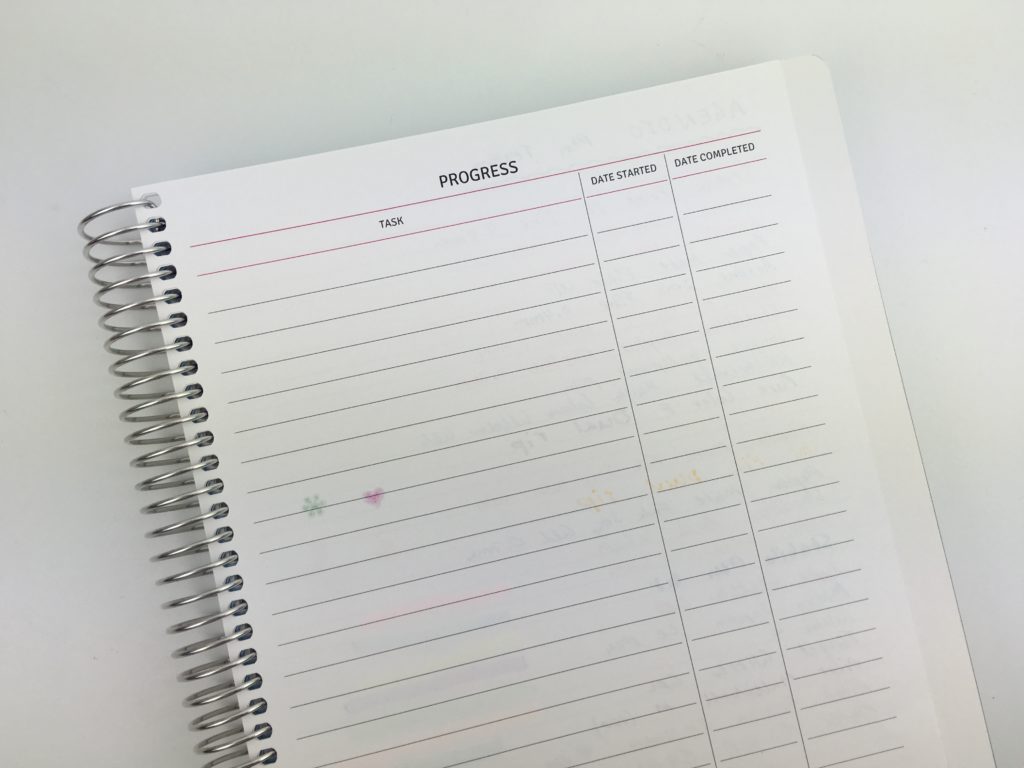
My all time favorite pens, the Pilot Frixion erasable worked well 🙂
Pros of the Agendio Planner
- So. Many. Options – not just the weekly layout, but also the monthly, the colors, fonts, even the column with of the extra pages – too many customisation options to list. Click here to see all the options for yourself!
- The planner website builder tool is straightforward to use and you can zoom in when making changes to take a closer look
- Can use different colors for each month – for someone that loves a lot of color this was a major pro!
- Can start the planner at any time (you don’t even have to start it on the 1st of the month)
- Pre-print recurring tasks rather than re-writing them out = huge time saver
- Choose your font from the options provided
- The paper feels really nice and smooth and is easy to write on
- The colors and overall quality of the planner is really good
- Option to have 2 pages per week or 4 pages (haven’t found another planner company that has a 4 page weekly spread which is exactly what I need – now I can keep the pre-plan, the plan and journal all in the one planner)
- Have the option to purchase a spiral bound planner (like I did) or inserts) and there are various sizes to choose from for each
- They also do custom notebooks
Cons of the Agendio Planner
- Unless you chose notes pages as an add on (and page extra for them) or have these incorporated into the weekly spread, they don’t add extra notes pages
- If you want tabs, you have to pay extra 🙁
- Overwhelming number of choices so it does take a long time to order
- Certain weekly planner layouts only allow for a couple of pre-filled tasks. I had 3 I wanted to add but the layout I chose only allowed for 2
- Limited cover designs – to be honest, I wasn’t really keen on any of the covers. After being able to customise literally every aspect of the inside of the planner, I was excited to see what cover options and customisation was available. I was sadly quite disappointed by the limited range. Update: Agendio have informed me they are working on bringing out new cover designs 🙂
- Option to have the recurring tasks appear on the monthly spread rather than weekly. There’s the option to duplicate print on weekly AND monthly OR weekly only but no option for monthly only (or at least I couldn’t find this!)
- Almost all of the pens I tried had ghosting on the back side of the page
Price
If your current planner isn’t working and you’re on the quest for another – do yourself a favour, end the Googling and splurge on an Agendio. Since the company custom makes your planner just for you, there’s a lot of variables that affect the price e.g. size, whether you choose inserts or a bound planner etc. I can honestly say that I think it’s worth it. Having a planner that’s the right fit for you will make you more productive, less stressed and you’ll spend less time setting up your planner by not having to cover things up with stickers or washi tape etc.
The planner I ordered cost $59 which included:
- Custom cover (in pattern, color of my choice) personalised with my monogram
- 4 pages per week layout
- All of the customisation on the weekly spread (my own planning categories, pre-printed recurring tasks and birthdays, my choice of size for each planning section, line spacing font choice, color printing etc.)
- 12 monthly calendar / planning pages
- A couple of extras pages
- Spiral binding
This is a really good price considering all of the customisation and the planner was shipped quickly from the USA. Given that some planner companies charge $55 for a non-personalised planner, the price of an Agendio planner is really good value.
Do I recommend the Agendio Planner?
Yes – I really like this planner. You can customise everything from the front cover all the way to the back so you can make the exact planner you need!
Want to order an Agendio Planner?
If you’d like to create a customer planner with Agendio, click here!
How To Order An Agendio Planner
- Choose hardbound planner, spiral bound planner or planner inserts
- Size (8.5 x 11″ or US letter size, 7 x 9″ or 5.5 x 8.5″)
- Weekly spread base layout (customisable)
- Monthly calendar layout
- Black and white or color printing (and then choose the color/s you’d like)
- Extra pages (optional)
- Covers
- Accessories (detachable corners, bookmarks, pocket folders etc.)
I went through the ordering process in detail (and all of the features I chose for my planner) this post.
Found this post helpful? Pin it!
More planner reviews:
- Review of the Do It All Weekly Planner by Orange Circle Studio
- Review of the Plum Paper Me Planner
- Life Organized Weekly Planner by Paper House (similar to the Erin Condren Life Planner)
- Lorna Leigh Lane Weekly Planner Review (Pros, Cons & a Video Flip through)
- Passion Planner Review – Compact and Classic Sizes (Pros, cons and video walkthrough)
Planning Tips:
- Quick and easy weekly meal planning using sticky notes
- How to make lined note paper DIY planner insert refills in Photoshop (quick and easy step by step tutorial)
- Favorite black pens for planner addicts
- How to organize and color code your notes for school, college or university
Disclaimer: Agendio waived the cost of my planner in exchange for this review (thank you Agendio!). I paid for shipping. All opinions are my own. If you make a purchase using my referral link I’ll receive a small commission (at no extra cost to you) which will be used towards purchasing more planners!



Thank you!
I search the shelves of stationery companies and find there are a number of planners that have what I need. However it tends to be my needs are spread across a range but not in one.
Love your blog and will continue to watch.
Hi Kelly,
That’s exactly why I did the 52 planners challenge – as I like 1 or 2 elements of planners and need one that combines all the features into 1 planner (enter: Agendio)!
Glad you’ve found my blog helpful 🙂
Speaking of perforated pages, do you know of any planners that have a perforated sidebar area? This would be SUPER helpful for times when everything on the to do list doesn’t get done so you want to keep looking at it the next week or are making an ongoing shopping list for big items you only go to once a month (like Costco).
Thanks!
Hi Emily,
Carrie Elle has a planner with perforated pages: https://shop.carrieelle.com/collections/meal-planners/products/meal-planner-good-dog