Ultimate Travel Planning Spreadsheets for Flights, Hotels, Itinerary, Budget, Spending, Tasks, Packing Lists & More
Back in 2019 I created travel planning spreadsheets which I used alongside my Microsoft Word itinerary template.
I’ve been tweaking those spreadsheets the past few years, adding handy tools along the way such as a currency converter, plenty of checkboxes for everything, more sections for organizing research, graphs and space to add photos.
I’ve tested the spreadsheets on a few trips and I’m happy they’re sufficiently detailed and ‘finished’ enough to share. I used these spreadsheets to plan what would’ve been this years Europe trip: Ireland and Switzerland, so you’ll see lots of references to those places throughout this tour of the spreadsheets.
I’ve unfortunately had to cancel the trip, I don’t have the risk appetite to transit through the middle east with the current situation. I’m now using the spreadsheets to plan a trip to South Korea instead, so send me any recommendations (especially stationery and skincare shops!)
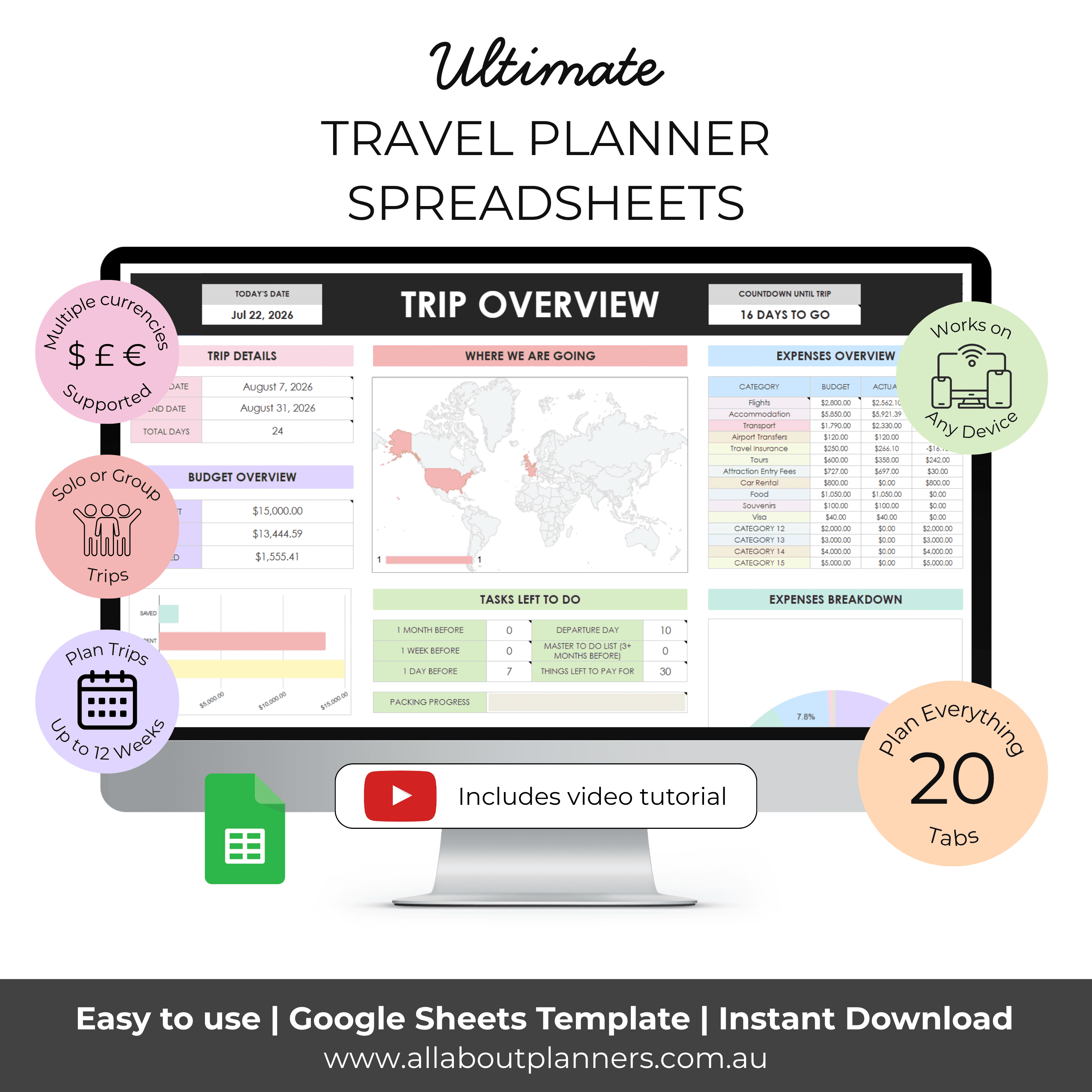
What’s new in version 2.0 of the travel planner
- Easier to change currency
- Calendar and list view for each day of the trip
- Automated dates on the itinerary
- Multiple itinerary formats – choose the one you like best
- Spaces to add photos to make the itinerary look more pretty and get you excited for your trip
- Dashboard with a trip overview
- Prefilled checklists in 2 formats (countdown and one big master list you can filter) + blank versions
- Outfit planner
- Photo inspiration tab
- Good to know tab (visa, power plugs, best time of year to visit etc.)
- Research is all in the one tab (save time by not flicking back and forth)
- Google sheets format instead of Microsoft Excel
- Clickable checkboxes throughout
With these updated travel planning spreadsheets you can
- Plan trips up to 12 weeks long (if you need longer send me an email to [email protected])
- Plan multi city holidays, domestic holidays, international holidays to multiple countries, road trips, cruises etc.
- Built in currency converter, no need to flick back and forth between an online currency converter and the spreadsheets
- Packing lists for each person on the trip
- Track budget versus actual spending
- Built in countdown with number of days left until your trip
- Track your progress – how many tasks you’ve completed and how many are left to do
I made the original travel planning spreadsheets in Microsoft Excel. The most frequently asked question I got was if people can use a Microsoft Excel spreadsheet in Google Sheets. The answer is yes (I shared a tutorial here). Since it was so highly requested I made the updated travel spreadsheets in Google Sheets.
Now you can share the link with everyone going on the trip and everyone can stay up to date on where you’re going, add places they want to see and track spending.
You can also easily export the spreadsheets to Microsoft Excel if you prefer.
If you’d like a copy of the spreadsheets they’re available in my Etsy shop and online store.
Use all of the tabs or only those that you need. The spreadsheets are not locked, you can add more rows to the spreadsheets if you need more room to plan.
Let’s take a closer look at each of the tabs. There’s a written walkthrough below the video as well.
To enlarge the screen of the video, click the square icon in the bottom right hand corner of the video (it will say ‘full screen’ when you hover your mouse over the icon).

Vision board
Where any trip starts: the vision board. The initial excitement where the possibilities of where you could go are seemingly endless! Brain dump all the places you want to go, things you want to see and do.
I love maps and have a giant world scratch off map in my office, so wanted to include one in the spreadsheets as well.
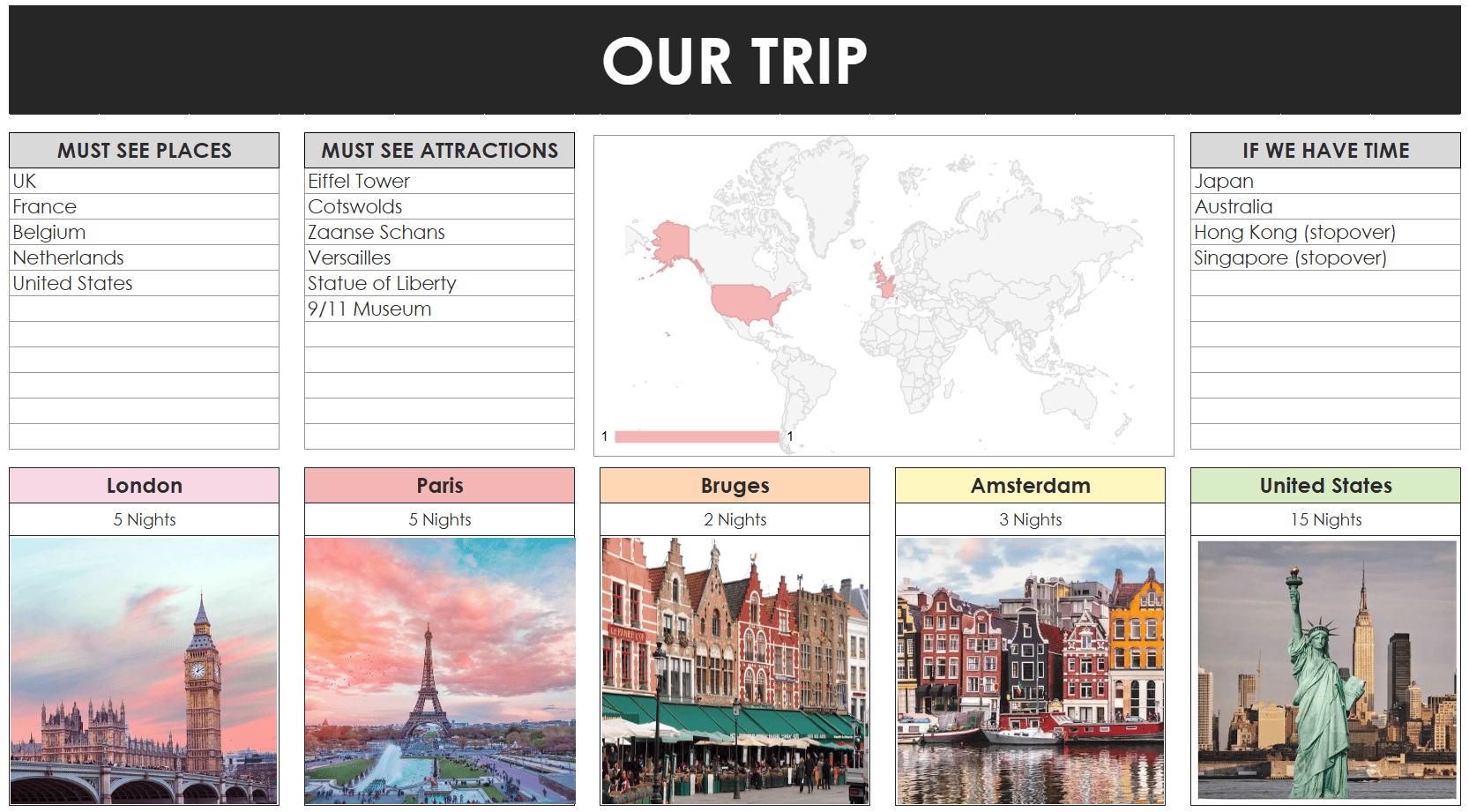
The map automatically updates when you list the places you want to visit in the spreadsheet
Note: if you export the spreadsheets to Microsoft Excel, the map won’t work as it’s linked to Google Sheets.
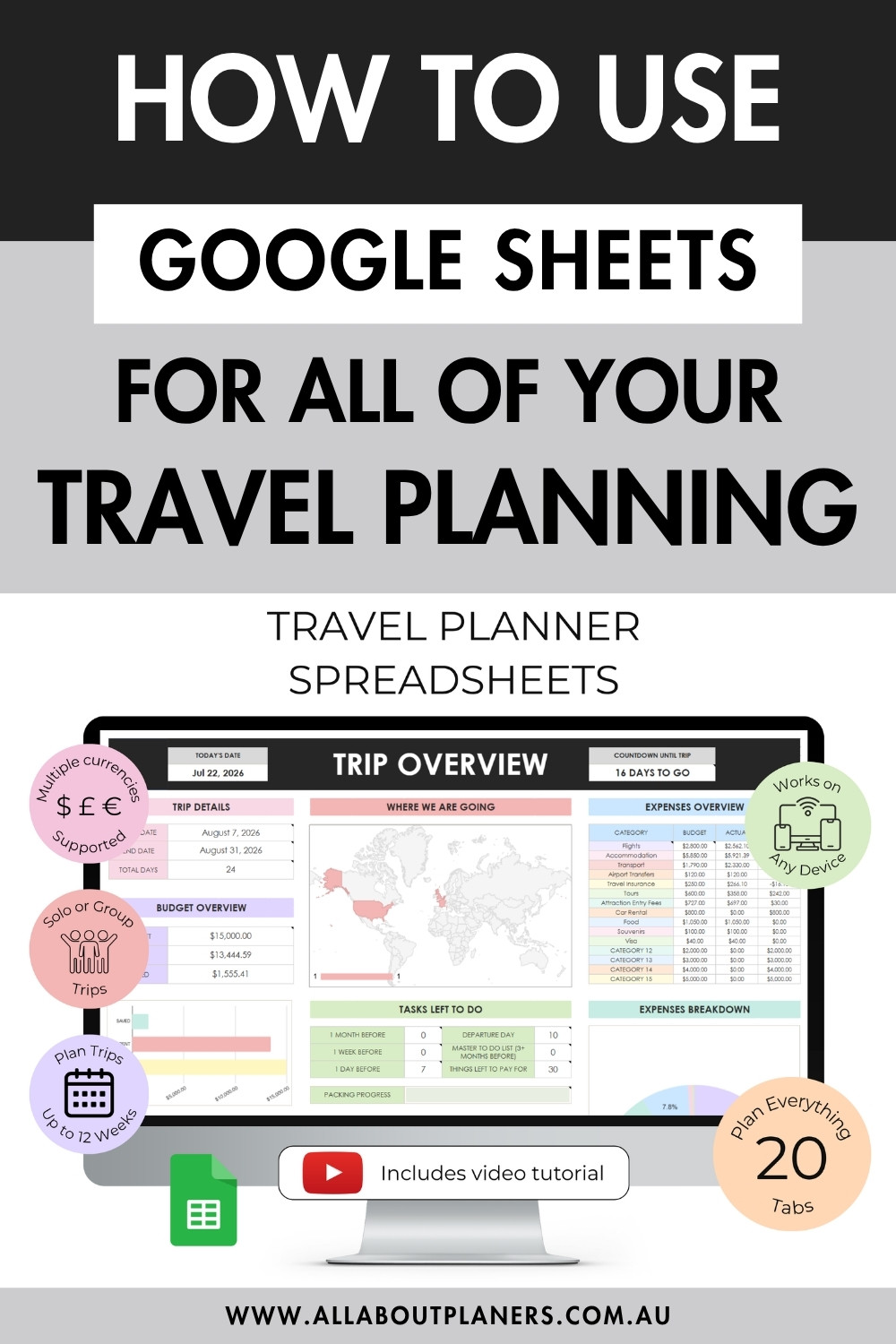
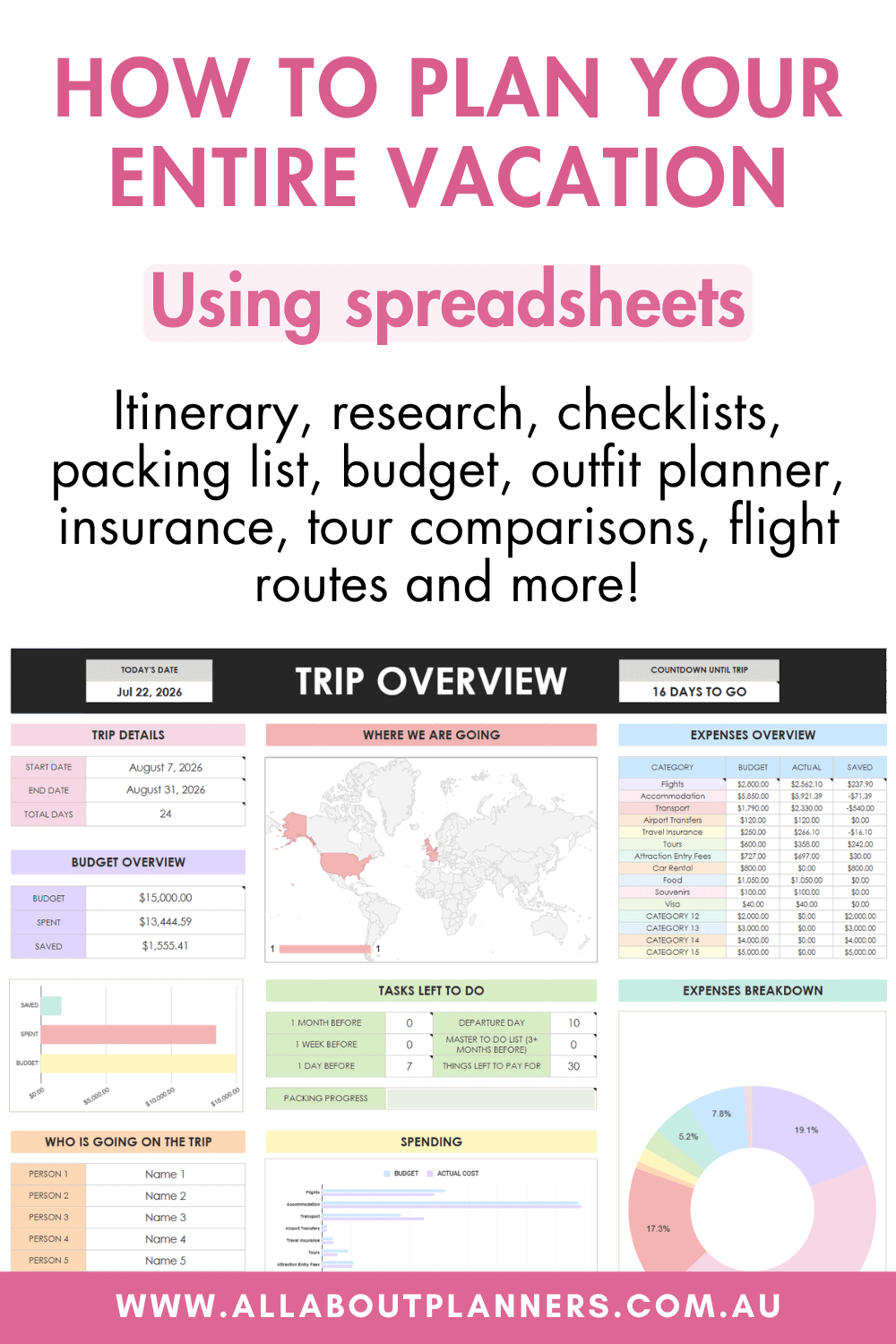
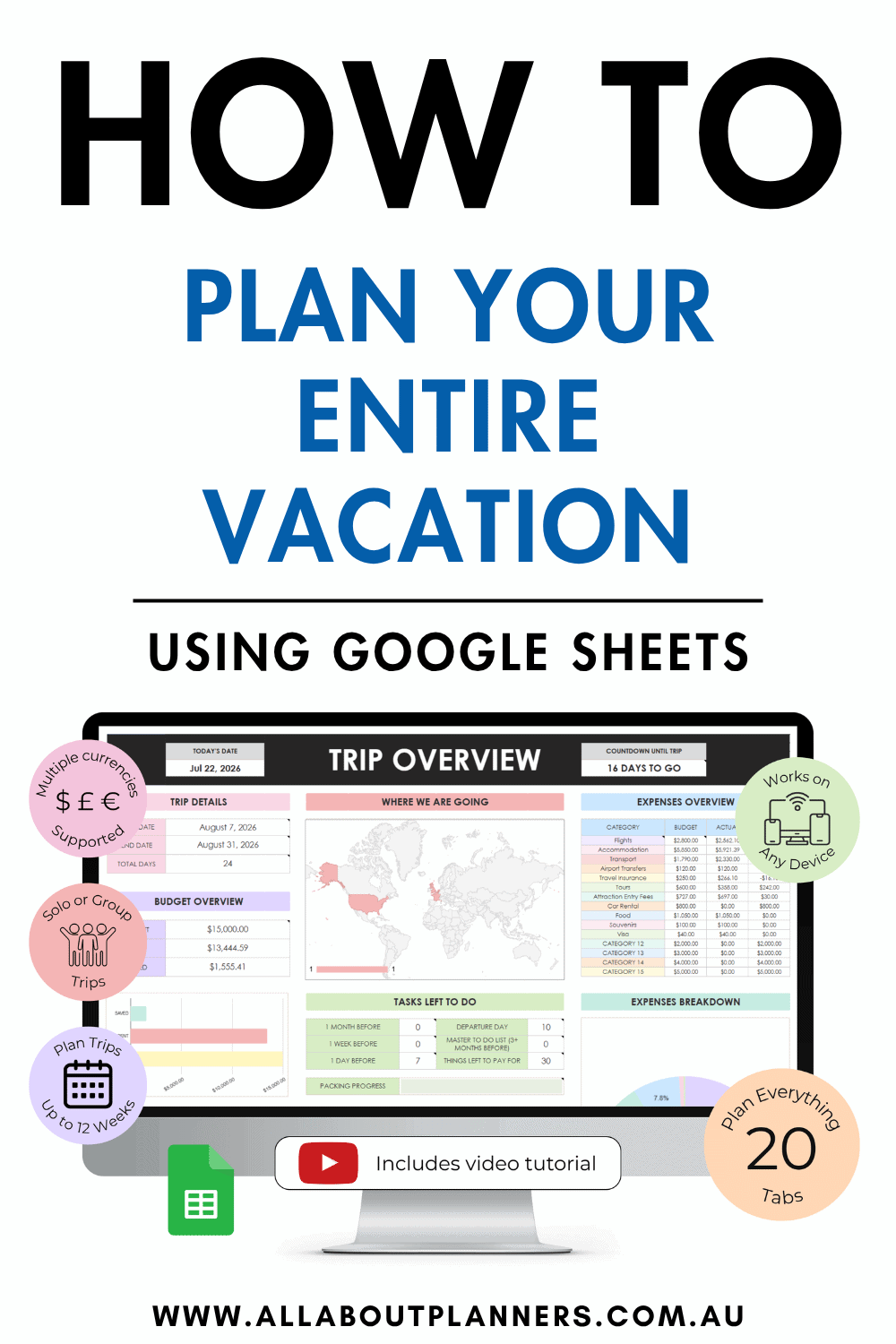
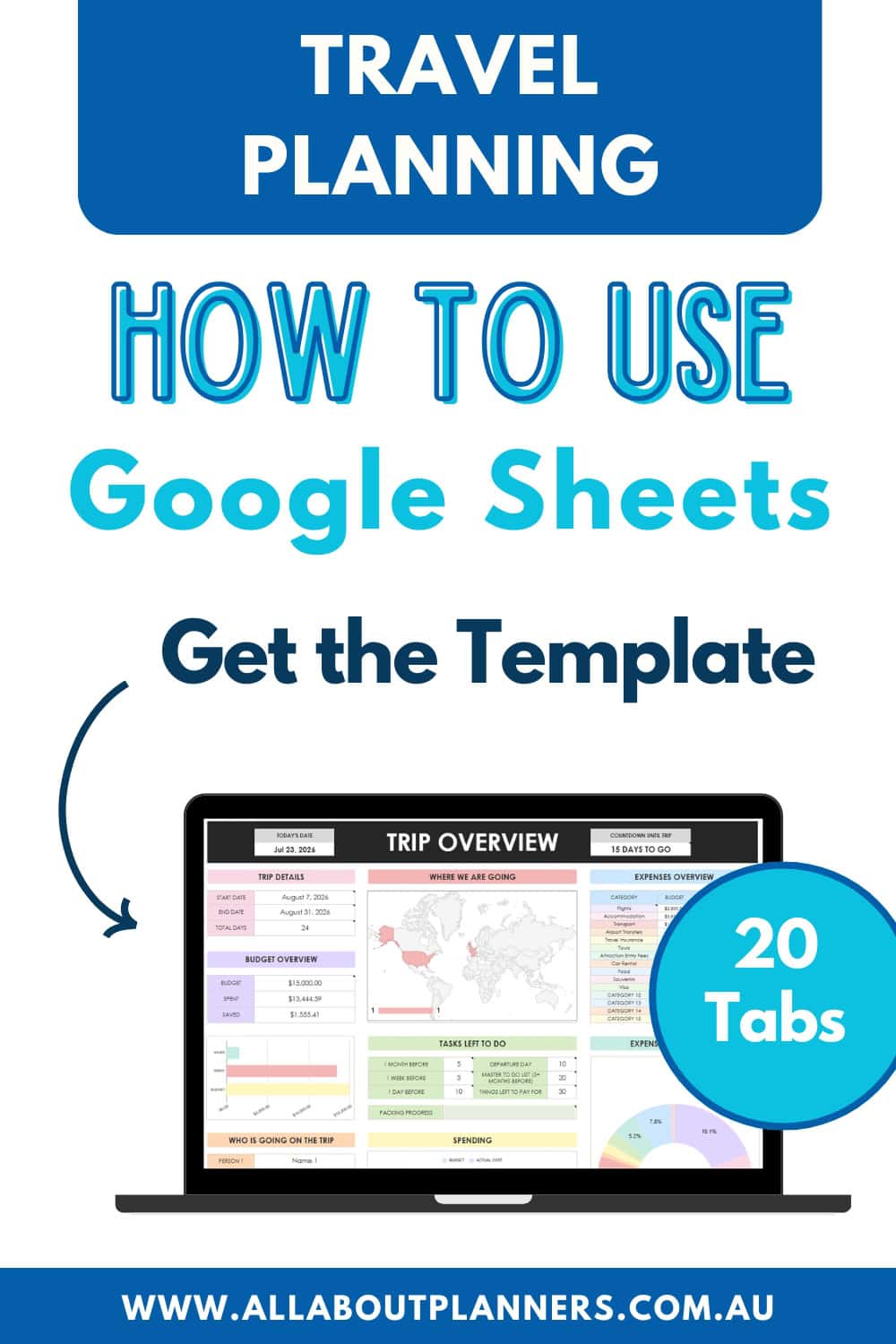
Trip overview
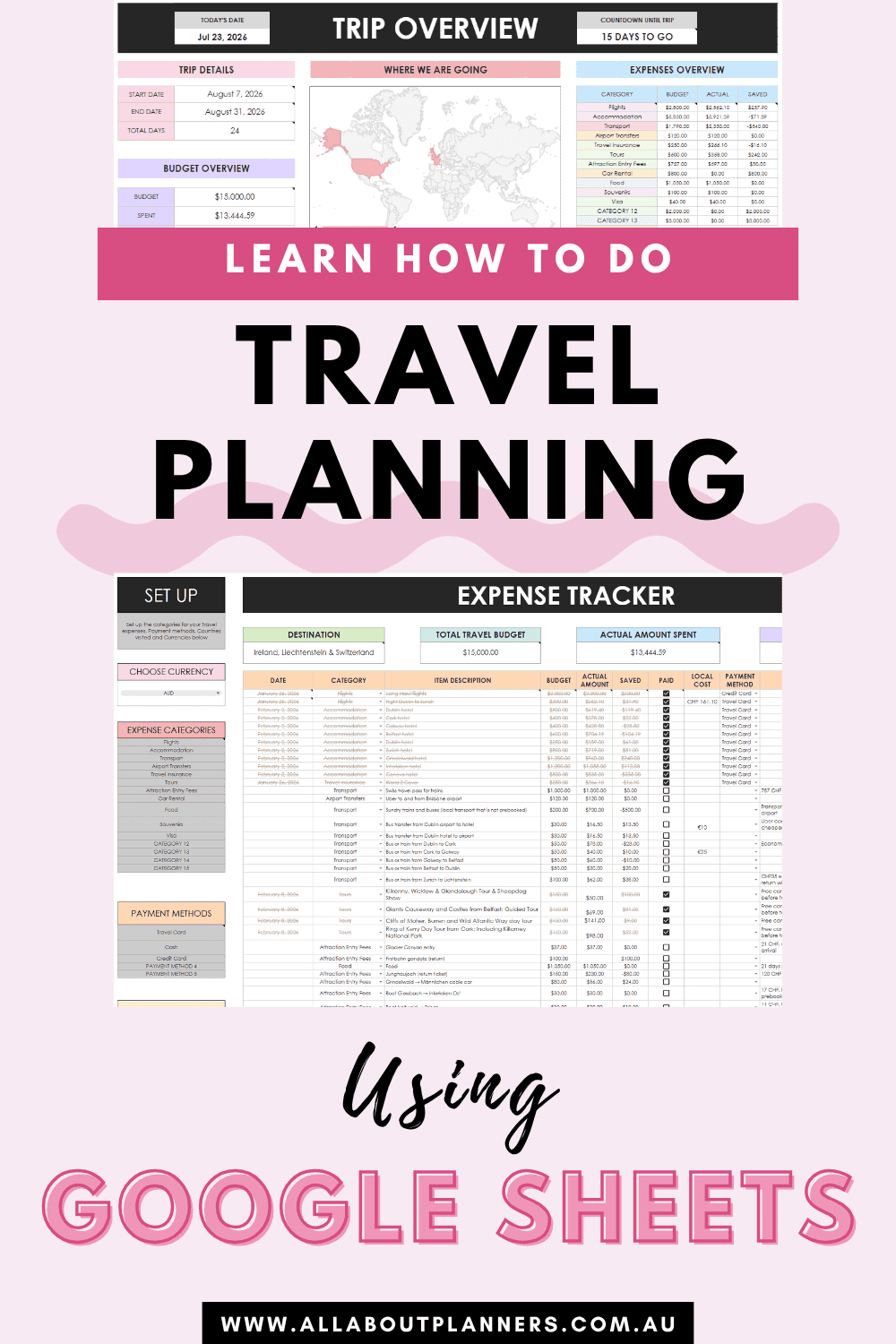
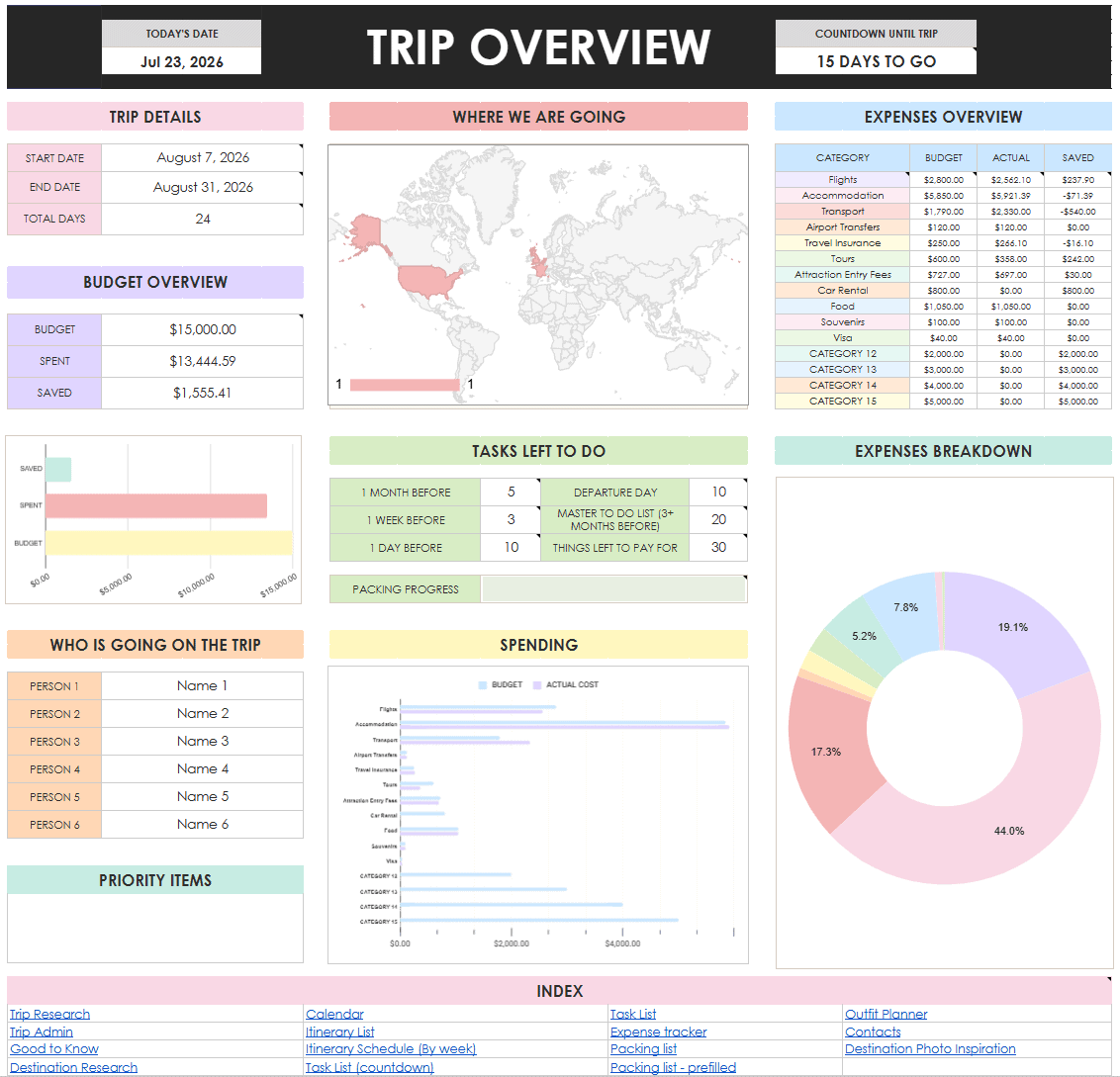
Next it’s time to get a good snapshot of where you’re at with the trip planning process. In the trip overview tab you can quickly and easily see:
- How many days left until your trip starts
- A map with the places you’re visiting colored in
- Budget overview
- Expenses broken down by category
- Who is going on the trip
- Priority items
- Tasks left to do
- Packing progress
- Hyperlinked index for quick navigation to other tabs
Itinerary templates
If you’ve ever come across an Aussie on your holiday and strike up the usual small talk: ‘where have you been? where are you headed? how long is your trip? ‘Then you’ll know we tend to take what other countries consider ‘long’ holidays. 3 to 4 weeks when travelling internationally is very common, and some people even take 3 months or an entire year sabbatical. So I wanted these spreadsheets to cater to those of us that plan longer trips. You can do up to 12 week long holidays with these spreadsheets. If you need more weeks added, send me an email via [email protected]
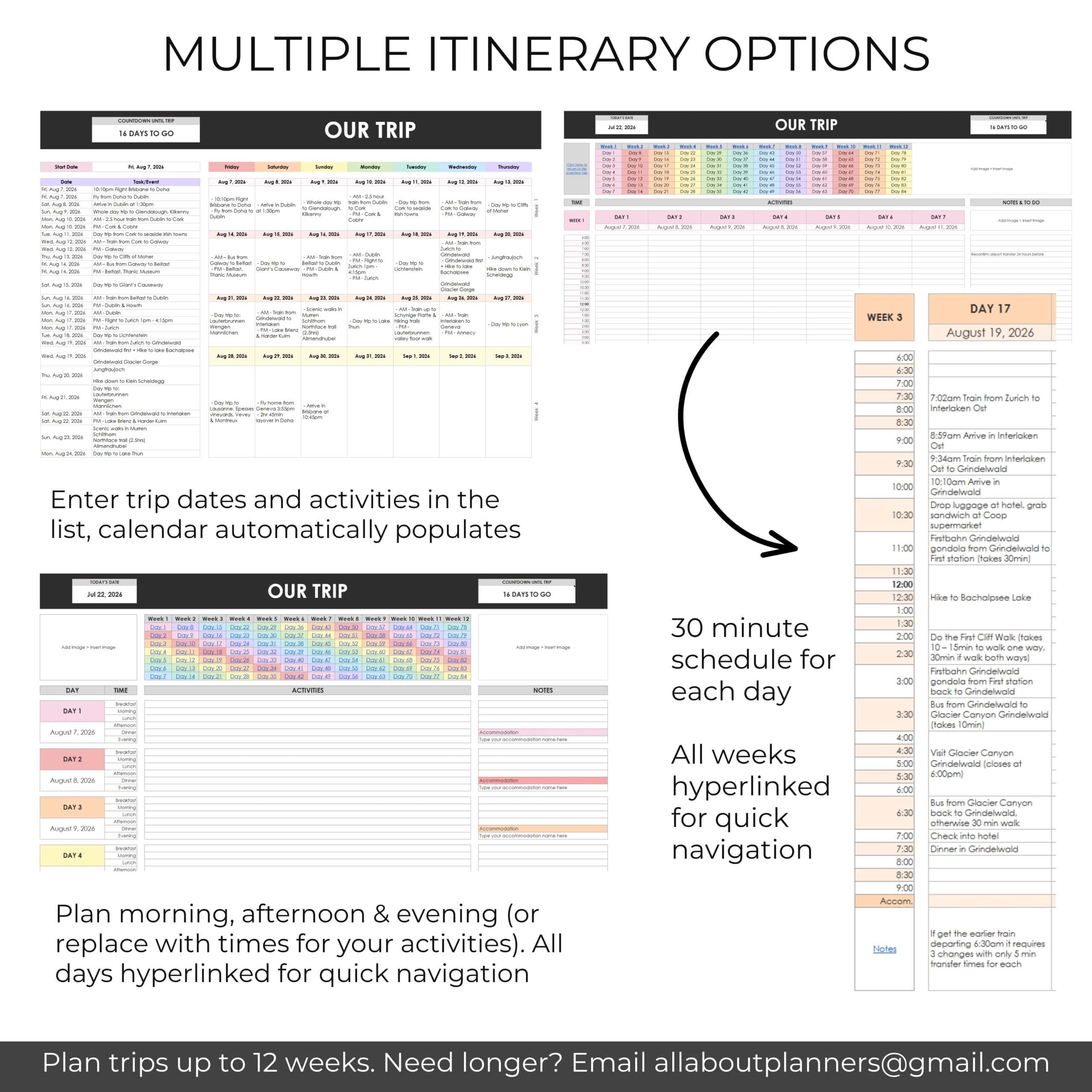
Similar to my Canva travel planner, I wanted to include multiple itinerary layouts so people had the option to choose what they like best. A combination of minimalist / high level overview, detailed columns to get really specific, and a version with a timed schedule.
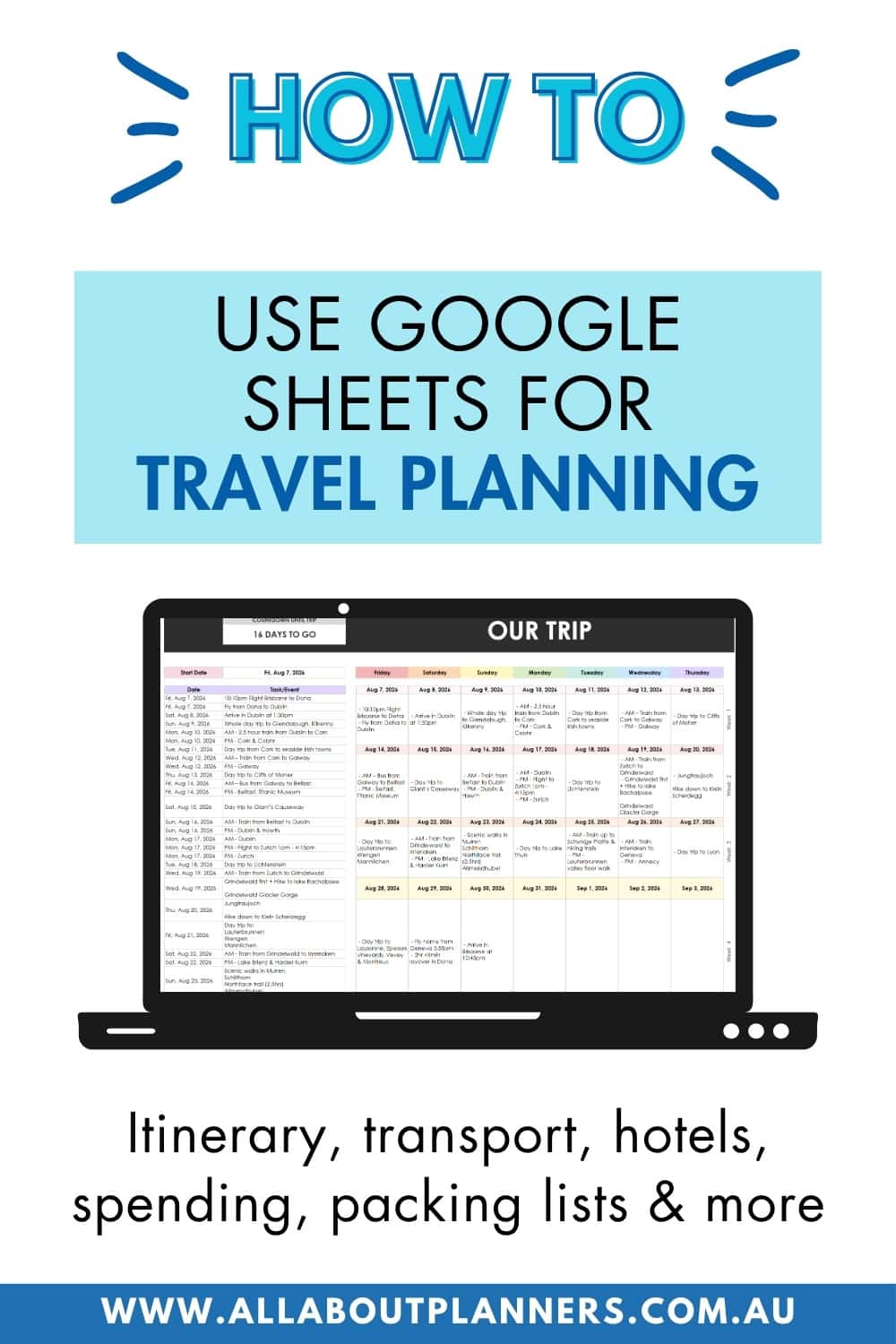
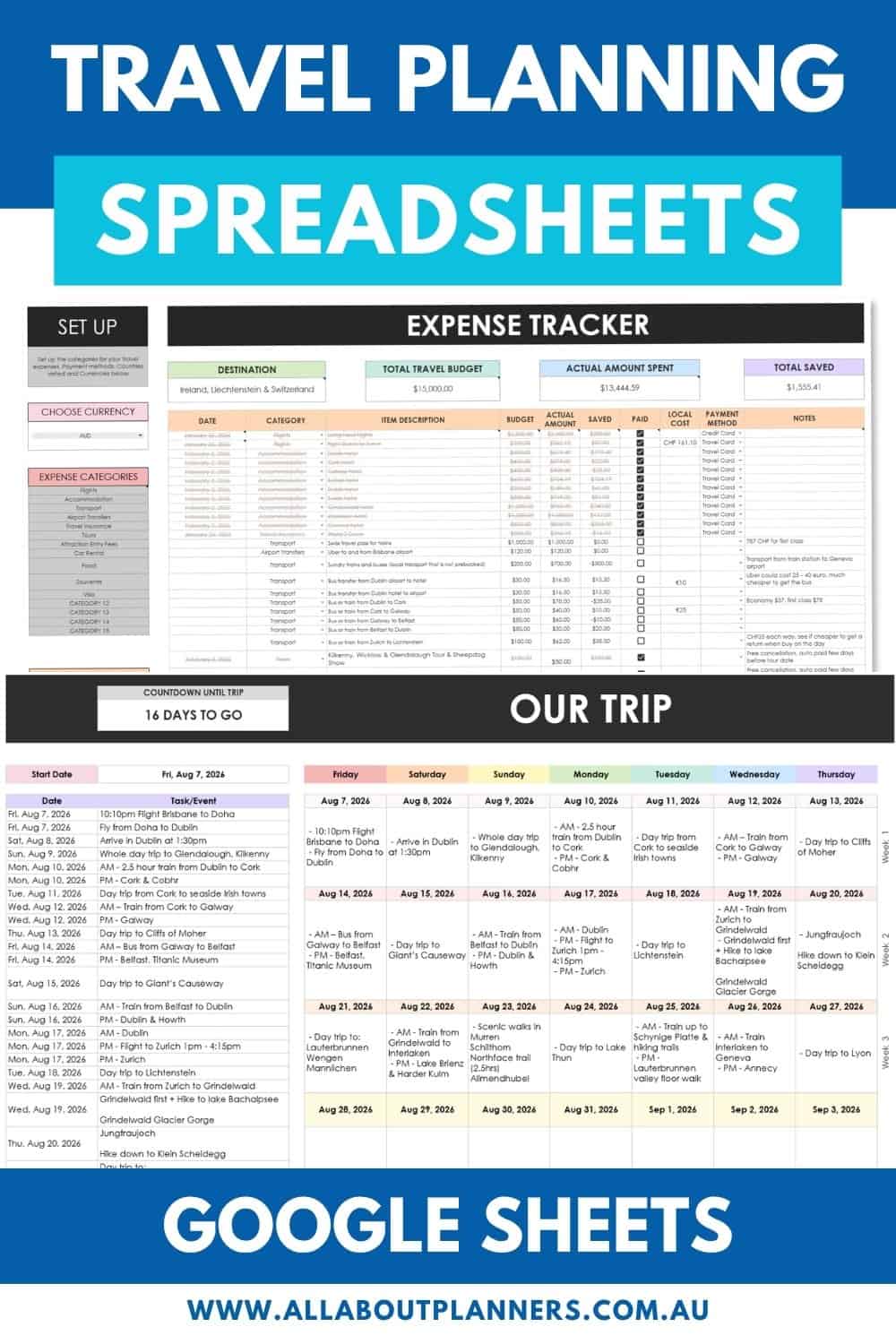
For all of my trips, I always use a calendar for an overview like this:
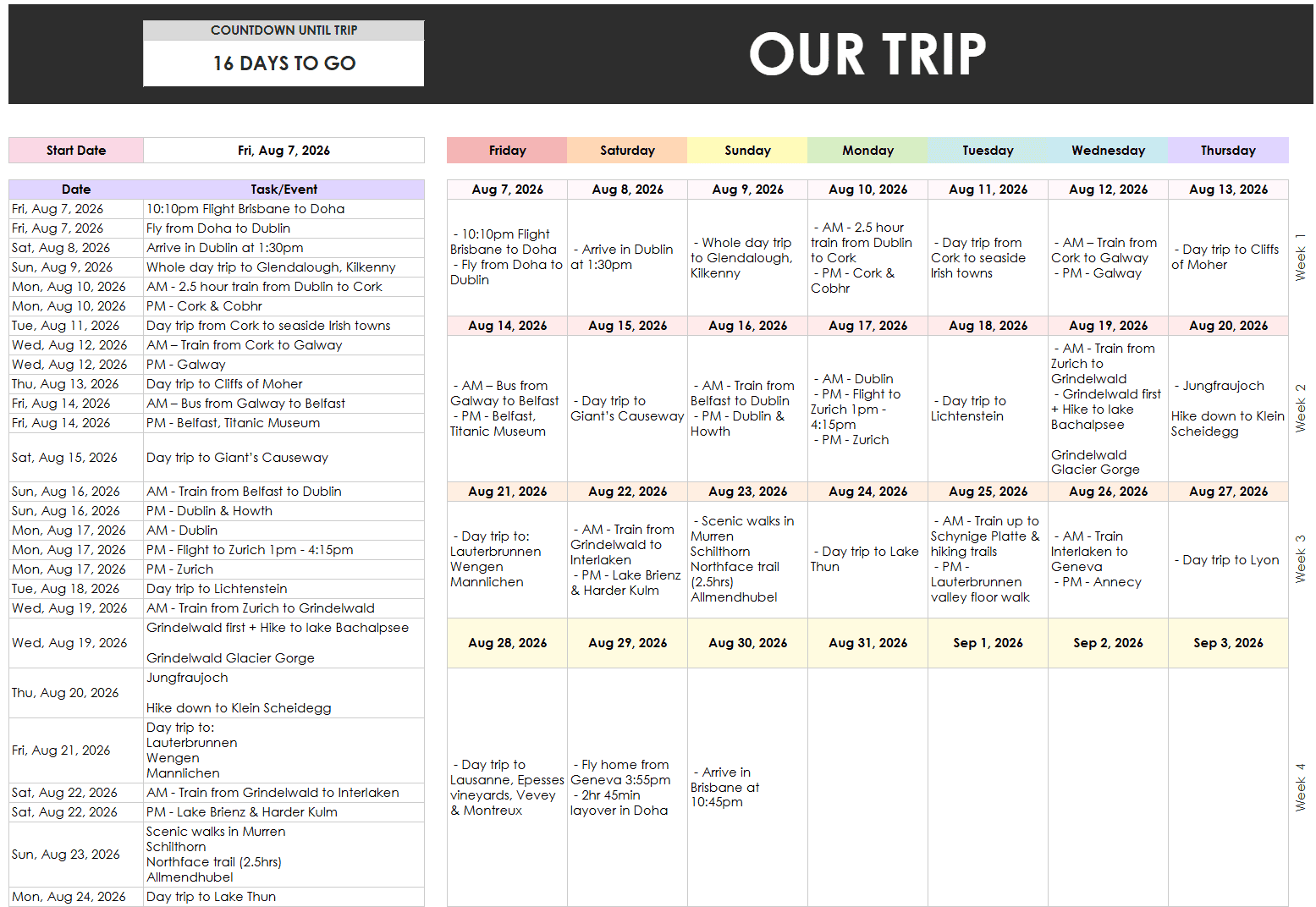
Enter your dates and activities on the left and the calendar will automatically populate
I then go into more detail for each day (specific bus numbers, schedule times, attractions I want to see etc.). I trialed a few versions in Google Sheets, but decided I still prefer to use either Canva or Word. Sometimes my plans / instructions for a single day, including screenshots of timetables, photo inspiration etc. can be 4+ pages long.
Read more: How to use Canva to make a travel itinerary (is it better than Word and Excel?)
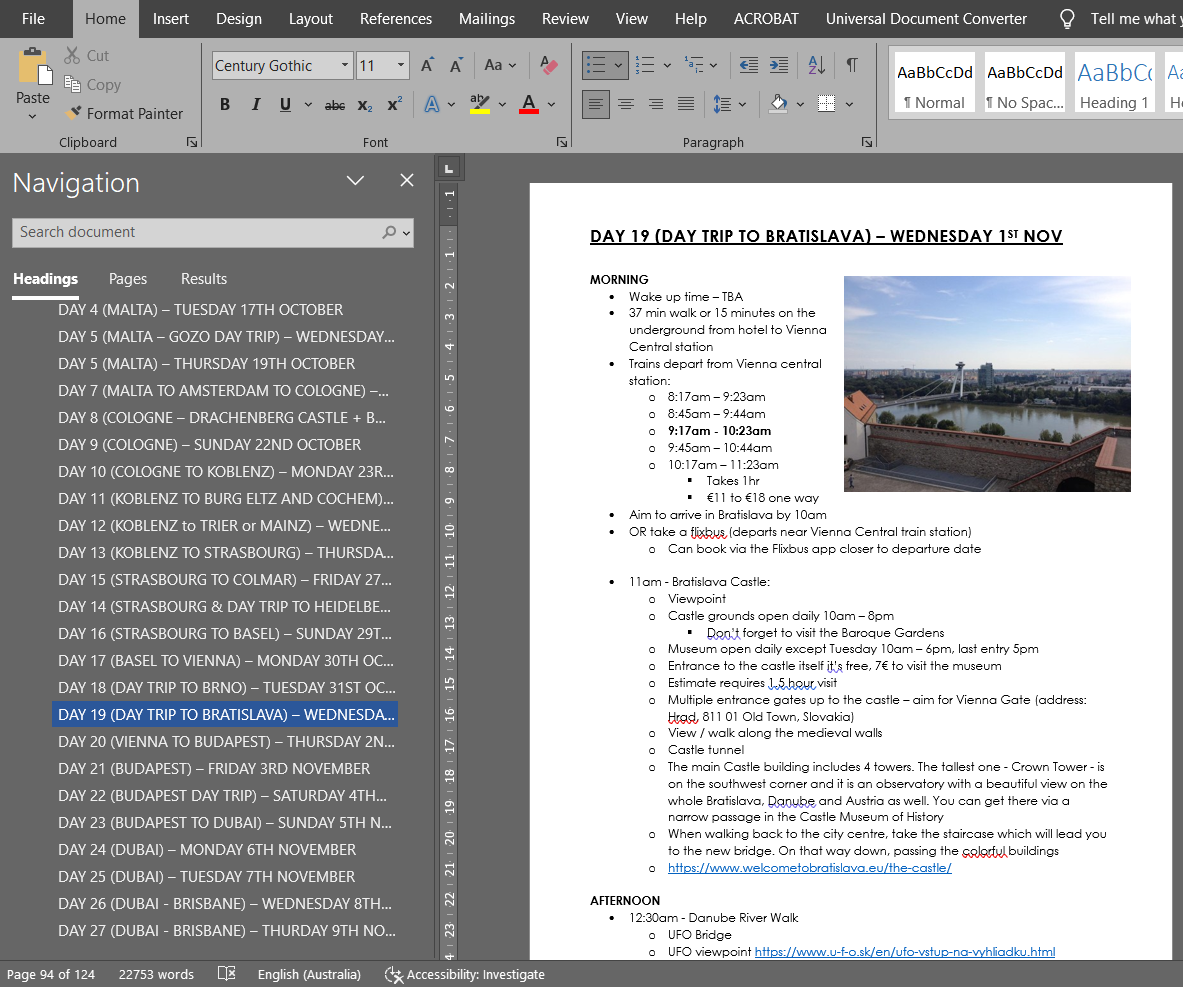
If you want to keep everything in Google Sheets and need more space for each day than just the calendar view, there are condensed versions of my detailed Word / Canva approach to itineraries.
In the itinerary list tab you can break things down into morning, lunch, afternoon and evening plus your meal plans. If you don’t like these titles, you can change them to whatever you like!
The boxes will automatically increase in size the more text you add so you don’t need to worry about running out of room.
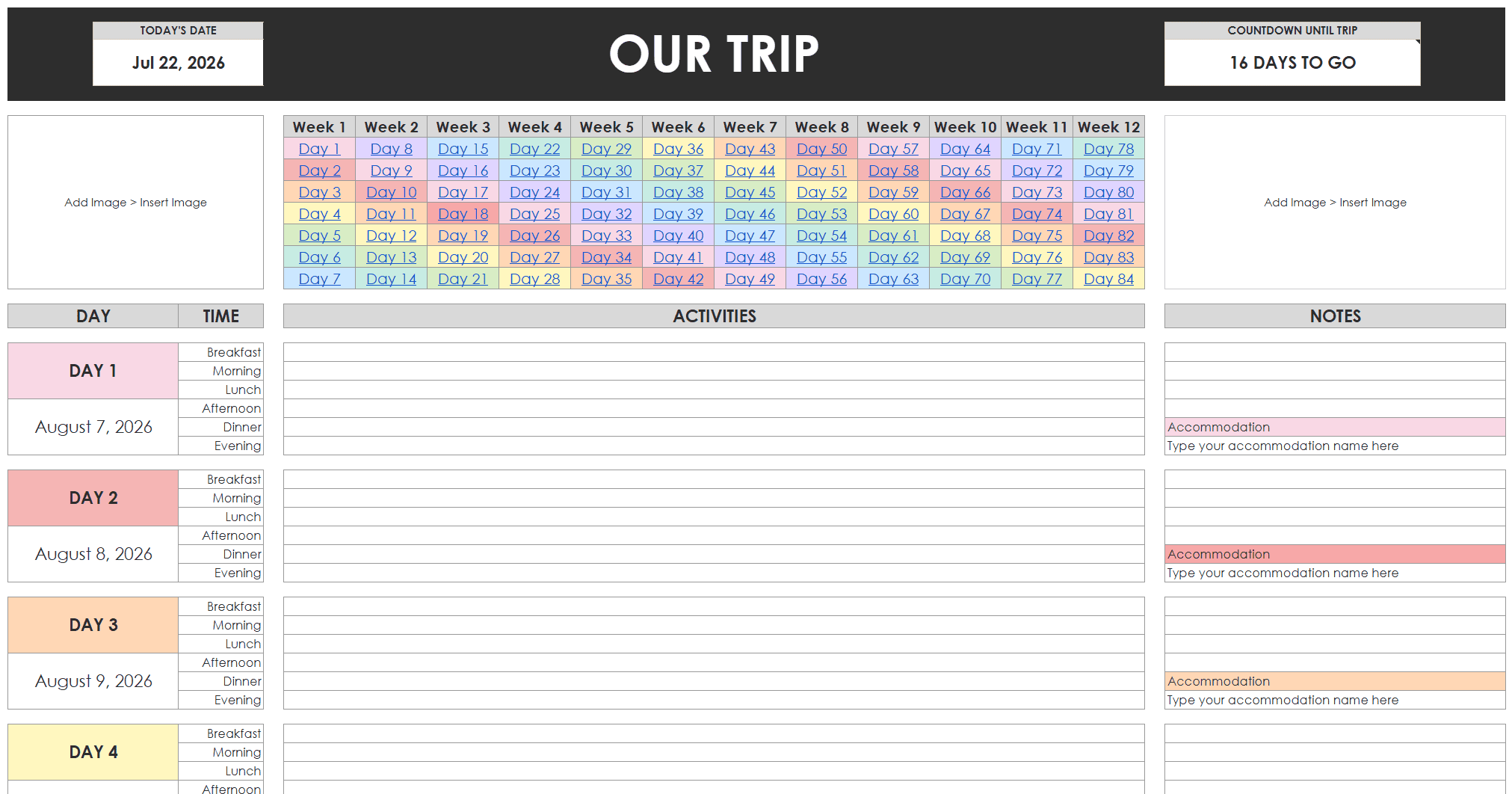
I love rainbow color schemes combined with functional planning so the clickable color coded index for quick navigation makes me very happy!
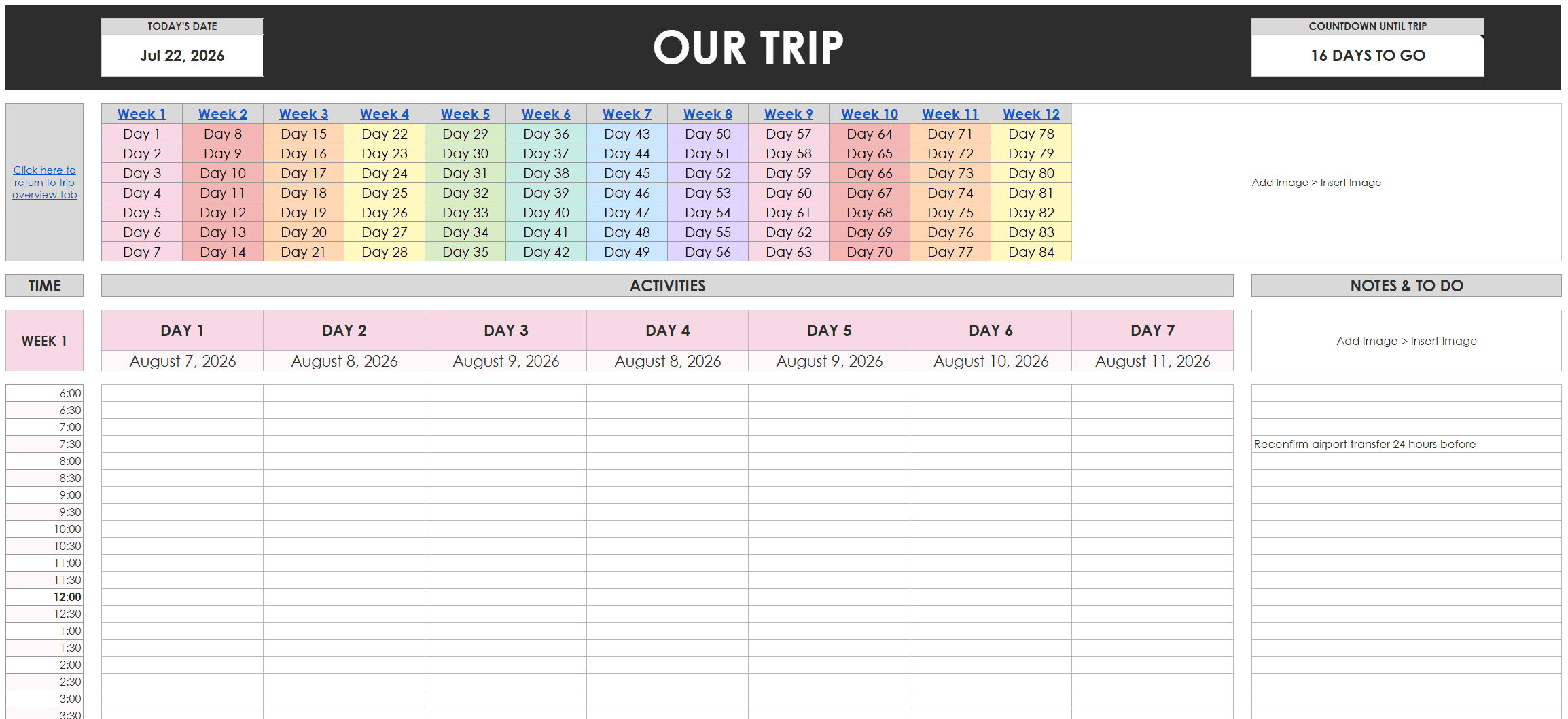
If you’re type A like me and want more detail, there is a version with 30 minute increments for each day, organized into color coded weeks. If you click on the week numbers at the top of the tab, it’ll take you straight to that week. There are links that will return you to the top of the page so you’re not scrolling back and forth all the time.
There’s space to add notes off to the side as well.
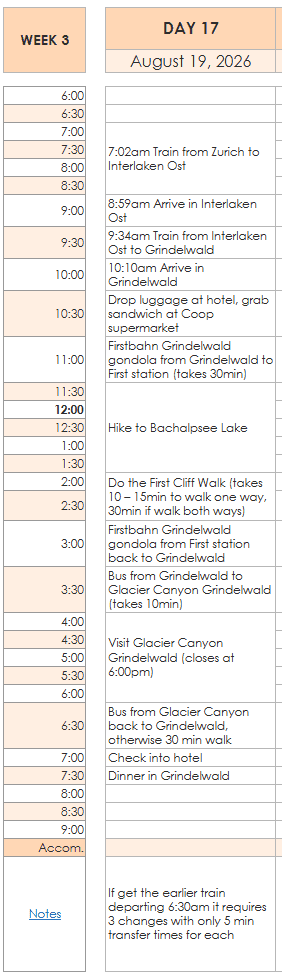
An example of a day I had planned for the trip:
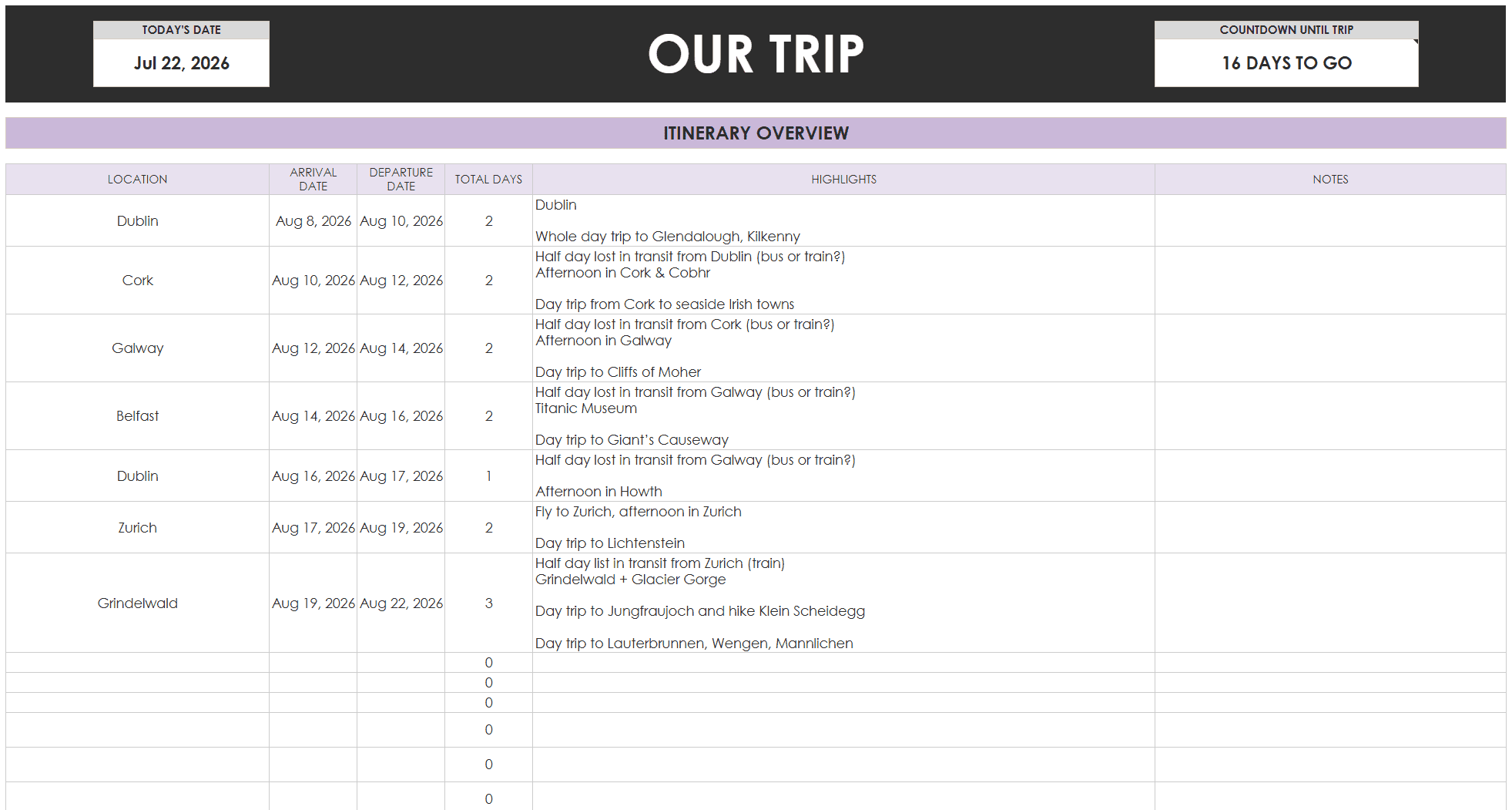
If you’re more spontaneous when you travel, there’s a template if you only need a high level overview of each day’s plans.
This template would also be good if you were planning a road trip, a cruise or joining a multi-day group tour where most of the itinerary is organized by a tour company.
Vacation Research
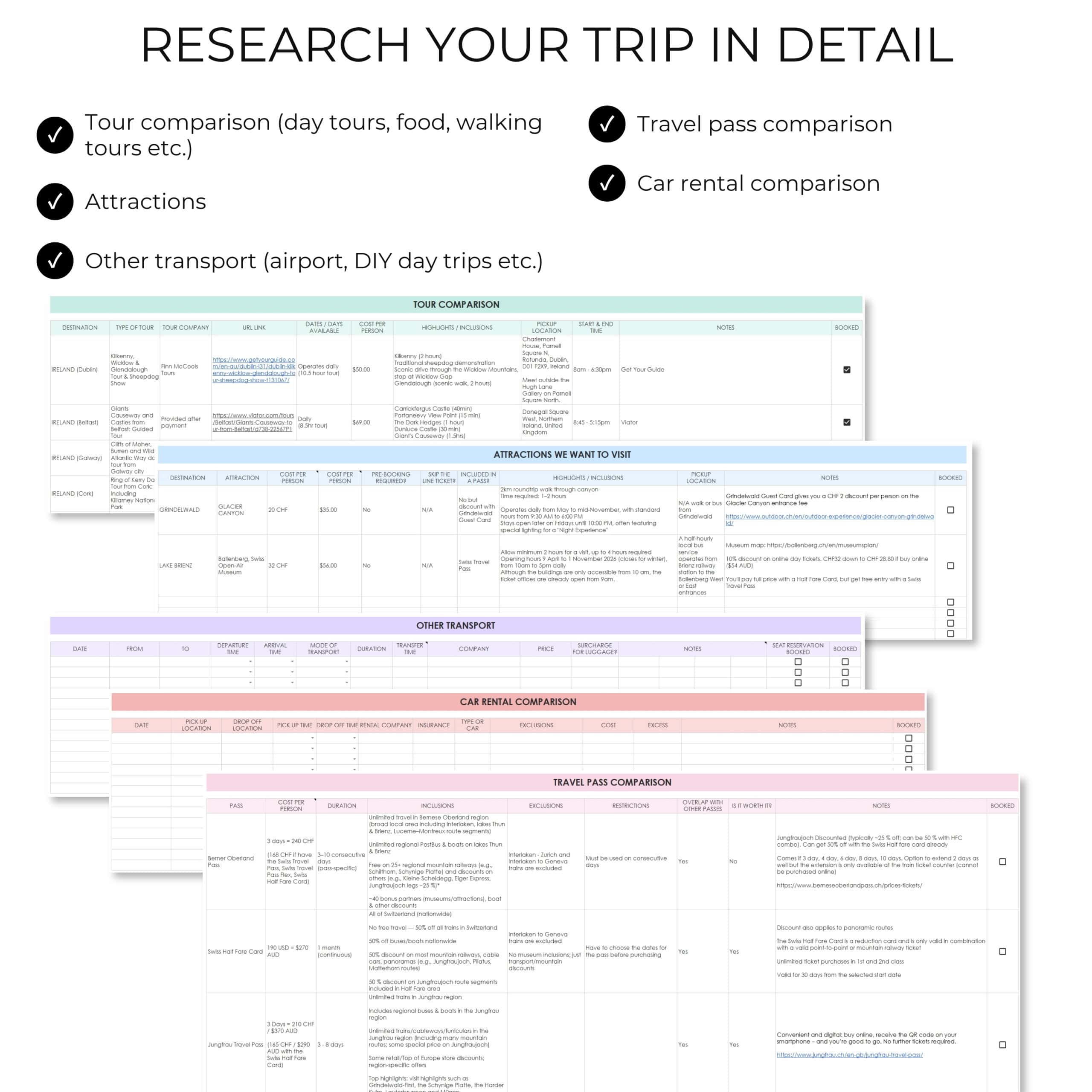
I like to go into great detail when I research my itineraries:
- Places we want to visit
- Long haul flight routes including stopovers
- Internal flights
- Transport options – bus, train, ferry
- Accommodation
- Whether it’s worth doing a multi-day tour or better to do day tours
- Tour comparison
- Attractions to visit e.g. viewpoints, museums
- Car rental comparison
- Travel pass comparison (to decide if it’s worth it)
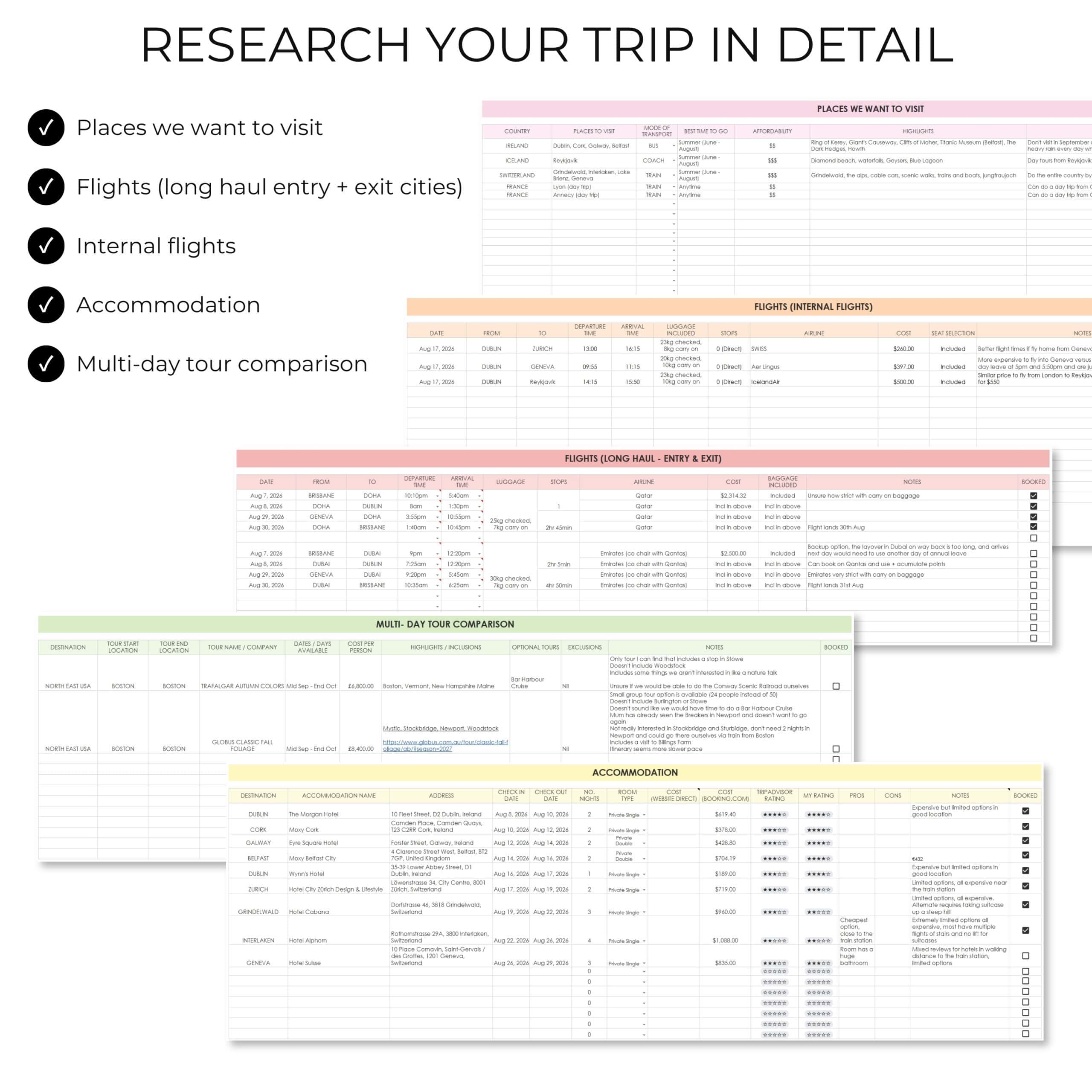
Let’s look at these sections of the research tab in more detail:
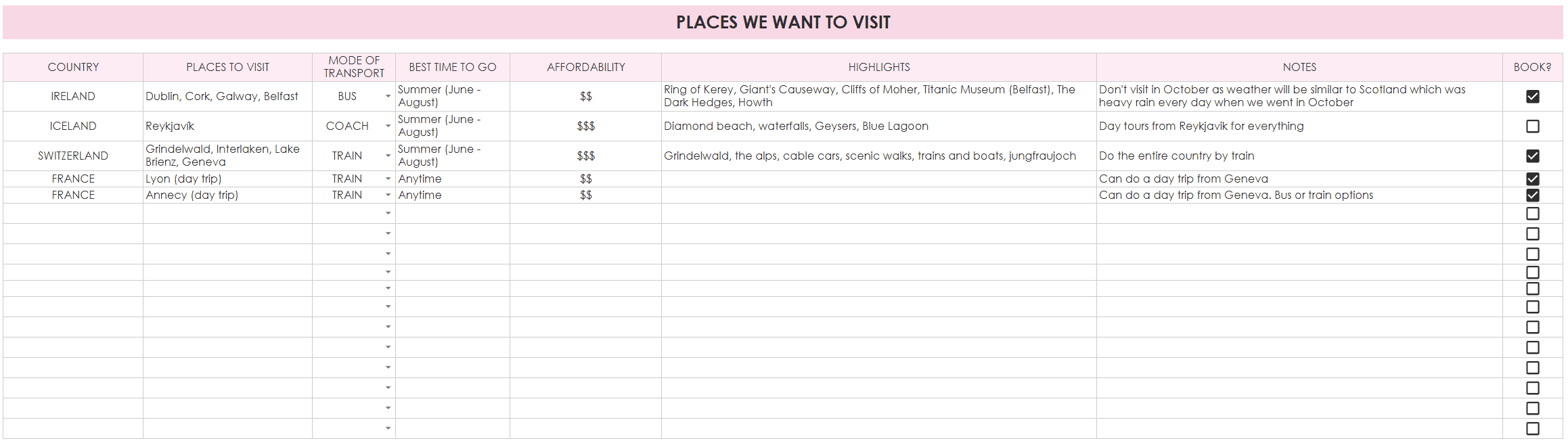
Places we want to visit
First place to start is to create a wish list of all the places you want to go and list out the main highlights / things you want to see.
I also like to make notes if there could be any logistical difficulties if I were to visit that destination. So if I’m travelling solo I need to know that there are frequent trains or buses if I were to do a DIY day trip, otherwise that there are guided day tours via bus.
For the best weather, some destinations should be visited at certain times of the year (as I found out when I visited Scotland in October which is their storm season. I timed Storm Amy and was unable to get to the Isle of Skye due to trees and powerlines down blocking roads, and trains were also cancelled).
I also like to make a note of the affordability of the destination, as I might combine a low cost destination with a high cost destination to balance out the budget (like the trip I did where I went to Poland then the Dolomites).
Flights
I like to keep all of the options in the spreadsheet, then tick off the ones I booked. You could delete or hide the rows that have the options you didn’t book instead if you prefer.
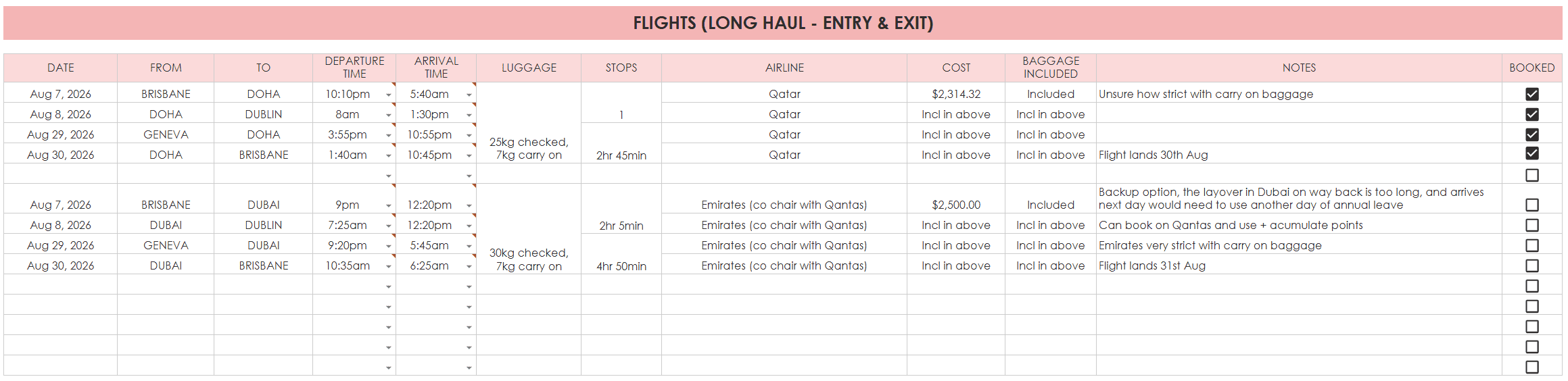
I like to record all of the flight options so I can come back and review them later. If I’m over budget I may opt to book a flight with a less desirable departure time if it’s cheaper. Once I get further into detailed itinerary planning I may realise I need a half day more in a place, so could change from my originally intended flight.
It’s also important to carefully pick my entry and exit locations when travelling internationally. There can be a huge cost difference, flights may not operate daily and some flight routes have shorter layover times which gives me more time for exploring.
If I’m travelling between popular cities there may be multiple flights departing and arriving at similar times and then it just comes down to cost, checked baggage allowance etc.
In the notes section you could record the date you did that price check.
I never rush and book flights, even if they are on sale. I plan the itinerary first as I need to know for sure how many days I need in each place.
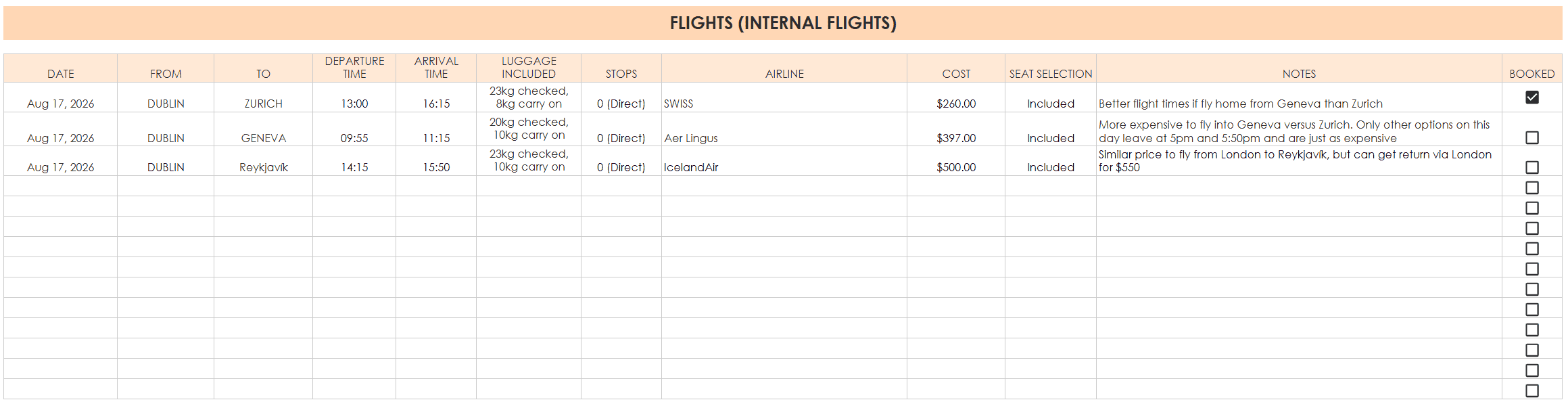
After researching long haul options, I then research internal flights too. There’s a section later on to compare other transport options. Sometimes a 1 hour flight isn’t worth it if there’s a bus or train servicing the same route. By the time you get to the airport, go through security etc., it can end up taking the same amount of time as going by road or rail anyway (and road or rail is often cheaper and more scenic).
Other transport
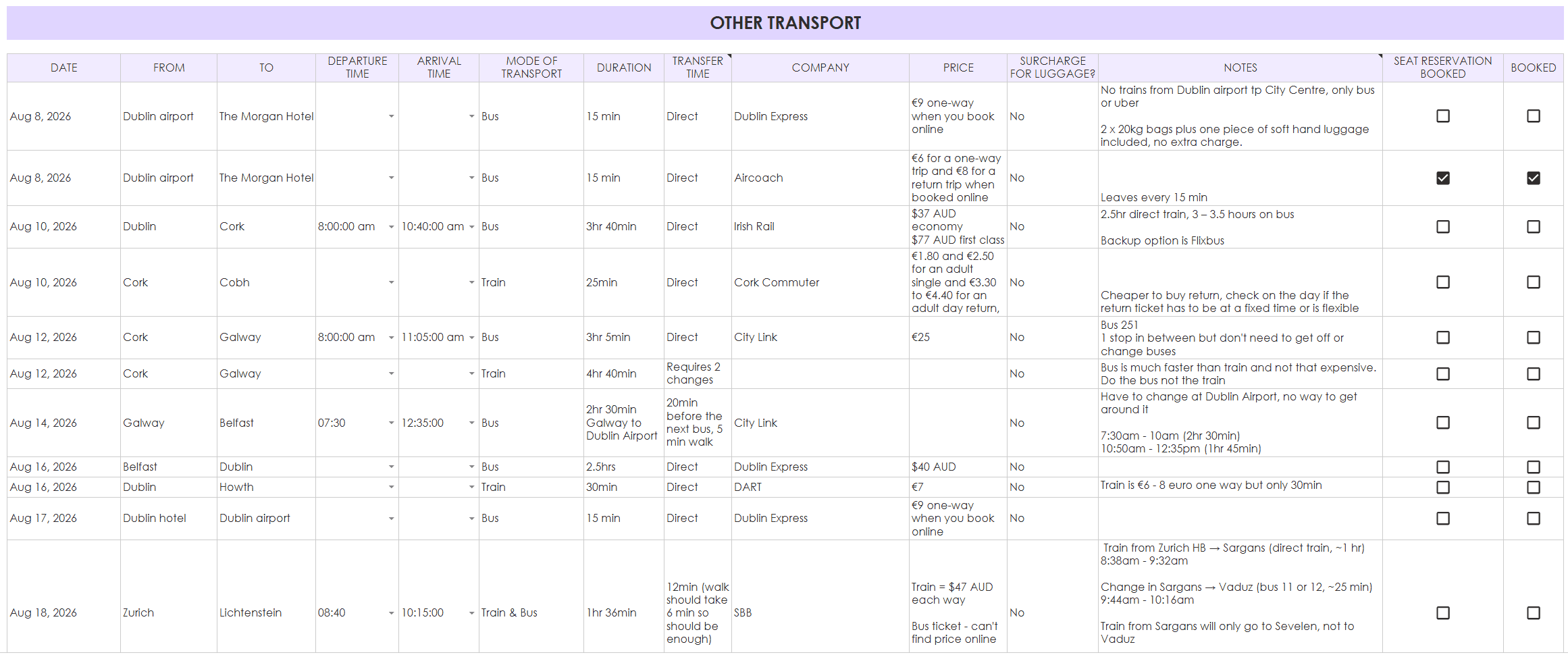
Apart from the flights, you’ll probably also need to book some buses, trains and possibly ferries for your holiday.
I like to compare different routes since there can be quite a difference in cost and time between taking a direct train or a bus, or a slower one that includes more stops along the way.
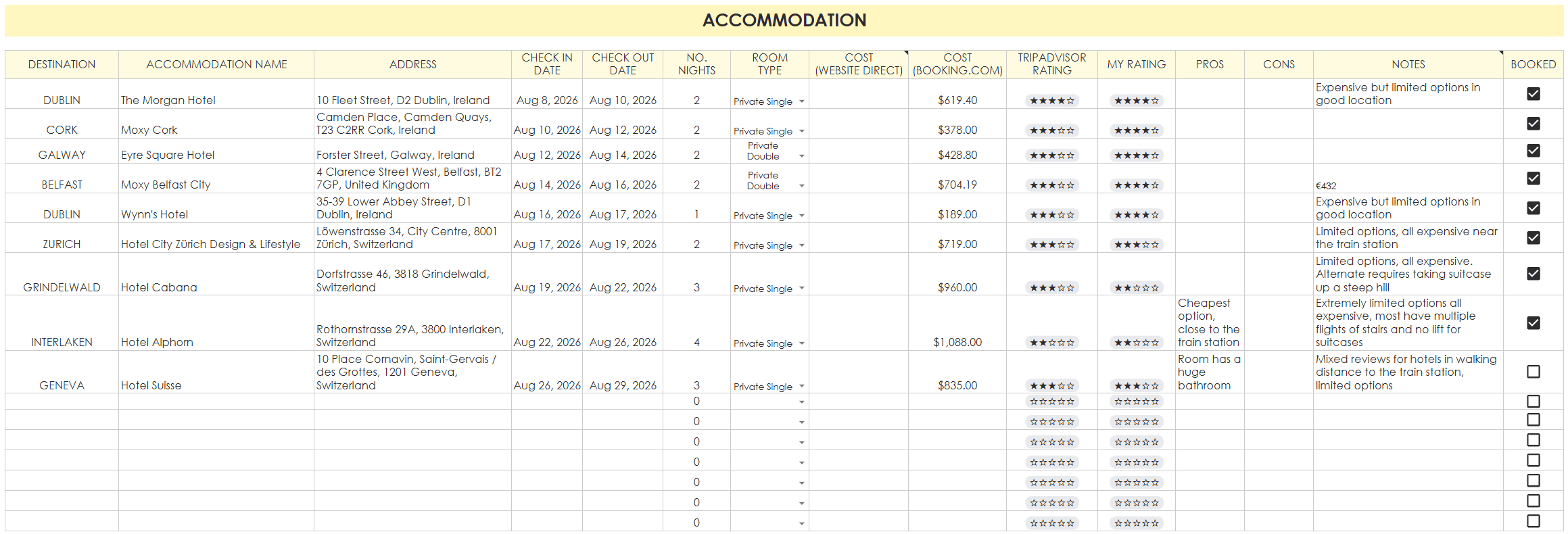
Hotels
I went into more detail about how I choose accommodation in this post.
This section of the trip research tab has places to record:
- Destination (city)
- Accommodation name
- Address
- Check in date
- Check in time
- Check out date
- No. of nights
- Room type
- Cost (from the hotel’s website i.e. booking direct)
- Cost (Booking.com)
- TripAdvisor rating
- My rating
- Distance to airport
- Distance to public transport
Why bother recording the room type? I travel with my Mum often so it’s usually a mix of hotels that have a double bed and a single bed, 2 single beds or 2 double beds. I might decide it’s worth spending $50 more to get a room with one double and one single bed, You can leave that section blank if it’s not applicable to you.
I book all my hotels through booking.com – not sponsored, just telling you what I use. They have different ‘genius’ tiers with different discounts. The more you book with them, the better the discounts. I can often get an extra 10 – 15% off. Is it cheaper than booking directly through the hotel’s website? Not necessarily. In a lot of cases it may actually be cheaper to book directly with the hotel.
But after having to cancel a holiday to Western Australia during covid and the hotel which I had booked directly refusing to refund me when the state borders were closed and I couldn’t legally travel to that state, I’m not risking it. I lost no money on the hotels I had to cancel for the Europe trip I was supposed to do this year, because I opted for the free cancellation option when I booked with booking.com. Only takes a minute to cancel if you need to. Sometimes there are better deals closer to the dates of your stay, you can cancel for free and book another hotel if you change your mind.
Don’t forget to use Shopback for extra discounts too!
Related post: How to choose a hotel (my step by step process)
Tour comparison
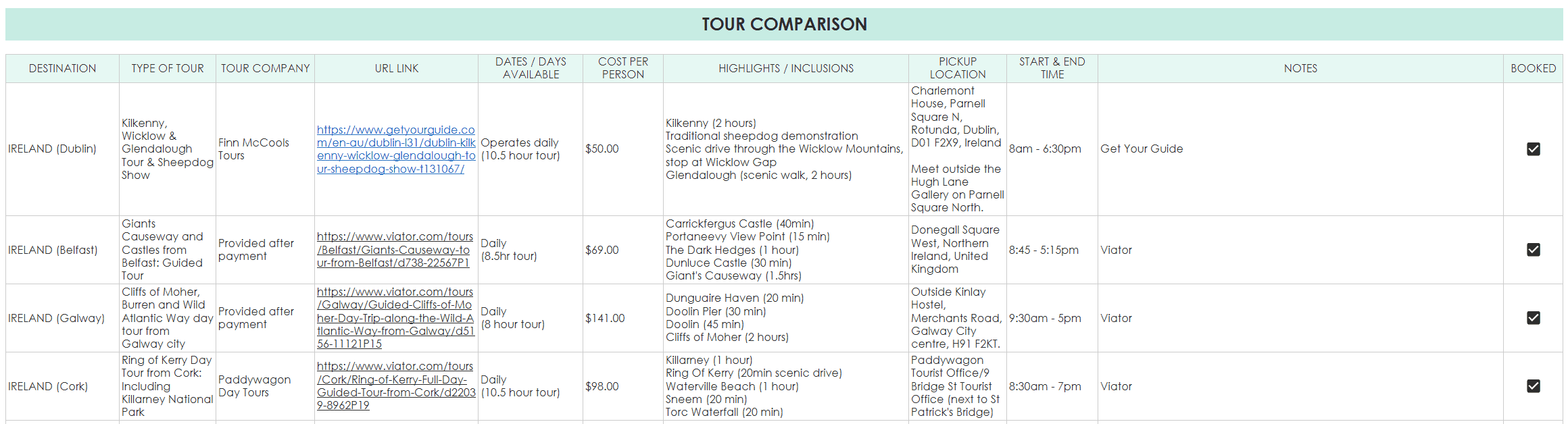
Use this spreadsheet to compare all types of tours:
- Half day tours
- Full day tours
- Walking tours
- Food tours
- Cultural / history tours
I like to add a link so I can quickly review the itinerary, as well as a quick summary of the highlights, how long the tour lasts, pick up location, start and end time. I used to book a lot of tours on Viator but now I mainly use Get Your Guide as I find they show a clearer summary of the itinerary and approximate duration at each stop.
Same with booking hotels, Get Your Guide, Viator and Klook are all on Shopback so you can usually get an extra 10% off the tour cost.
Multi day tour comparison
I love visiting the USA but unfortunately it’s not an easy place to get around without a car. I’m not confident enough to drive on the opposite side of the road, so end up doing multi day group tours for harder to reach places like national parks in Utah and Arizona.
Related post: Globus Enchanting Canyonlands Tour Review (Arizona, Utah & Nevada)
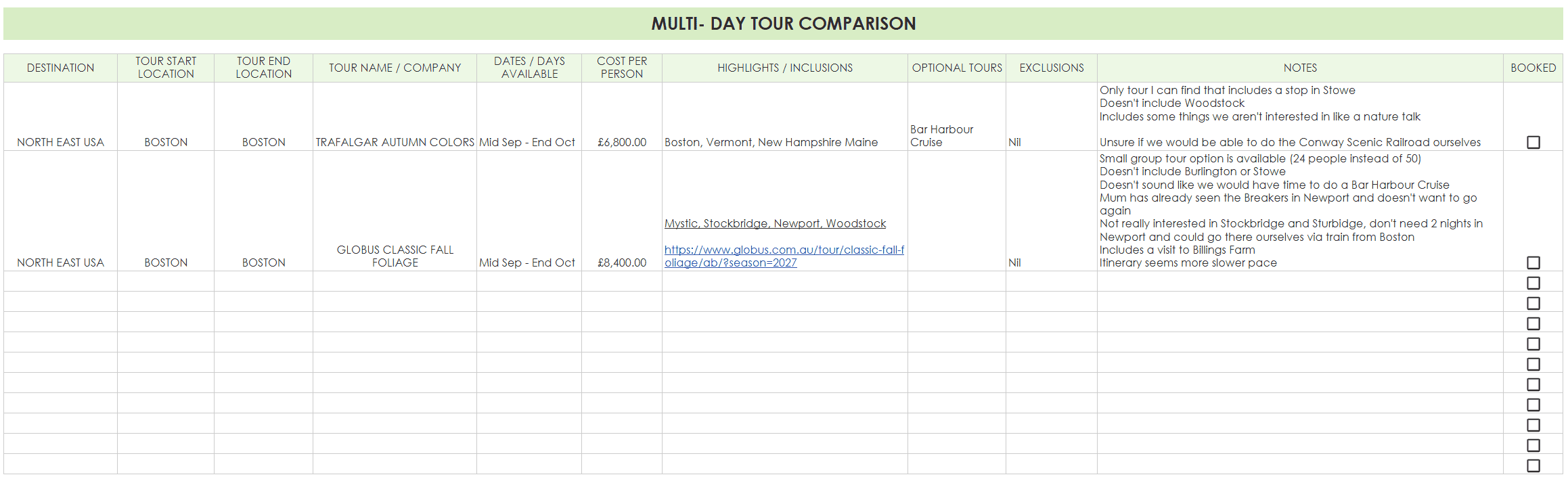
Since it’s so expensive to visit the USA, I always add on extra days so group tours form part of, but are not the entire trip. In this section I record the start and end location so I can research flights and decide if I’ll spend a few days in another city before heading to the tour starting point, or start the trip in the same city as the tour starts from.
I record the dates the tour is offered, pricing, a link to the tour, highlights, any optional tours that cost extra, exclusions and notes to help me decide between similar tours.
Related post: Trafalgar Autumn Colors Tour Review (New England – Massachusetts, Vermont, New Hampshire and Maine)
Attractions we want to visit
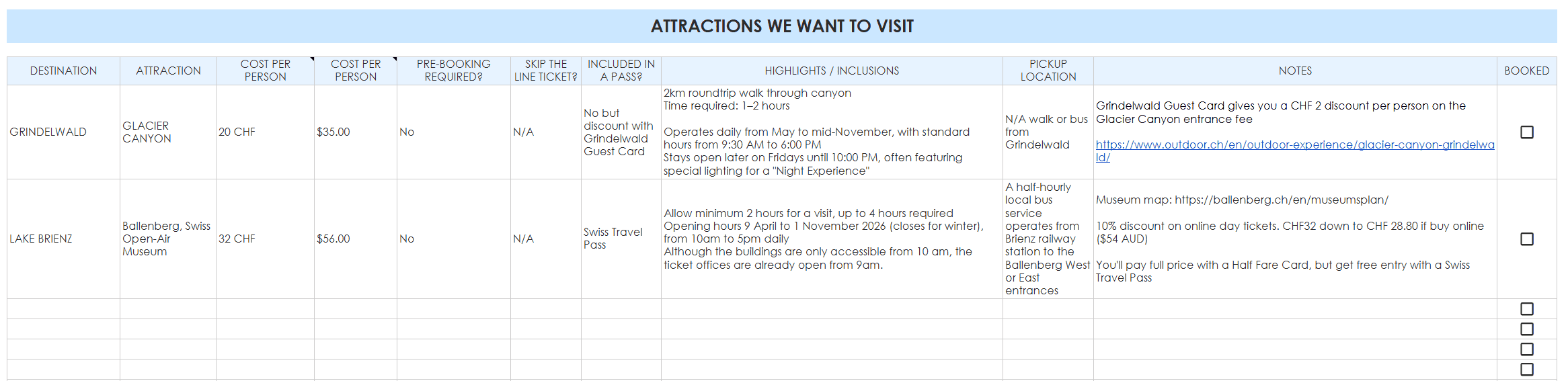
Because there’s so many things to see and do, I need to work out which ones are the must do, and allocate enough time in the itinerary for them. In this section you can list out:
- Destination
- Attraction
- Cost per person (local currency)
- Cost per person (your home currency)
- If pre-booking is required
- If there’s a skip the line ticket and if it’s recommended to purchase it
- If it’s included in a travel pass
- Highlights / Inclusions
- Pickup location
- Notes
- Checkbox to mark off when you’ve booked it
I love visiting viewpoints, so in places like New York where there are quite a few to choose from and you probably have limited time since it’s such an expensive city to visit, a spreadsheet like this is helpful to decide.
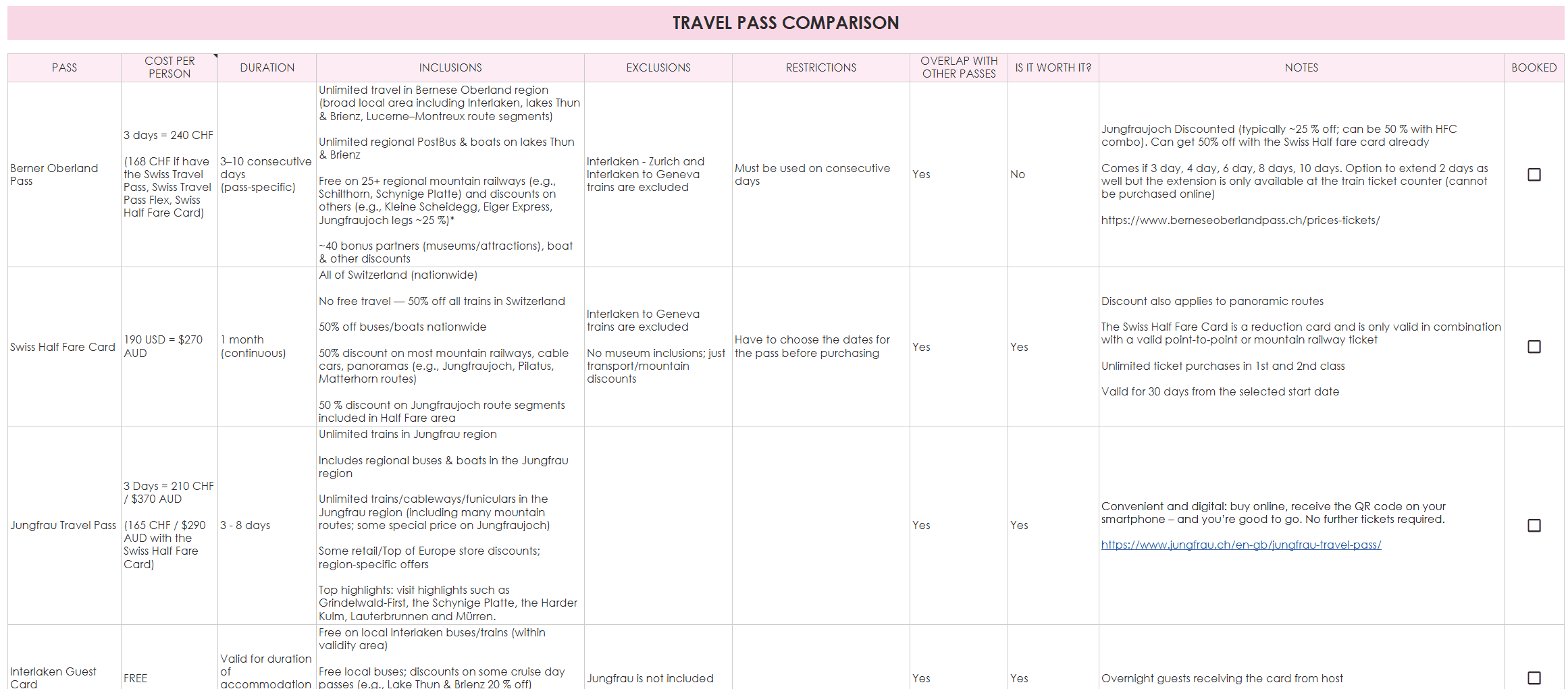
Travel pass comparison
For my latest trip, it was getting very confusing trying to compare the various passes in Switzerland so I put together a travel pass comparison:
- Name of the pass
- Cost per person (with enough space to compare the cost of the pass for different durations 3 days, 5 days, 7 days etc.)
- Inclusions
- Exclusions
- Restrictions
- If the attractions or discounts included in the pass have some overlap with the other passes I was comparing
- If the pass is worth it
- And any extra notes
Car rental comparison
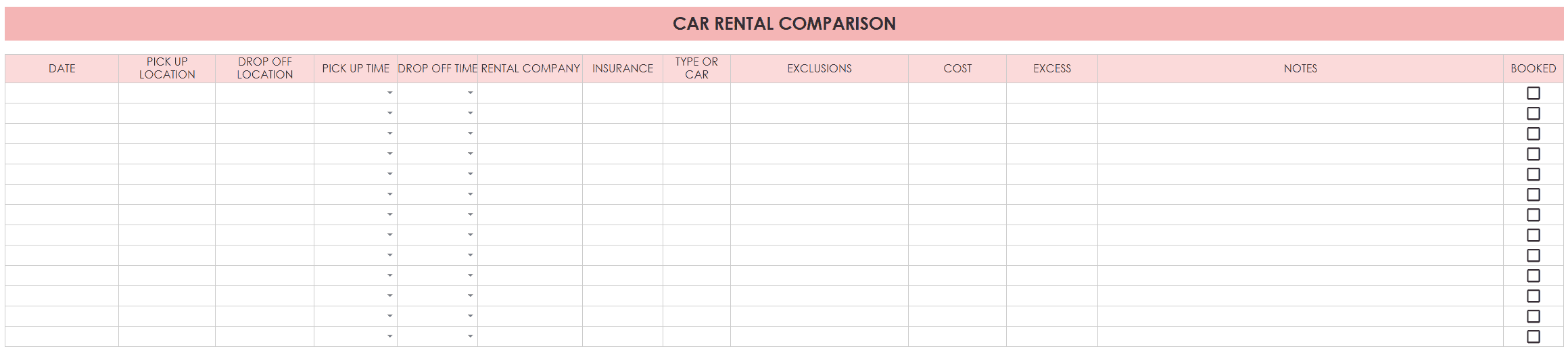
If I’m travelling within Australia then I’m ok with renting a car so have a section to research and compare options:
- Dates the car hire is needed
- Pick up location
- Drop off location
- Pick up time
- Drop off time
- Rental company
- Insurance
- Type of Car
- Exclusions
- Cost
- Excess
- Notes
I’ve always found it cheaper to book a hire car that is picked up and returned to the same location but if the places you want to visit in your itinerary are not in a loop and it’s going to waste a lot of time backtracking, it’s helpful to see how much extra you may need to pay to return it to a different location.
In the notes section I put how many big and how many small suitcases will fit in the boot. If you aren’t sure, when you go to book on the Avis website it tells you how many will fit (not sponsored, they’re just a common car hire company here in Australia so I’ve used them a few times).
Related post: 4 Day Itinerary in the Red Centre, Australia (Ayers Rock, The Olgas and Kings Canyon)
Destination research
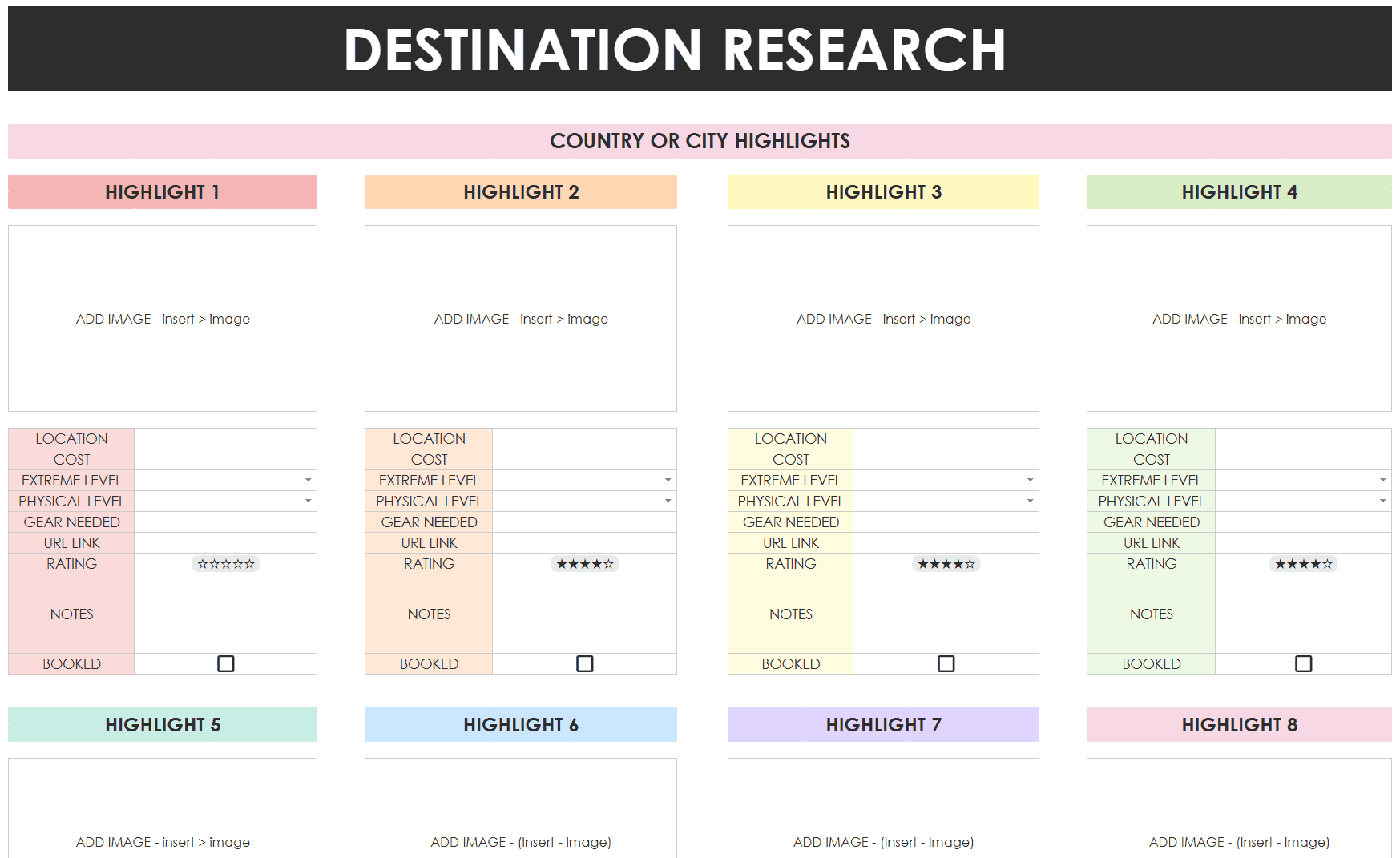
If you’re planning a big holiday where you’ll be visiting multiple cities or multiple countries, there’s a separate destination research tab. The tab has sections for:
Country or city highlights where you can:
- Add inspiration photos
- Cost
- ‘Extreme level’ if you have more adventurous people in your group, and some that are not
- Physical level
- Gear needed
- URL link to a tour or info about it if you’re going to show someone in your group the tour / activity later on to help them decide if they want to do it
- Rating (there’s a star ranking to help your group decide which are the must do things versus only if we have time)
- Notes
- Checkbox for when the experience has been booked
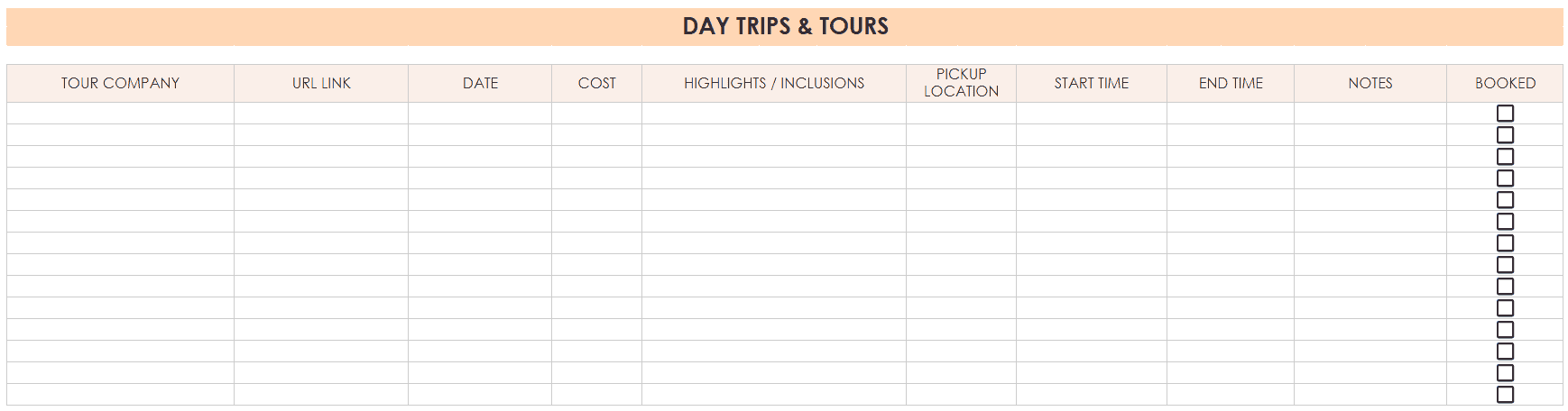
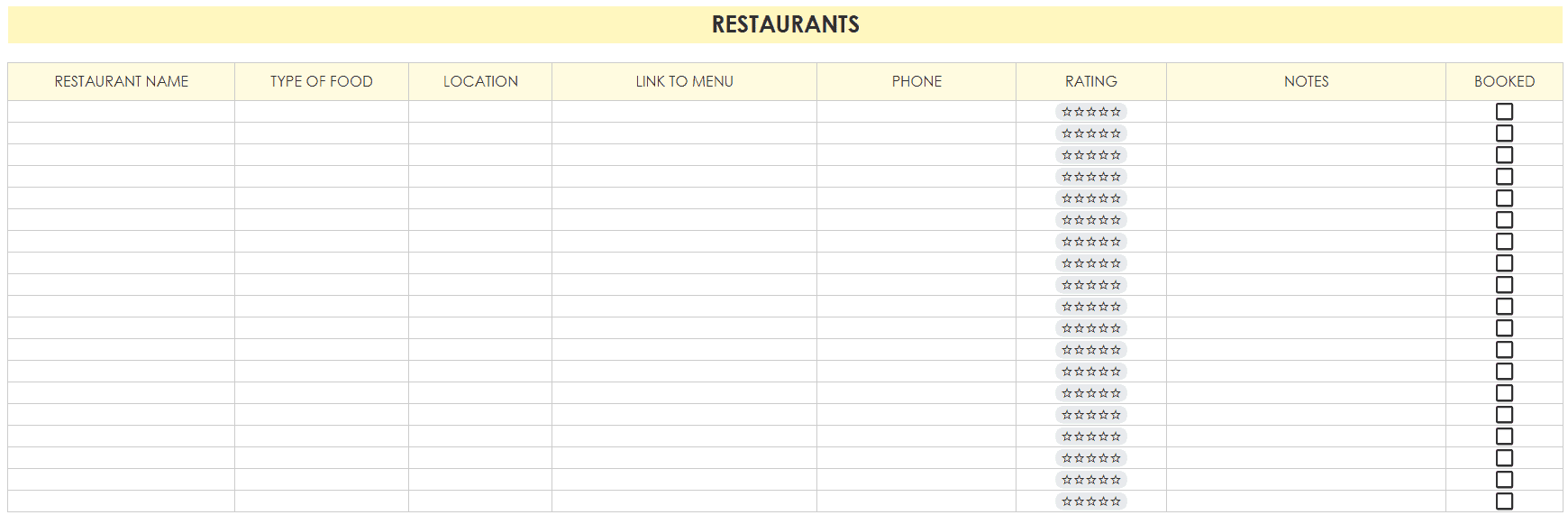
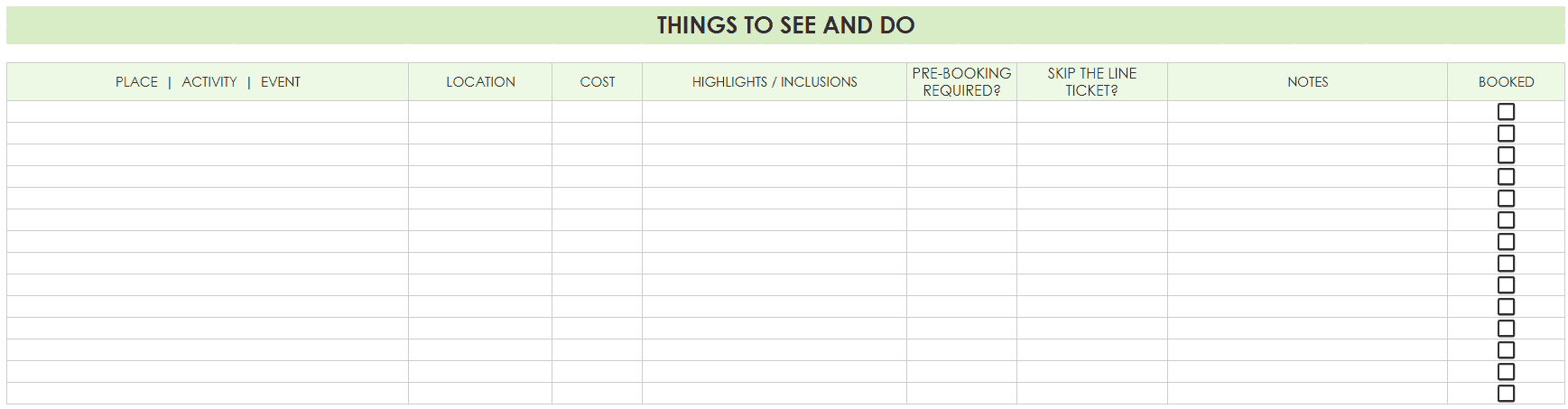
Further down this tab are sections for day trips and tours, restaurants as well as things to see and do.
Expense tracker
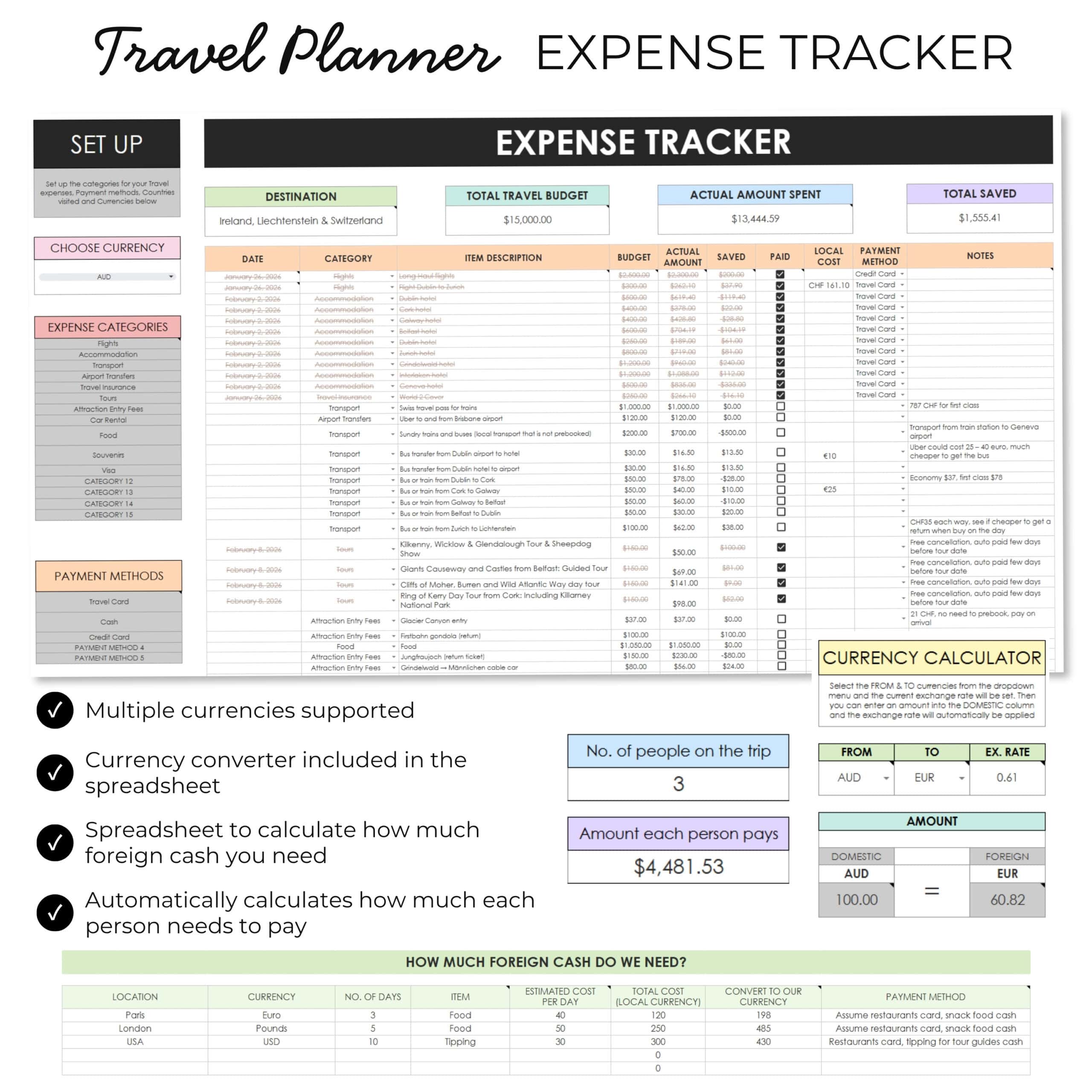
Since I’m always the trip organizer, it’s just easier if I act as the ‘bank’. I pay for everything then it makes the math’s much easier at the end. The spreadsheet automatically calculates how much each person needs to pay. Any items that are just for one person, that person pays for themselves.
Since I love a checklist, I have a checkbox to tick off when things are paid. Because my trips are usually 3 – 4 weeks long, I opt to pay for day tours before leaving so I can print a paper copy of the ticket, rather than waiting for the money to be automatically deducted from my account a few days before. There are so many things to be booked and paid for, the checkboxes make it much easier to keep track of everything.
By recording all of the expenses it also helps to work out how much foreign cash I need to get before leaving.
Instead of flicking back and forth to an online currency converter, there’s one built into the expense tracker tab of spreadsheet.
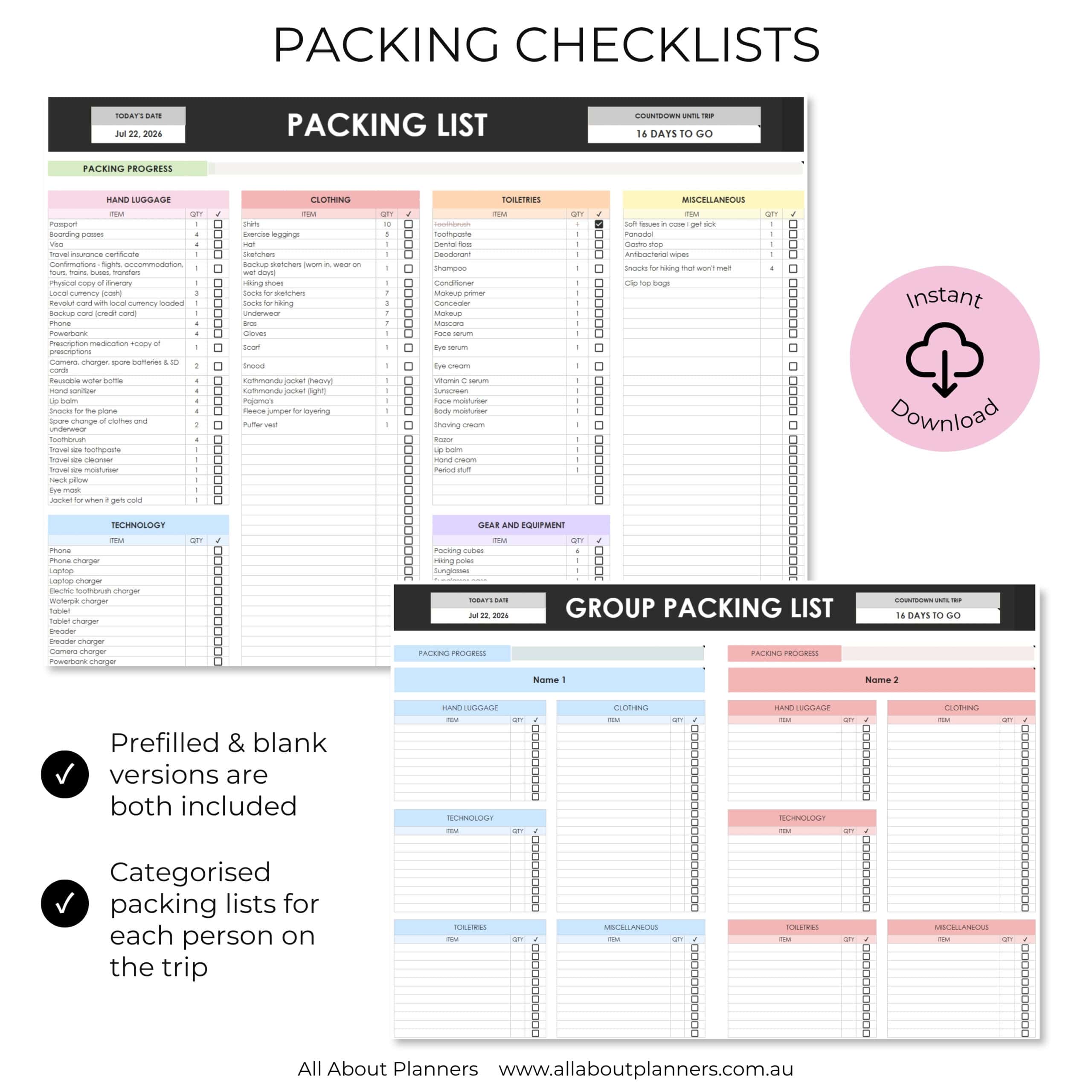
Packing lists
There are 2 versions of the packing list included
- One tab just for you (if you’re going on a solo trip)
- One tab with packing lists for each person going on the trip
I normally go by myself or with my mum, but there are sections for packing lists for up to 6 people. You can copy and paste the template if there are more than 6 people going on the trip.
Each of the packing lists are categorized into:
- Hand luggage
- Clothing
- Toiletries
- Miscellaneous
- Technology
- Gear & equipment
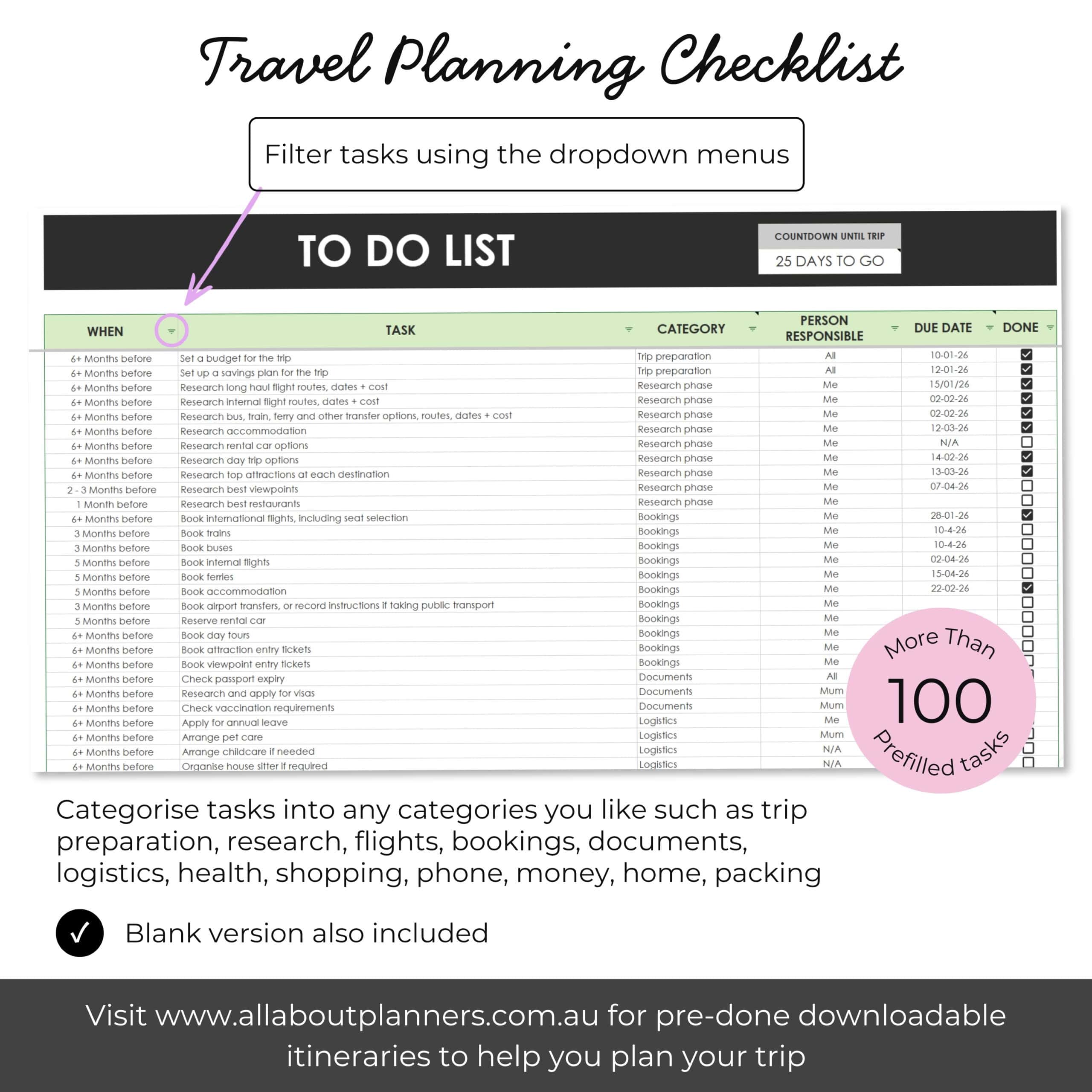
Travel to do list spreadsheet
With so many things to organize I would be lost without a good checklist. There are 2 versions depending on your preference. I prefer the master task list. Everything all on one list, organized into categories with filters. There’s space to add who is responsible, due date and of course, a checkbox.
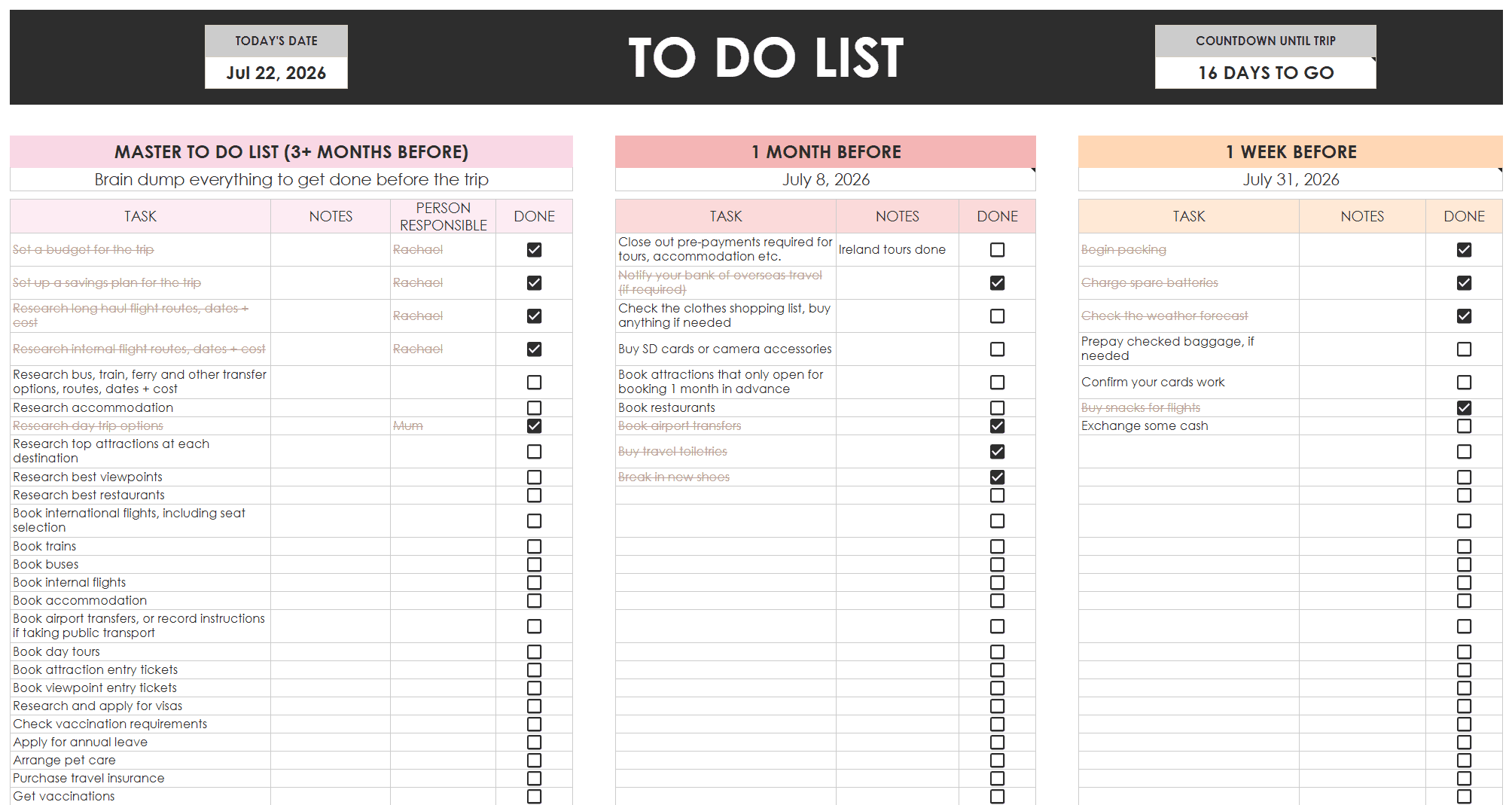
Travel checklist (countdown)
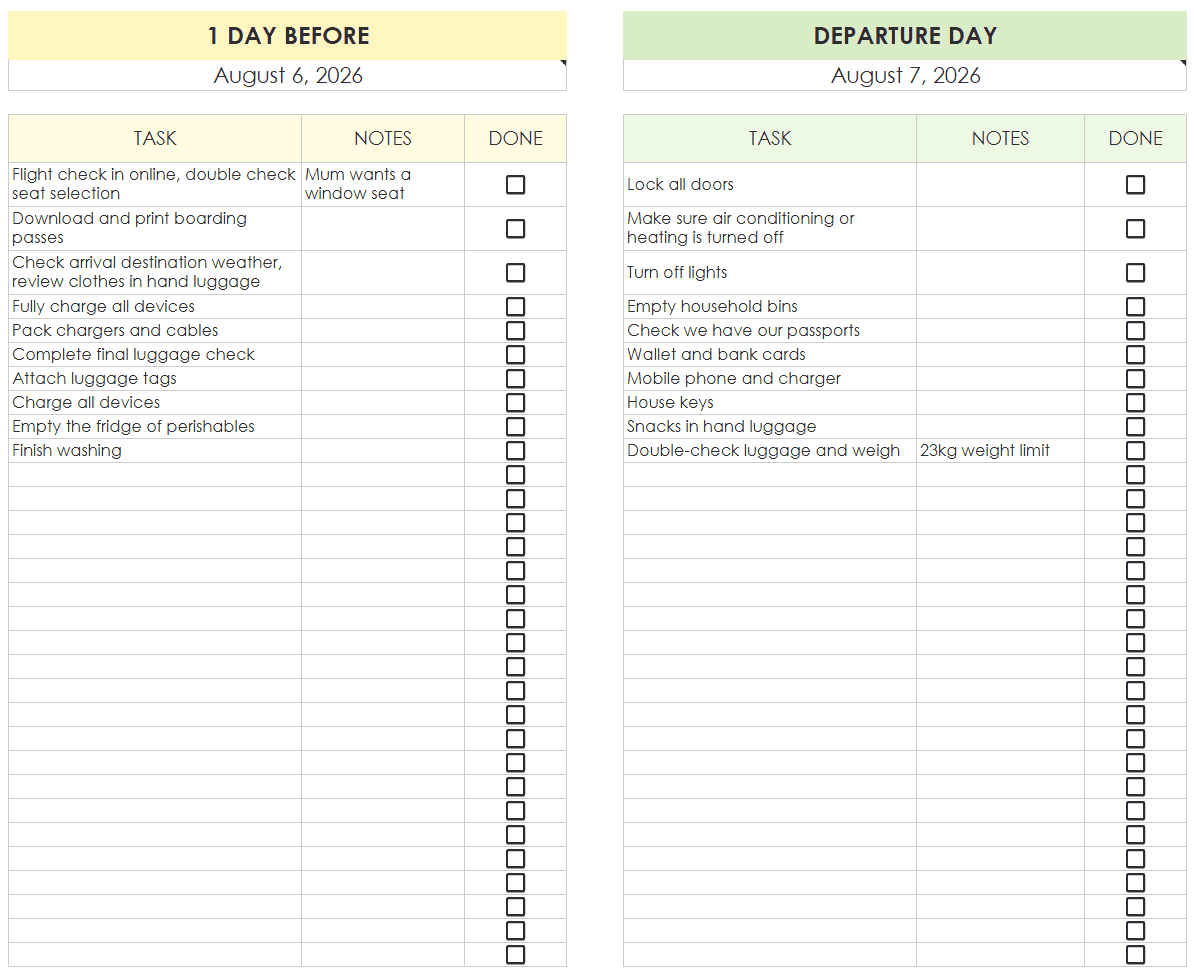
If you prefer separate lists organized into a countdown / time based format, there’s another checklist tab for that:
- Master to do list (3+ months before)
- 1 month before
- 1 week before
- 1 day before
- Departure day
Both prefilled and blank versions included.
Other handy spreadsheets
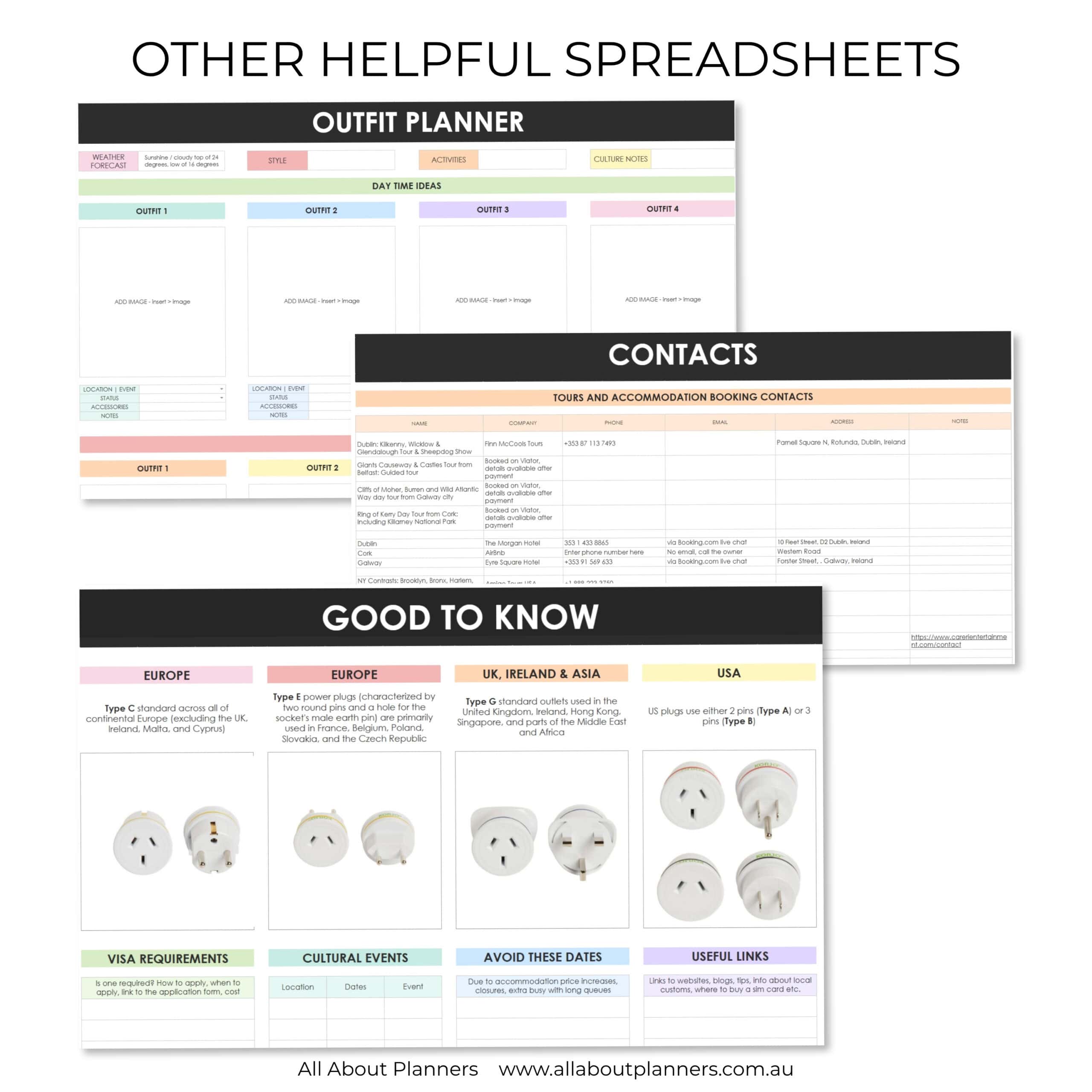
Similar to my itinerary template for Microsoft Word / Google Docs, I wanted space to record ‘good to know’ info such as:
- Pictures of power plugs for the countries I’m visiting
- Visa requirements
- Cultural events and important dates to either plan around or avoid (if trying to save money and don’t want to visit a place when it’s crowded)
- Useful links I know I’ll need to reference for forms or things to look into more detail when I’m closer to the departure date
In addition, I added other tabs for:
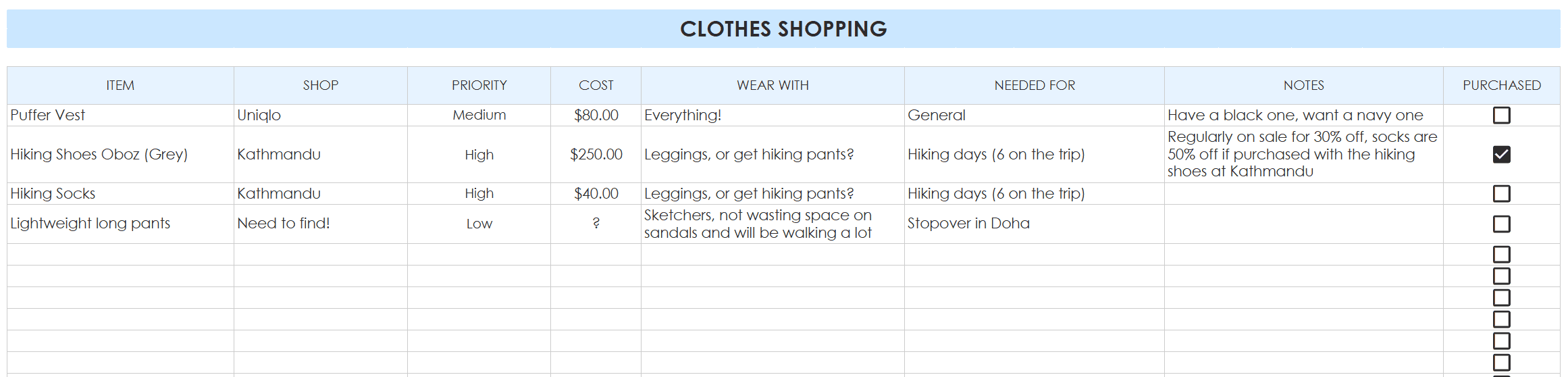
Outfit planner
I have a travel capsule wardrobe and don’t eat out at fancy restaurants that require a dress with nice shoes etc. but if you want to plan your outfits I have a tab for that. There’s a shopping list section at the bottom too.
Contacts
You can record all contacts here (hotels, tours etc.) but I just use it for tour companies.
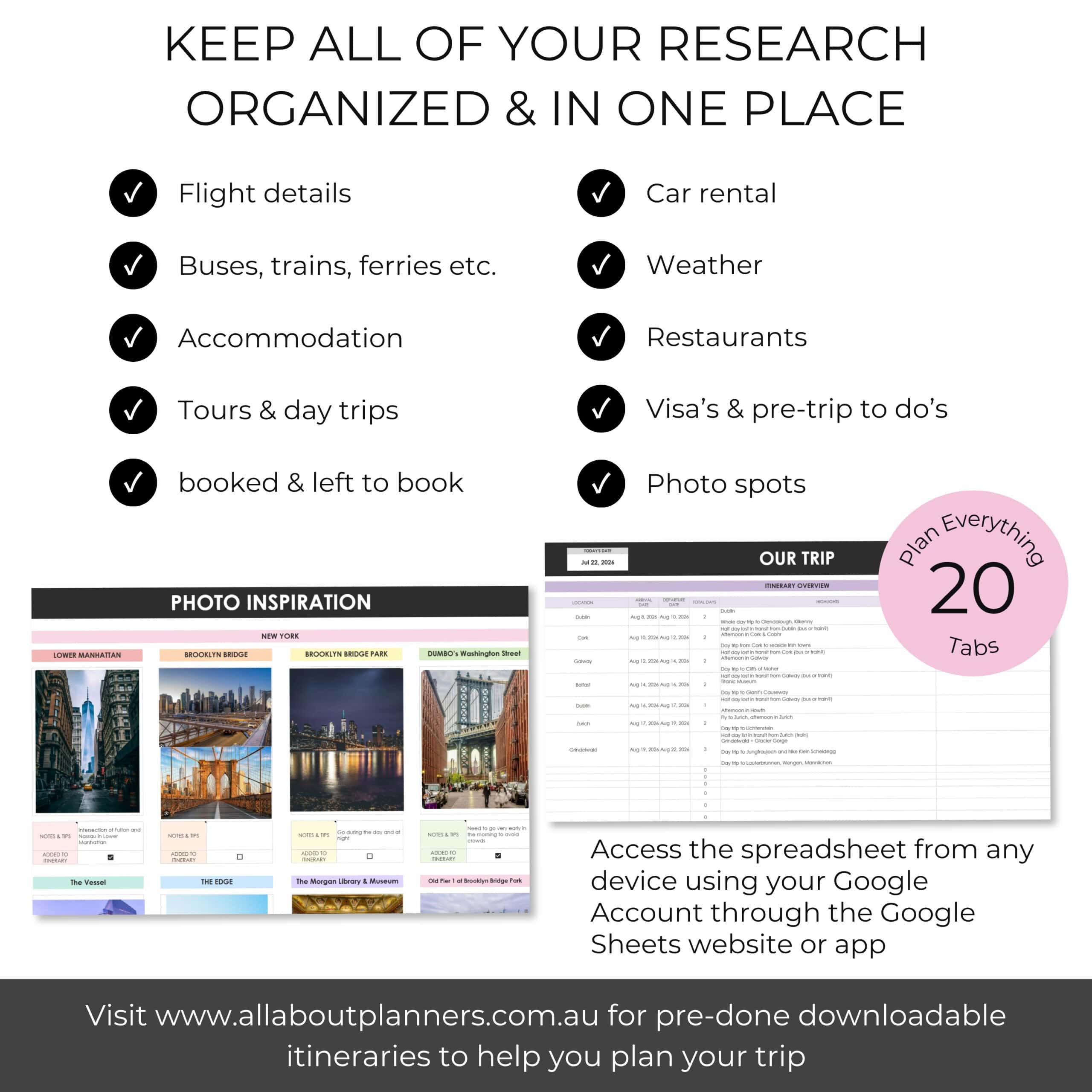
Photo spots
On my earlier trips I didn’t spend time researching photo spots, I just assumed I would ‘stumble’ across them. But in big cities you sometimes need to know where to go to get the shot!
I have travel photos all over my walls at home and enjoy making photobooks after trips. So it’s important to me to research photo spots and know the best time to go to those places when the lighting is good or when they aren’t crowded.
Trip admin
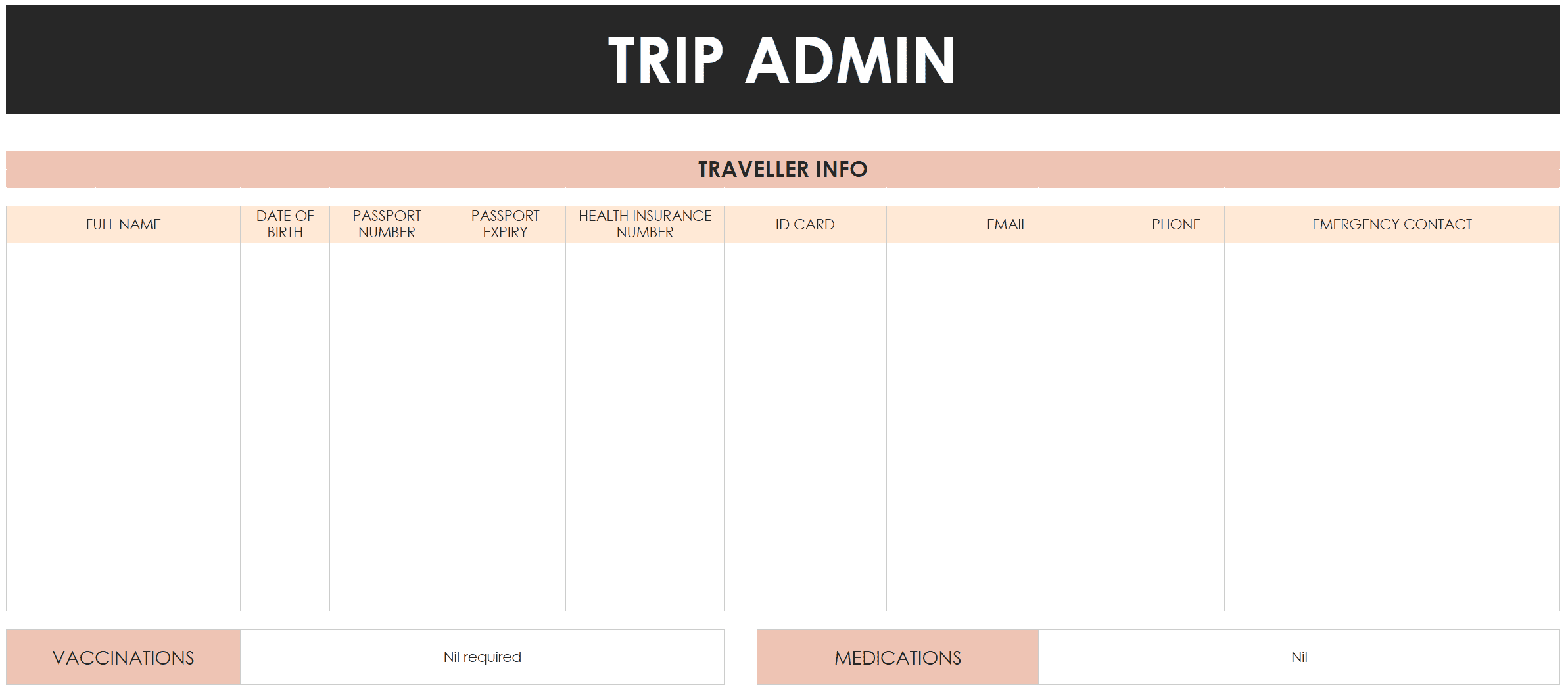
On this tab, record the not so exciting parts:
- Passport numbers for quick reference when booking flights
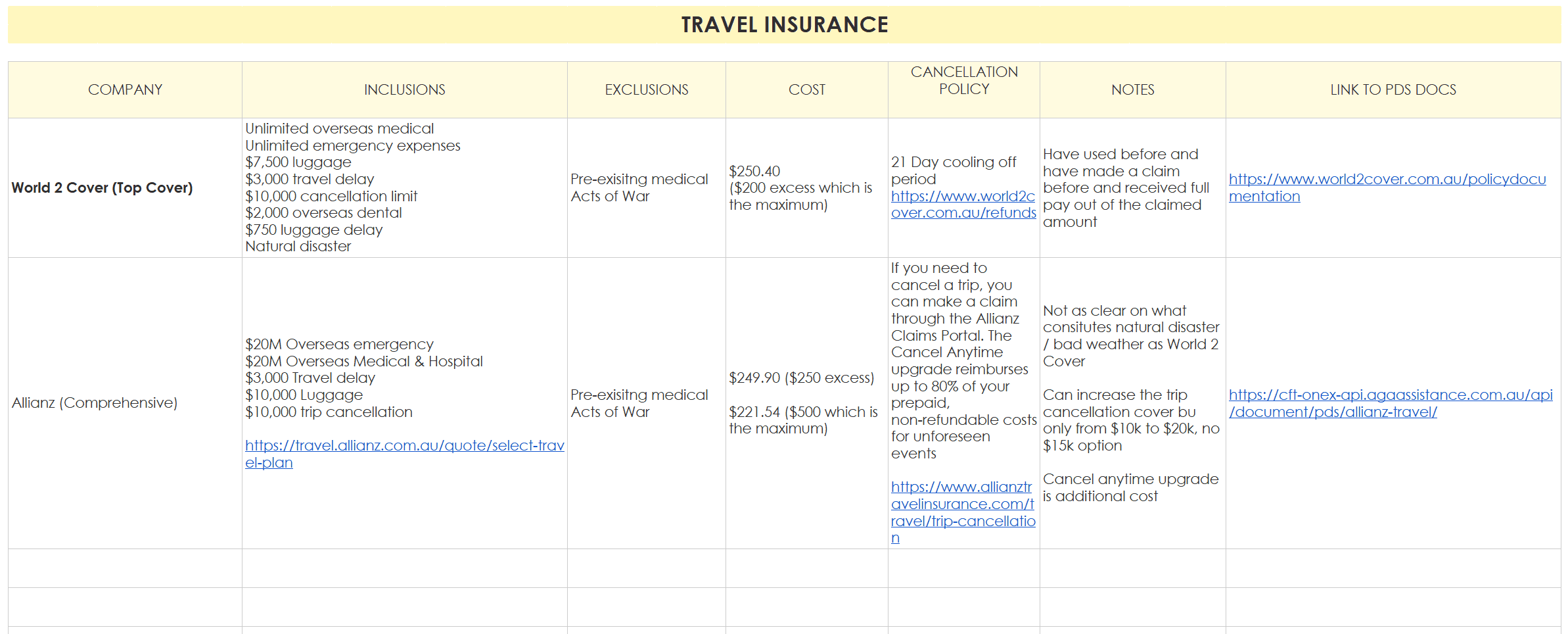
- Travel insurance details
- How much foreign cash to transfer

Where can you get the travel planning spreadsheets?
They’re available in my Etsy shop and online store.
I hope you find them as helpful as I have 🙂
I use these spreadsheets in combination with my Microsoft Word (can also be used in Google Docs) itinerary template. I also have a Canva itinerary template if you prefer.
- How to use Canva to make a travel itinerary (is it better than Word and Excel?)
- How I use Microsoft Word to plan my travel itinerary (my template & planning process)
Posts to help you start planning your trip!
Now that you have spreadsheets to keep everything organized, you can skip ahead to the fun part: planning your trip! Here are some helpful posts:
- 115 Things to Google before your next vacation
- How to use Canva to make a travel itinerary (is it better than Word and Excel?)
- Using ChatGPT to create a travel itinerary – time saver or waste of time?
- How to Efficiently Plan a Month-Long European Itinerary in Just One Week
- How to plan the best flight route: A type A traveller’s step by step guide
Download copies of itineraries I made for past trips (they’re super detailed)
Like the travel planner? Pin to refer back to later